PLAYER
Create a new playlist
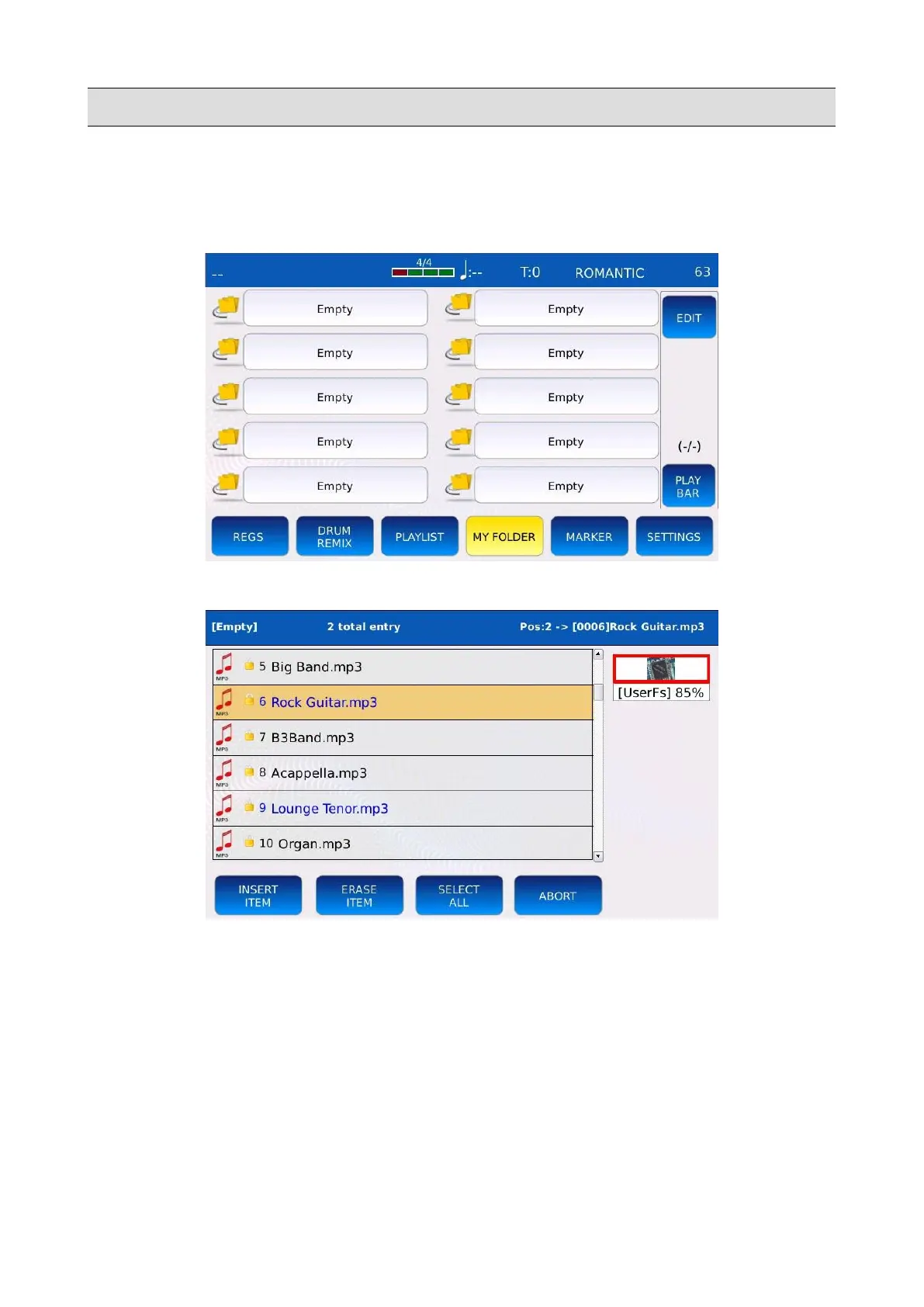
To create a new playlist, select an “Empty” entry on the PLAYLIST SELECTION page. A pop up
window will be displayed on screen. Tap on the YES button to confirm.
The browsing window will be displayed on screen:
• Use the Value Dial, the EXIT and the ENTER buttons to navigate through the folders.
• Tap on the INSERT ITEM button to add the selected file to the new playlist. The inserted
items will be displayed in blue.
• Tap on the ERASE ITEM button to remove a previously inserted file from the playlist.
• Press SAVE to save the playlist.
• Tap on ABORT to cancel operation and return to the previous screen.
KETRON - LOUNGE 33



 To Next Page