MENU
Footswitch
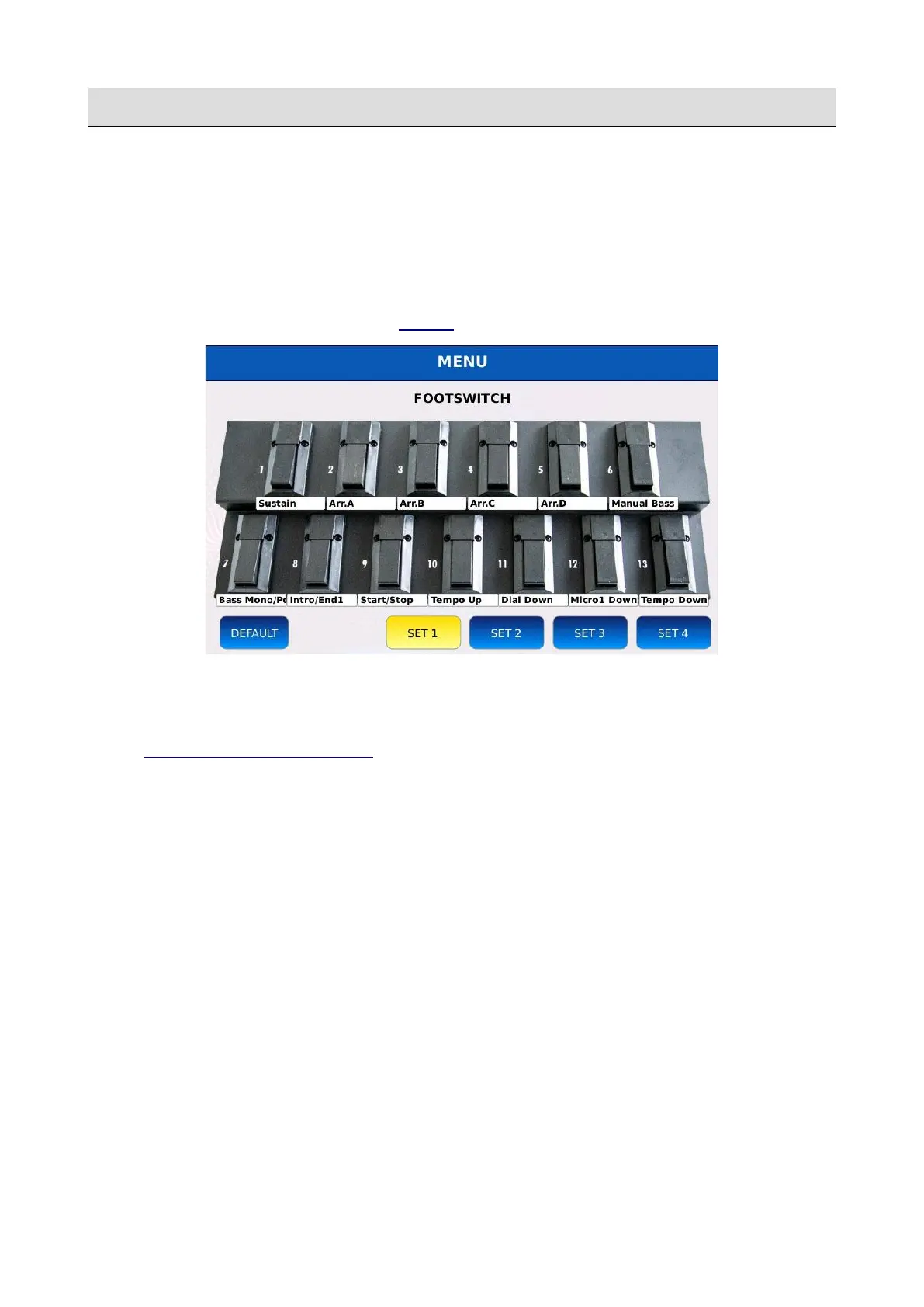
The optional footswitches board FS6 (6 switches) and FS13 (13 switches) allows you to assign at
each switch a different function, such as start, stop, program change, fill, break, variation change
and more. This is particularly useful for any musician, because keeps their hands free for the
performance of your music.
Tap on the FOOTSWITCH button on the MENU page to display the FOOTSWITCH page.
How to assign a function to a pedal
• Tap on one of the switches. A list of available functions will be displayed on screen (see
FOOTSWITCH FUNCTIONS to see the complete list).
• Scroll with the Vale Dial to select a function.
• Tap on the function name to assign the function to the switch.
• Press EXIT to close the pop up.
Footswitch configurations
You can store and choose up to four different function configurations. Each configuration assigns to
each switch a different function.
• Tap on the SET buttons to select a configuration.
• Press SAVE to save the current configuration.
• Tap on the DEFAULT button to load the default configuration.
156 - KETRON - LOUNGE



 To Next Page