PLAYER
X-fade
In audio application, a fade is a gradual increase (or decrease) of the volume of an audio track. A
cross fade (or x-fade) is a technique used to perform a smooth transition from a song to another: the
first song is faded out and, at the same time, the second song is faded in.
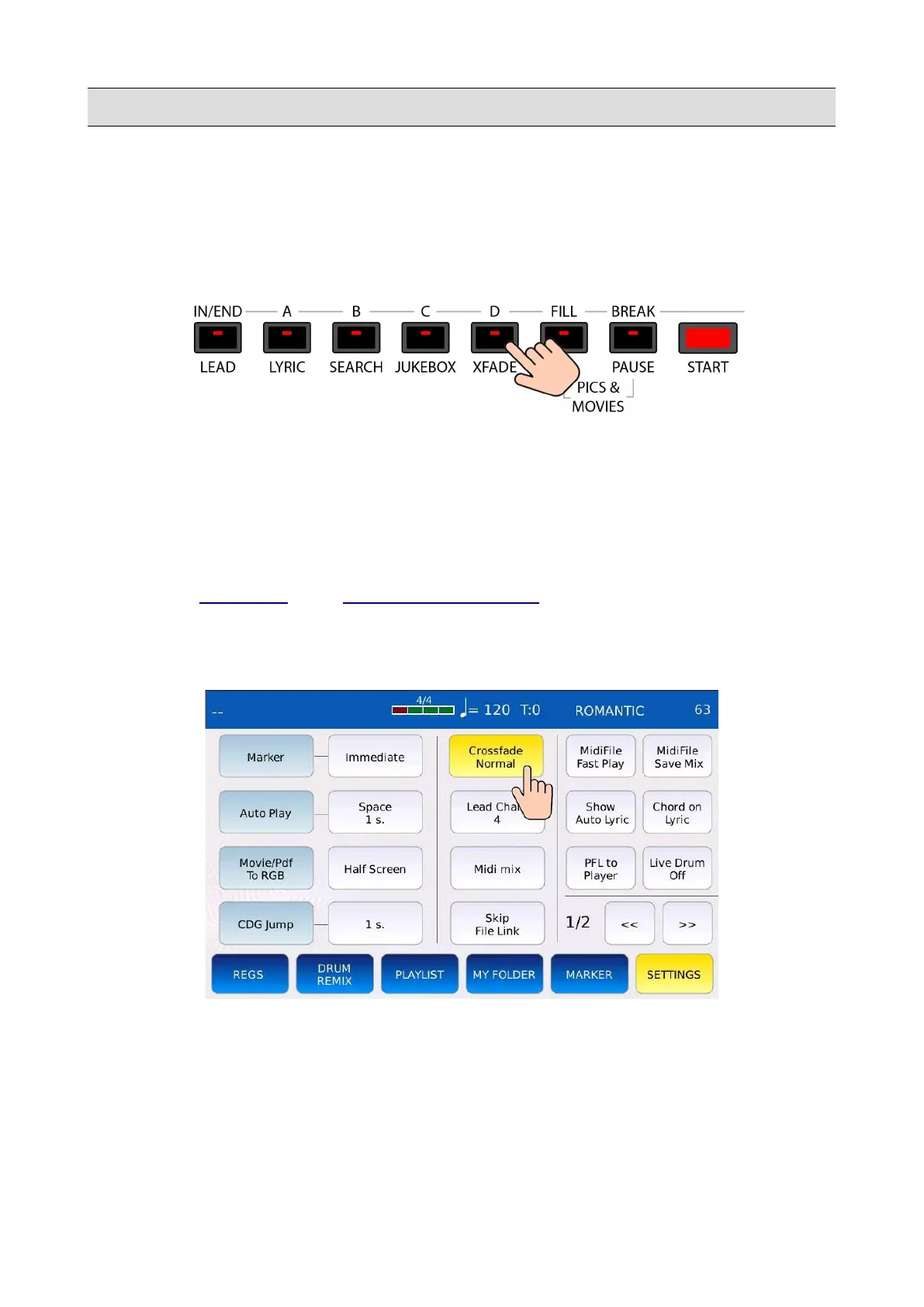
Press XFADE to enable the cross fading between songs. The XFADE button will turn on.
NB: it is not possible to cross fade between video files.
Change the x-fade speed
To modify the rate of the cross fade, follow the following steps:
• Tap on SETTINGS on the PLAYER BOTTOM BAR
• Tap on the CROSSFADE button. It will be highlighted in orange.
• Use the Value Dial to choose the speed from Normal, Slow1, Slow2, Fast1 and Fast2.
KETRON - LOUNGE 51



 To Next Page