DRUM
Save a Rhythm
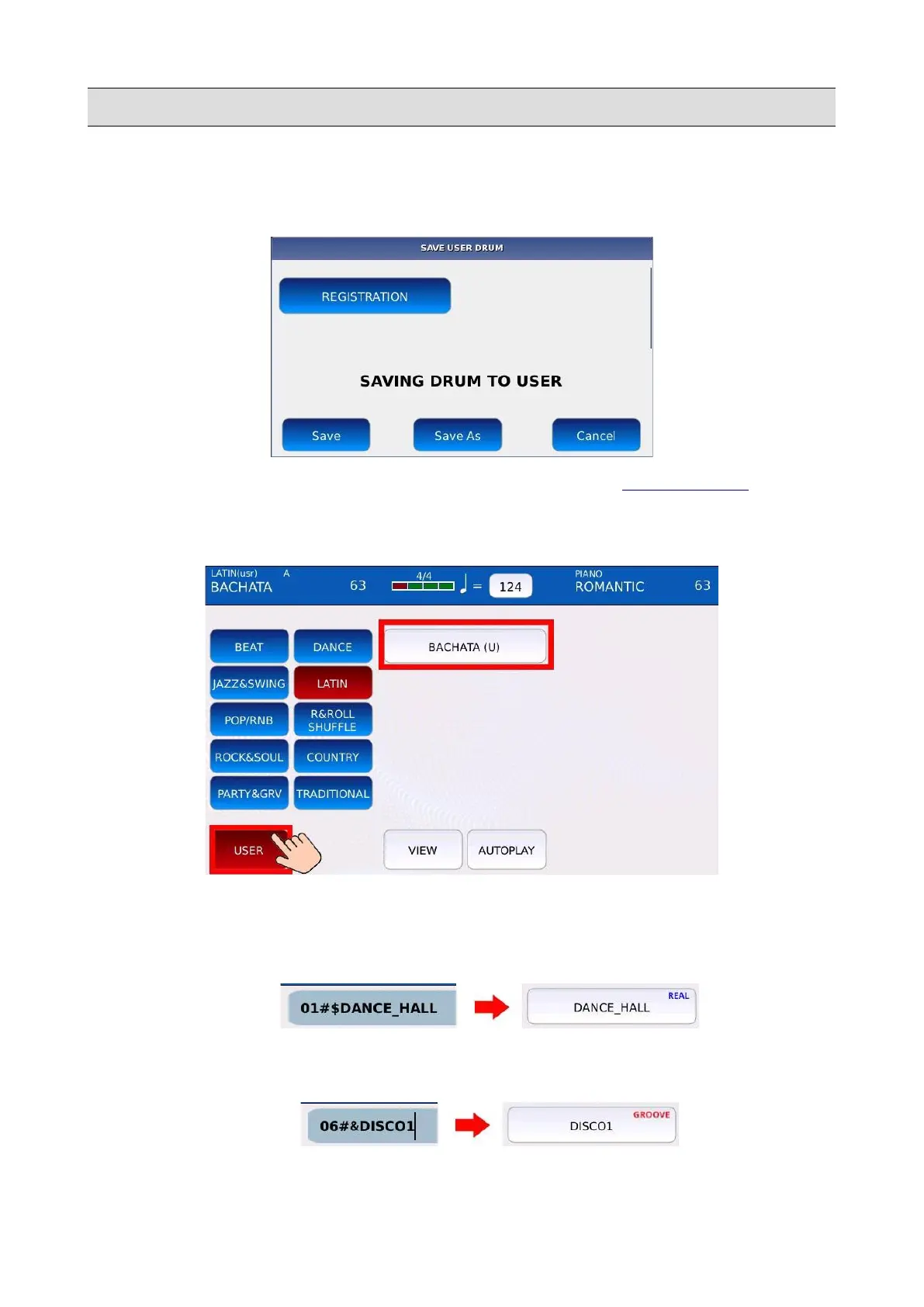
• Press SAVE while being in DRUM mode. A confirmation window will appear on screen.
NB: tap on the REGISTRATION button to save the Rhythm as a REGISTRATION.
• Tap on the SAVE or the SAVE AS buttons to save all the changes as a User Rhythm. Tap on
the CANCEL button to cancel the operation.
• Tap on the USER button on the DRUM page to view the User Rhythms.
NB: if you begin to write the name with an $ character, the instrument will recognize the
Rhythm as a “REAL” Rhythm (By default a Rhythm is considered “MIDI”).
NB: if you begin to write the name with an & character, the instrument will recognize the
Rhythm as a “GROOVE” Rhythm (By default a Rhythm is considered “MIDI”).
92 - KETRON - LOUNGE



 To Next Page