MENU
Dsp
In all musical instruments, audio effects are a powerful tool to shape the sound: by combining
together different types of effects, a musician can bring life to a sound and let it stand out in the
mix.
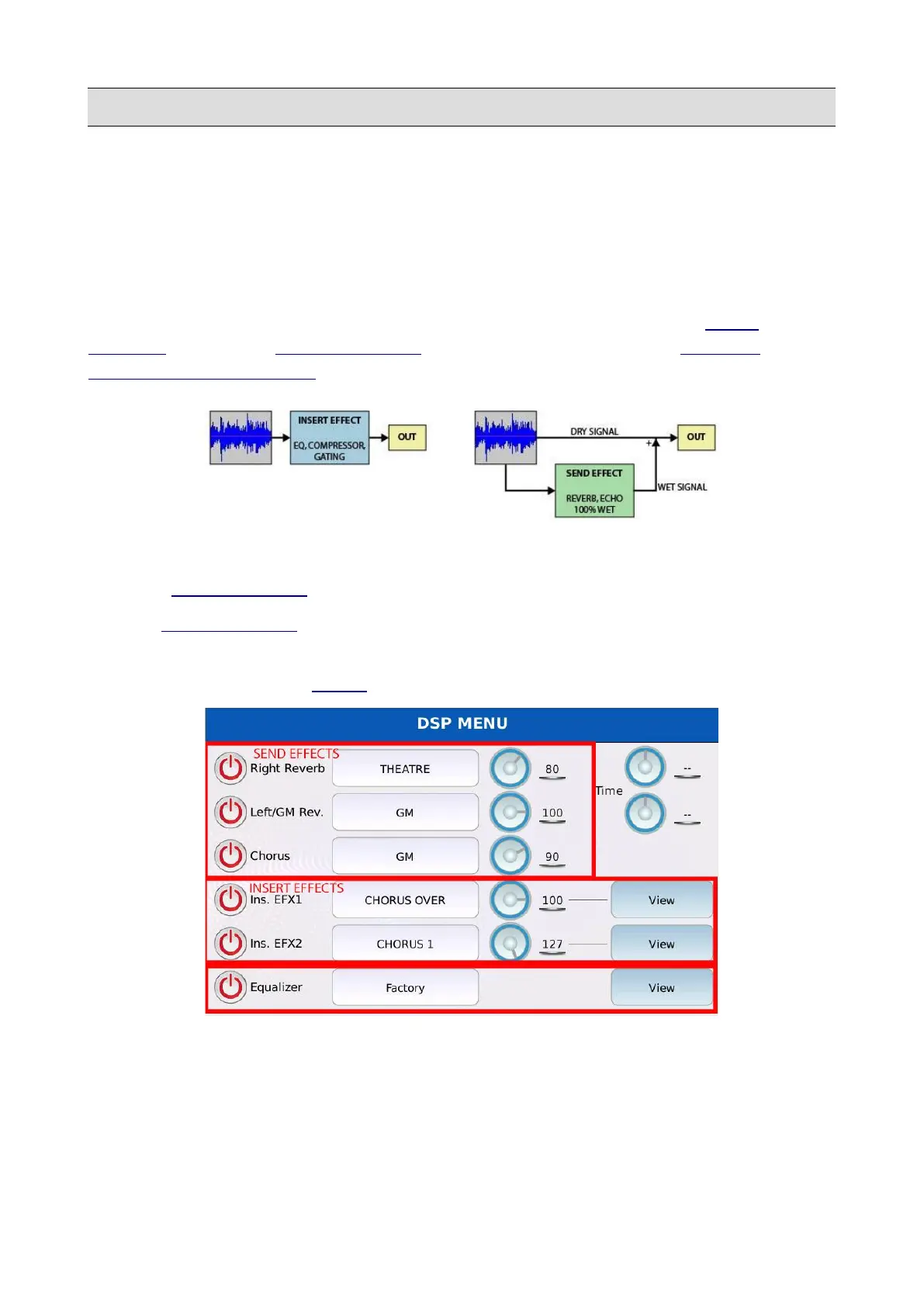
In DSP mode you can manages the effects settings, edit the effect chains, adjust the reverb and
chorus levels and tune the global equalizer. This instrument is equipped with three SEND
EFFECTS modules, two INSERT EFFECTS modules (EFX1 and EFX2) and a GLOBAL
PARAMETRIC EQUALIZER.
The main difference between an INSERT EFFECT and a SEND EFFECT is that:
• An INSERT EFFECT processes the audio signal in its entirety.
• A INSERT EFFECT processes a copy of the audio signal (wet) that later is mixed or blended
with the original (dry) signal.
Tap on the DSP button on the MENU page to display the DSP page.
The DSP page shows the six different effect modules, which may be turned on and off by tapping
on the virtual buttons ON/OFF on the left of the page. Tap on the central buttons to select the effect
preset and use the virtual knobs to adjust the volume of the corresponding effect. To edit the effects
parameters, tap on the VIEW buttons on the right of the page.
KETRON - LOUNGE 119



 To Next Page