MENU
Metronome
The metronome is a device that produces an audible sound (click) at regular intervals. It can be used
to practise, to play in synchronization with another source, such as a MIDI file or a DRUM Rhythm,
or to have a click track when recording an execution. The rate at which the metronome runs is often
expressed in BPM (Beats Per Minutes) and could vary from a minimum of 40 BPM (Largo) to a
maximum of 250 BPM (Prestissimo). The downbeat (the first beat of the bar) is is accentuated to
notify the beginning of a new measure. The metronome will be heard only on the HEADPHONES
output and not on the main LEFT and RIGHT outputs.
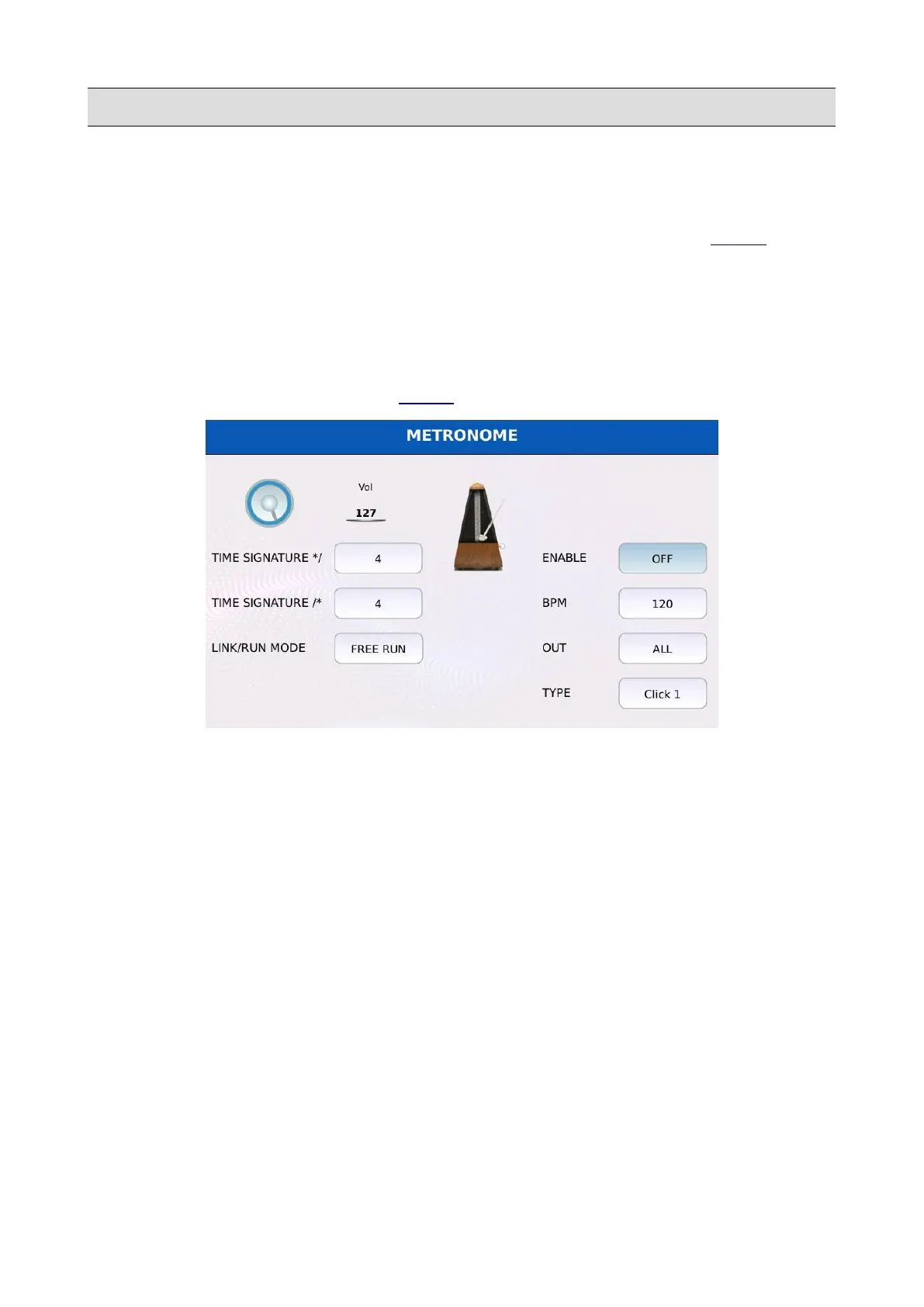
Tap on the METRONOME button on the MENU page to display the METRONOME page.
• VOL: controls the metronome volume. Tap on the virtual knob and use the Value Dial to
increase or decrease the volume.
• TIME SIGNATURE*/ and TIME SIGNATURE/*: define the time signature. The time
signatures indicate the number of beats in each measure (the top number */) and what type
of note represents a single beat (the bottom number /*). Tap on the box and use the Value
Dial to modify the value. Common time signatures are 4/4, 3/4 and 6/8.
• LINK/RUN MODE: controls the synchronization of the metronome with other sources. The
metronome will set to the tempo of the source. Tap on the box and use the Value Dial to
select a mode:
◦ FREE RUN: no synchronization.
◦ MIDIFILE: synchronizes the metronome to the MIDI file currently playing.
◦ DRUMS: synchronizes the metronome to the DRUM Rhythm.
• ENABLE: turns on and off the metronome.
KETRON - LOUNGE 143



 To Next Page