STEM
Create a Stem Project
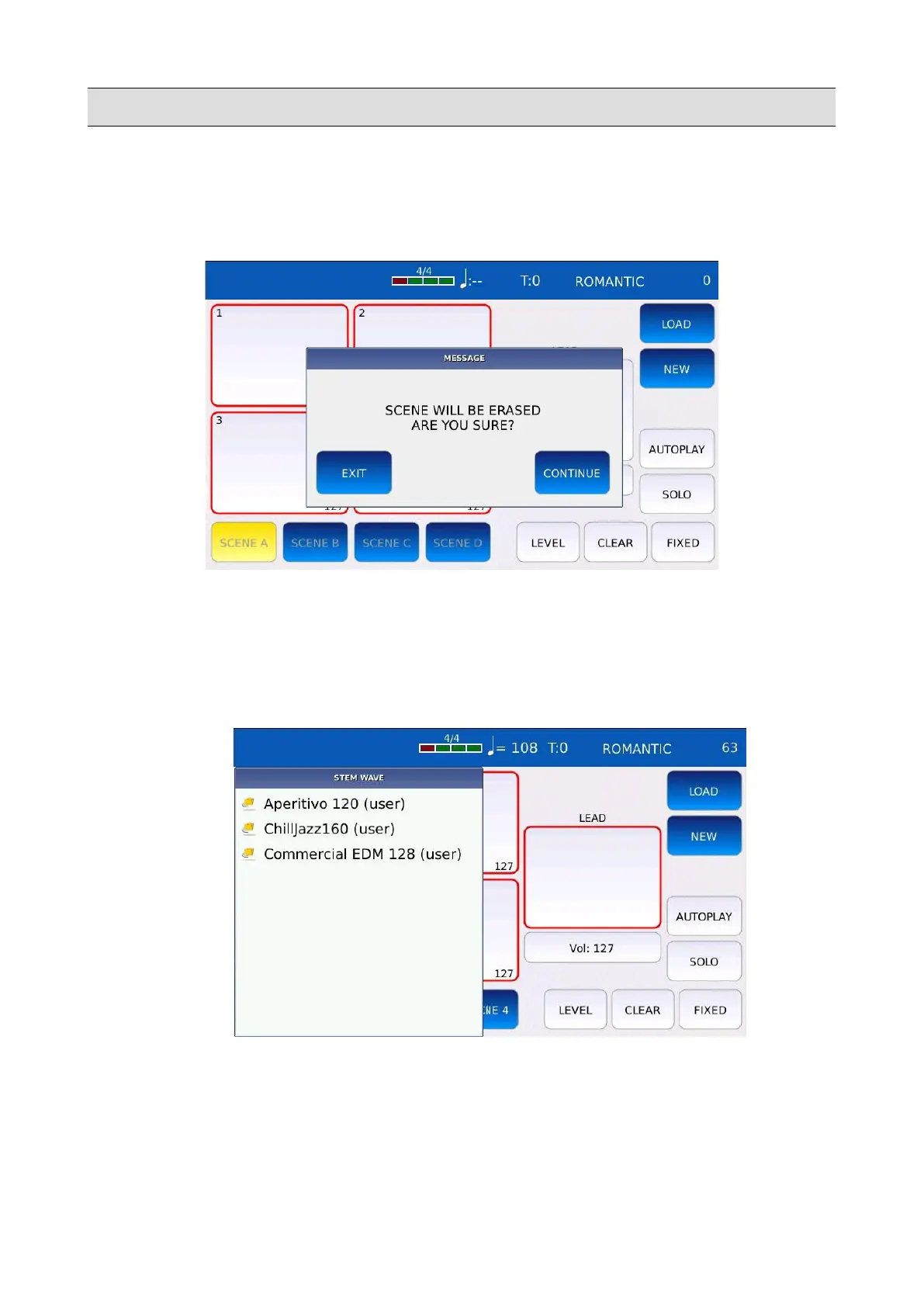
• Tap on the NEW button to create a new Stem Project. A warning window will appear on
screen.
• Tap on the CONTINUE button. All the scenes and the pads will be cleared. Tap on the EXIT
button or press EXIT to cancel the operation.
• Tap on and keep pressed a pad to load an audio file on that position. The list of all available
audio files will appear on the left. Tap on the name to load the track. Press EXIT to close the
track selection windows.
NB: all audio files used in Stem Projects must be saved in a special location
(/media/back/STEM/WAVE) to be used in a Stem Project. It is strongly recommended to
write the BPM value of the audio track at the end of the file name (e.g. a file named
Sax_120.wav).
KETRON - LOUNGE 101



 To Next Page