MEDIA
Media
In MEDIA mode, you can access the content of the memory devices (USB pen drives, hard disks,
etc.) connected to the instrument and load, store and copy files between the instrument and the
external devices.
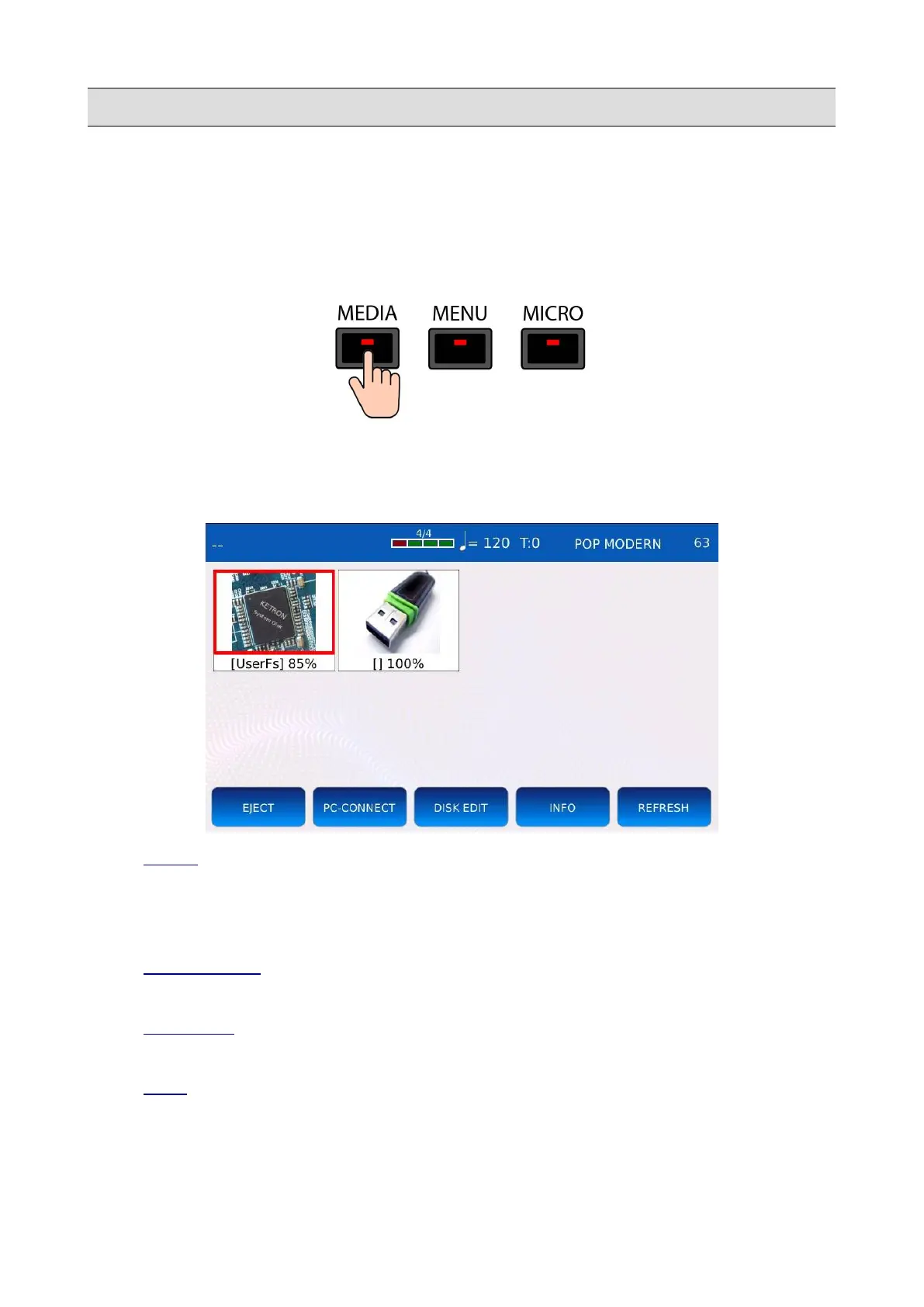
Press the MEDIA button to enter in MEDIA mode. The MEDIA button led will turn on and the
MEDIA page will be displayed on screen. All memory devices connected to or installed on the
instrument will appear on a grid.
• EJECT : blocks further data transfer to and from the selected device. It allows you to safely
remove the device, preventing potential data loss or damage to the device that may occur if
the device is disconnected while an operation (copying or syncing files) is still in progress.
Tapping on EJECT ensures that the changes have actually been saved.
• PC-CONNECT : allows you to connect the instrument to a computer as if it is an USB hard
drive.
• DISK EDIT : enters in DISK EDIT mode. Allow you to make file operations, such as
copying, deleting and renaming files.
• INFO : displays some technical information (free space, file system, etc.) of the selected
memory device.
62 - KETRON - LOUNGE



 To Next Page