GETTING STARTED
2 – LCD Display
The touchscreen display is the main user interface of the instrument. By tapping on the buttons
displayed on the screen, the user can navigate through menus, set parameters values, play songs,
enable and disable functions and so much more.
3 – Value Dial
Use to scrolls through lists (files or presets) and changes the selected parameter’s value.
4 – Control Section
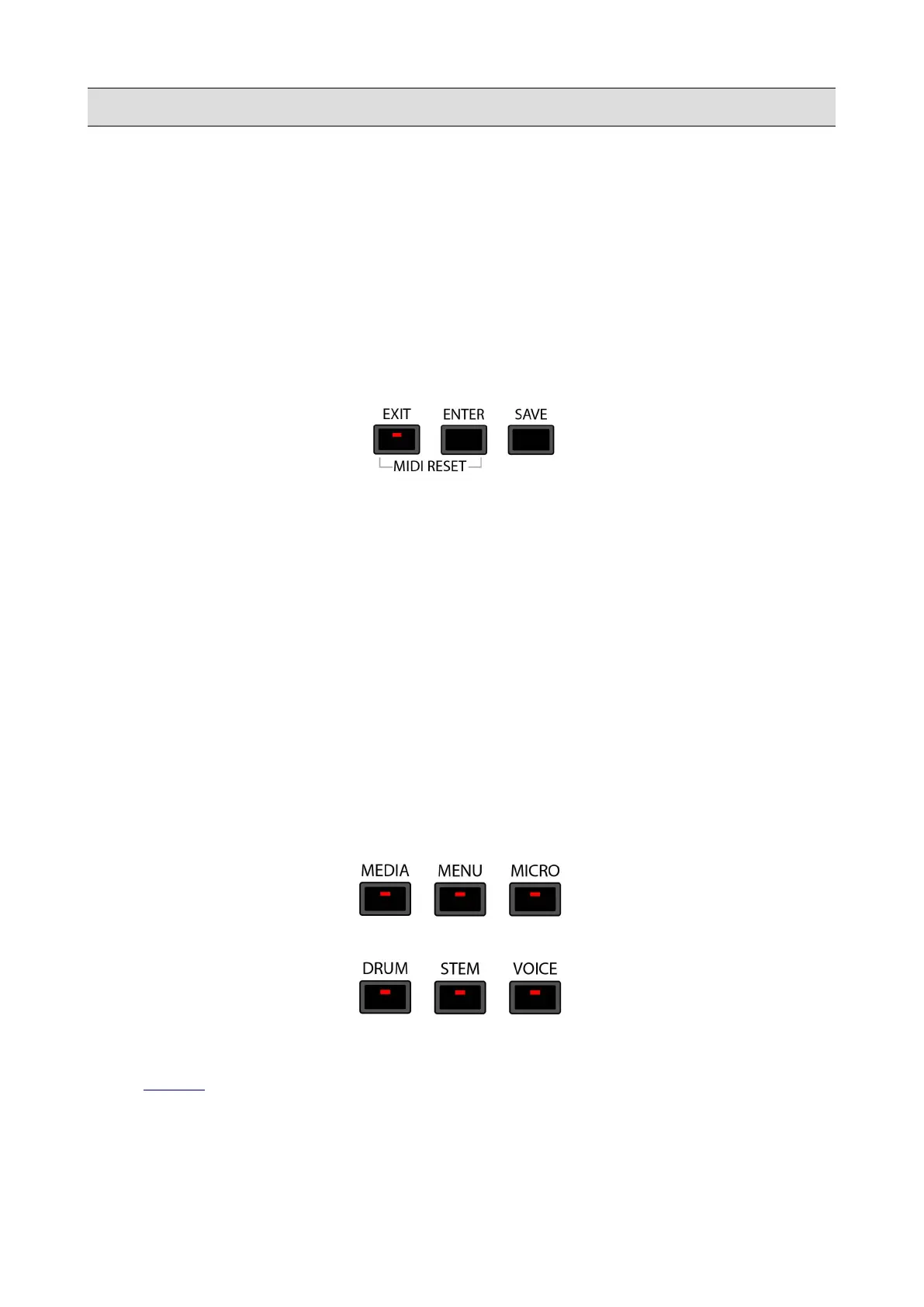
• EXIT: use to cancel an operation, go to the parent folder when scrolling through file lists,
close pop-ups, hide the lyrics or go back to the previous screen. This button also support led
of incoming activity on MID IN port.
• ENTER: use to enter a folder when scrolling through file lists, play files, select a preset from
a list or confirm operations.
• SAVE: use to store the parameters of the instrument as a CUSTOM STARTUP, save some
meta data (such as tempo, transposition, program change, etc.) into a MIDI or an audio file,
save a DRUM REMIX, a PLAYLIST, a STEM project, and more.
• MIDI RESET: press EXIT and ENTER simultaneously to send a MIDI RESET to the
instrument (it will reset all MIDI events and MIDI controller instantly). This function is
sometimes called MIDI PANIC by others manufacturers.
5 – Navigation Section
Use these buttons to navigate between all the different sections of the instrument.
• MEDIA : displays the memory devices installed on the instrument or connected via the USB
ports.
KETRON - LOUNGE 13



 To Next Page