MENU
Touchscreen calibration
You can calibrate the touchscreen by tapping on the CALIBRATE button on the VIDEO page of the
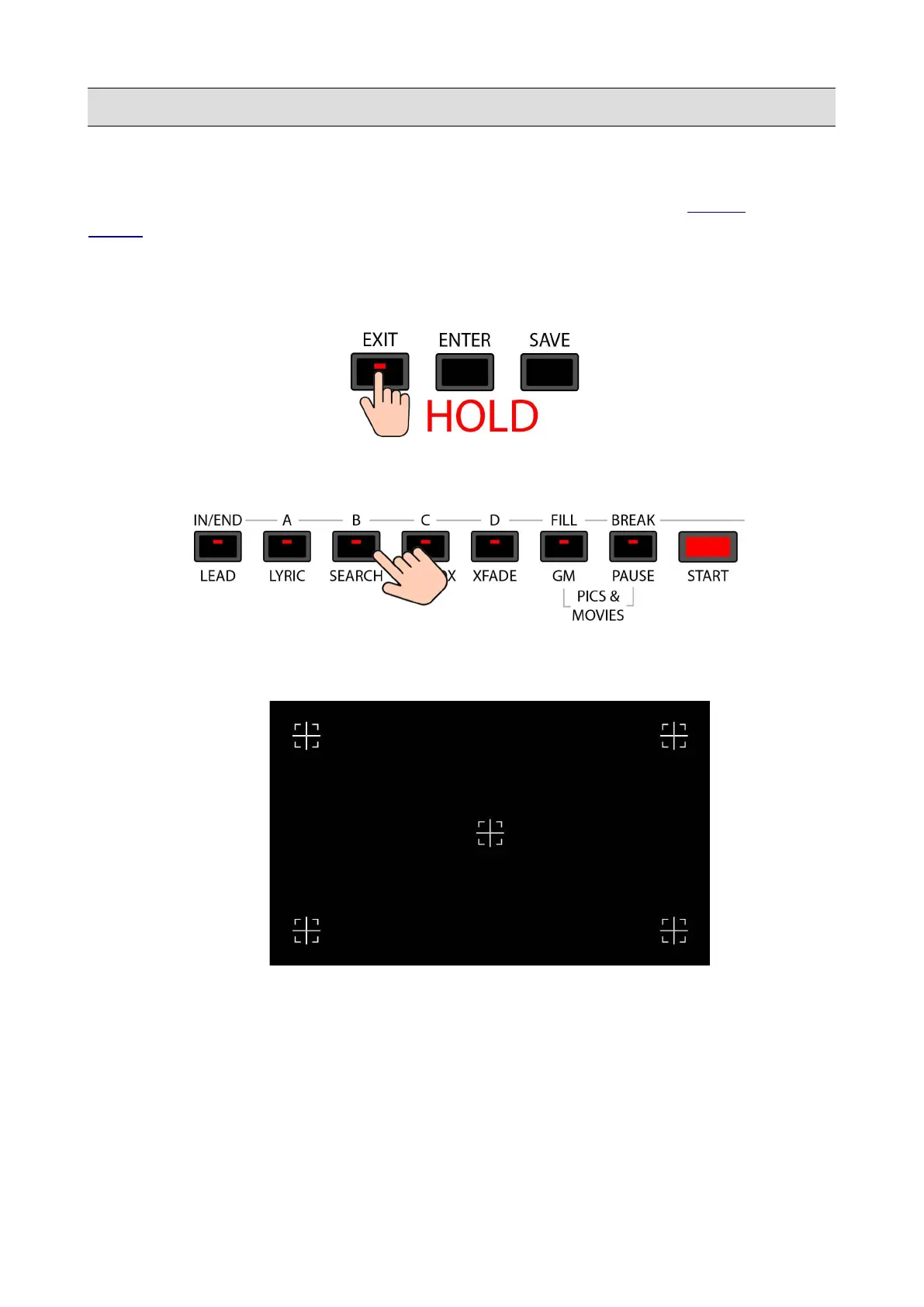
MENU, or, if it is not possible to use the touchscreen, by pressing the B (or SEARCH) button while
holding pressed the EXIT button.
• Press and hold the EXIT button.
• Press the B/SEARCH button while holding the EXIT button.
• The instrument will automatically reboot and will show five crosshairs on display, four on
the corners and one on the centre of the touchscreen display.
• Carefully tap on these marks, one at the time, starting from the first one on the top left. The
last one will be on the centre of the display.
• The instrument will automatically reboot.
• Switch the instrument on and off again using the power switch on the BACK PANEL.
134 - KETRON - LOUNGE



 To Next Page