PLAYER
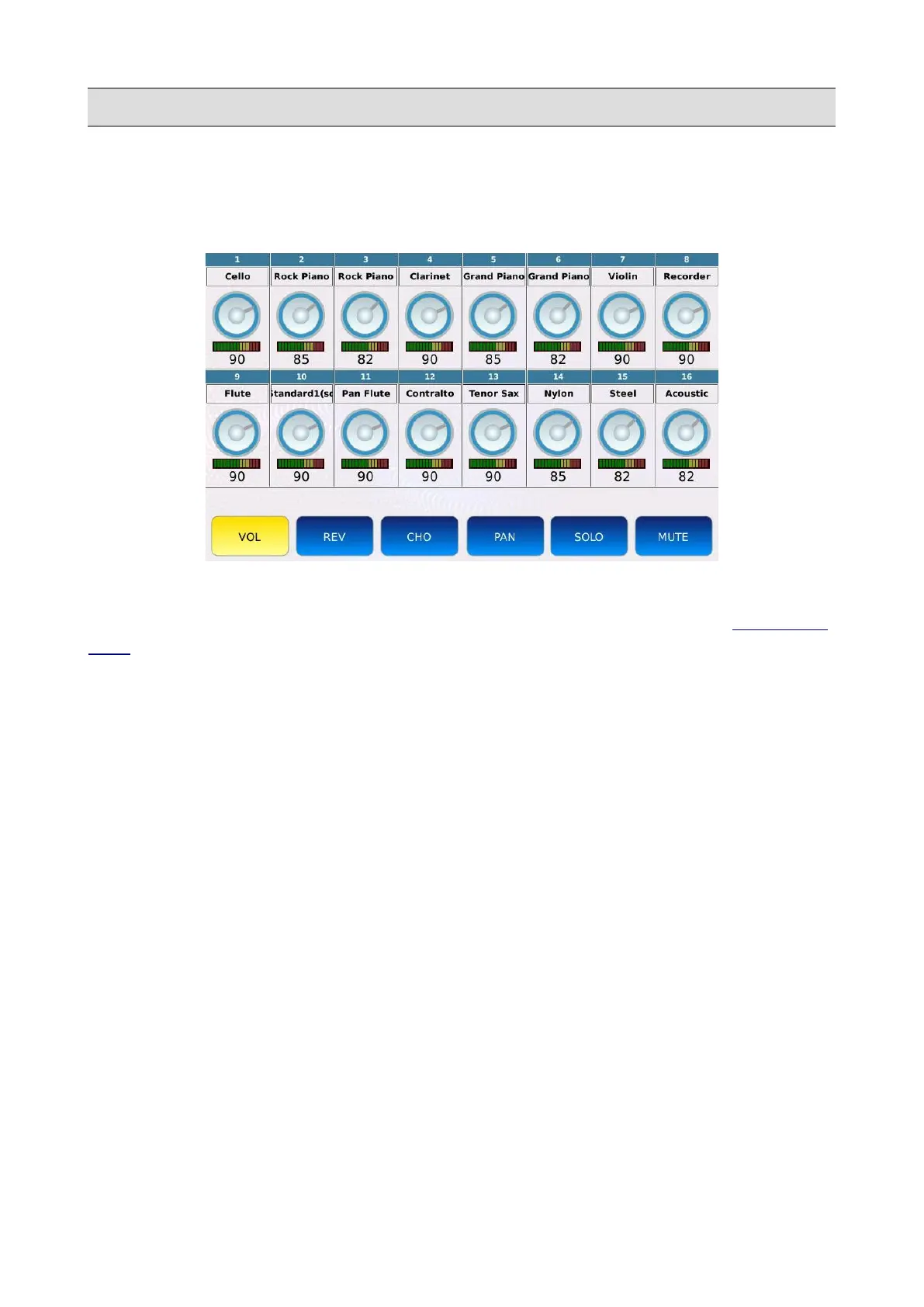
GM Mixer
In the GM MIXER page, are displayed all the 16 tracks of the MIDI file, along with the volume,
reverb and chorus amount, pan, solo and mute controls.
A led meter below each virtual dial will monitor MIDI activity on the corresponding channel.
The VOL, REV, CHO, PAN, SOLO and MUTE buttons work as the ones found in the GM VOICE
EDIT page, but here are displayed all at once.
• VOL: adjusts the volume of the track. Tap on the VOL button, then tap on the desired track
and use the Value Dial to adjust the volume of the selected track. Values range from 0 to
127.
• REV: adjusts the reverb send amount of the track. Tap on the REV button, then tap on the
desired track and use the Value Dial to adjust the reverb send amount of the selected track.
Values range from 0 to 127.
• CHO: adjusts the chorus send amount of the track. Tap on the CHO button, then tap on the
desired track and use the Value Dial to adjust the chorus send amount of the selected track.
Values range from 0 to 127.
• PAN: controls the position on the stereo panorama of the part. Tap on the PAN button, then
tap on the desired track and use the Value Dial to adjust the position of the selected track.
Values range from -64 (all to the Left) to 64 (all to the Right) with 0 being the centre
position (>|<).
• MUTE: mutes the desired track. Tap on the desired track and the tap on the MUTE button to
mute the track (muted parts will be identified by an “M” symbol next to the name).
• SOLO: isolates the desired track and mutes all the others. Tap on the desired track and the
tap on the SOLO button to solo the track (soloed parts will be identified by an “S” symbol
next to the name).
KETRON - LOUNGE 27



 To Next Page