PLAYER
Playback Controls
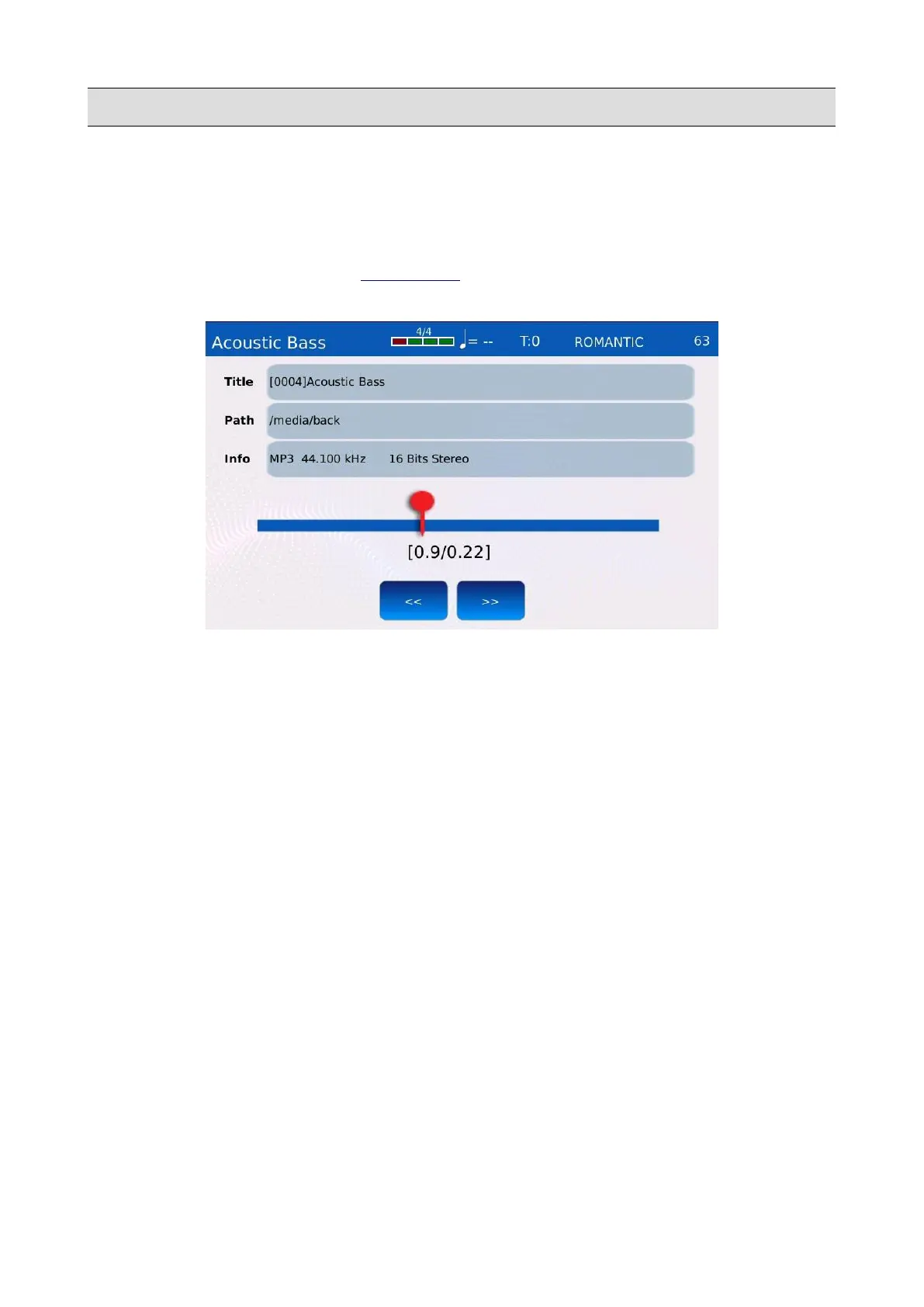
Within this page it possible to change the playback position and see some technical information
about the song that is currently playing.
Tap on the PLAYBAR button of the RIGHT BAR to access the PLAYBACK CONTROLS page.
The PLAYBAR button will turn on.
The song title, path and current position are displayed on screen, along with some technical
information, such as file type, sampling frequency, bitrate, fps, quantization, coding, etc.
Tap on the position slider to change the playback position. For a more accurate control, tap on the
JUMP FORWARD (>>) or JUMP BACKWARD (<<) buttons: the song will jump
forward/backward by three seconds or one bar.
KETRON - LOUNGE 37



 To Next Page