PLAYER
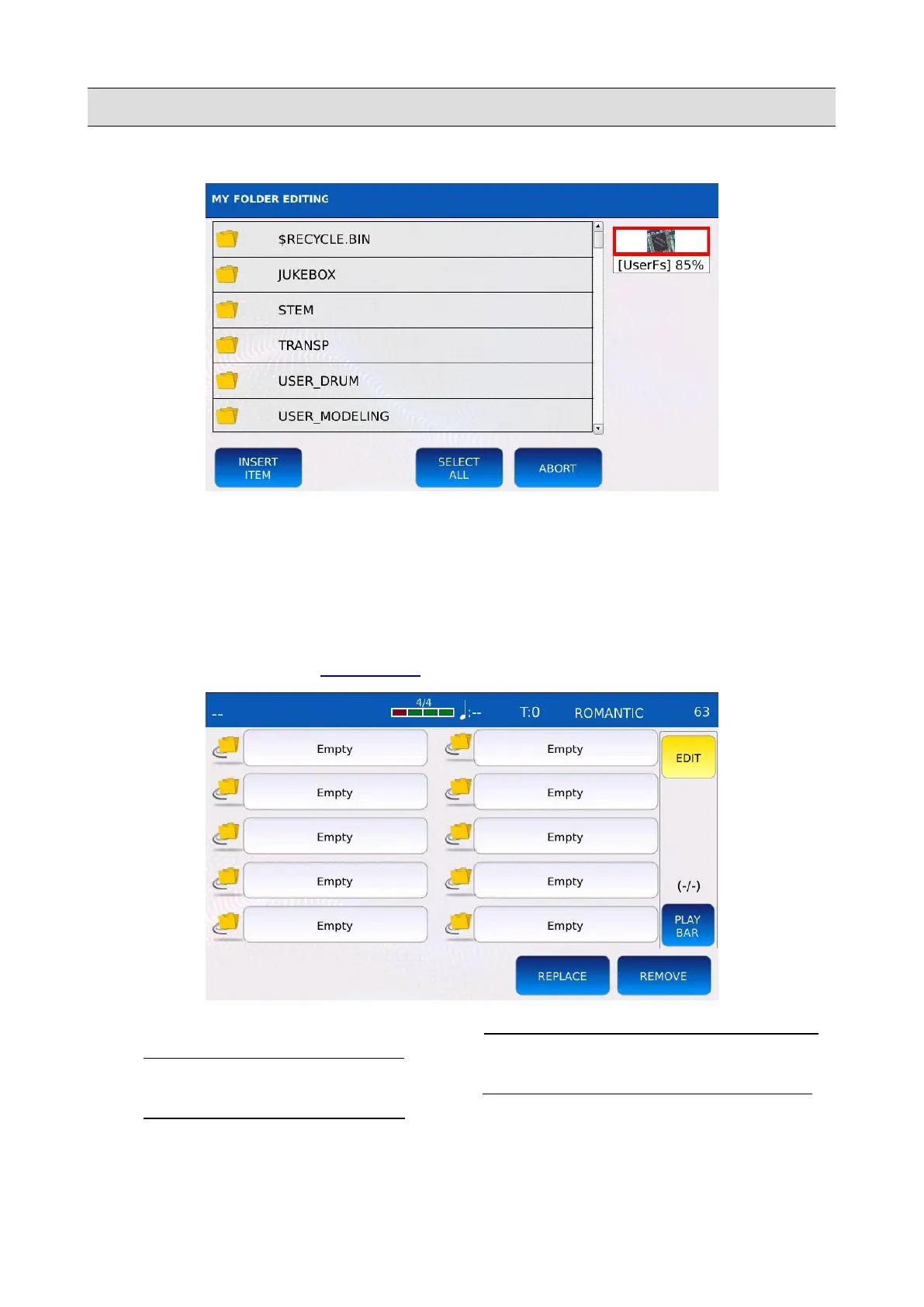
The browsing window will be displayed on screen:
• Use the Value Dial, the EXIT and the ENTER buttons to navigate through the folders.
• Tap on the INSERT ITEM to add the shortcut to the selected folder to the My Folder list.
• Tap on ABORT to cancel operation and return to the previous screen.
Edit or delete a My Folder shortcut
Tap on the EDIT button on the RIGHT BAR to change or delete a My Folder shortcut.
• REPLACE: changes the shortcut destination. Tap on the REPLACE button and then to
the shortcut you want to replace . The browsing window will be displayed on screen.
• REMOVE: removes a shortcut from the list. Tap on the REMOVE button and then to
the shortcut you want to remove. Press YES to confirm or press NO to cancel the
operation. NB: the actual directory and its content will not be deleted.
36 - KETRON - LOUNGE



 To Next Page