PLAYER
Edit existing playlists
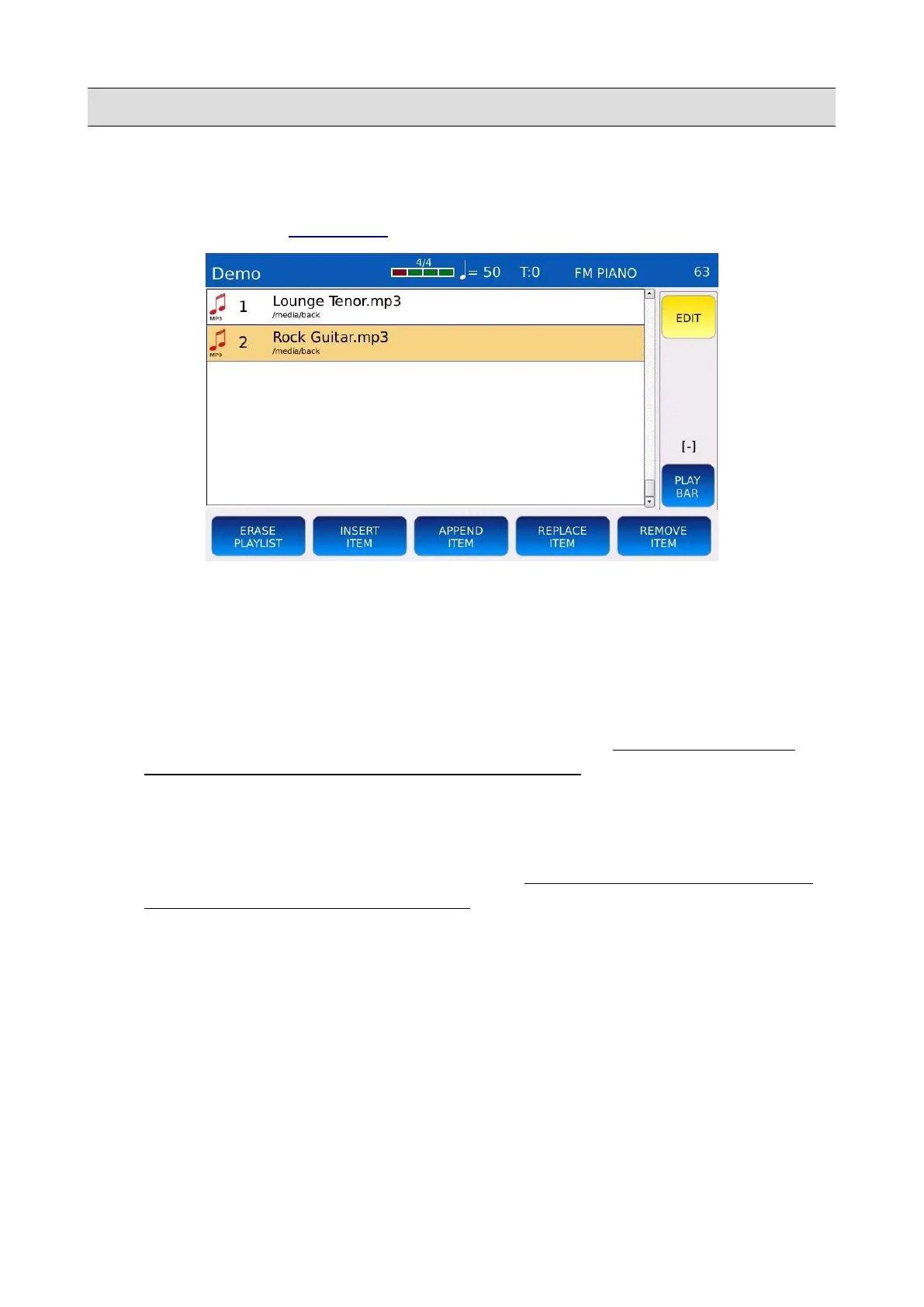
Once a playlist is created, you can remove, add or replace songs or definitely delete the playlist. Tap
on the EDIT button on the RIGHT BAR.
• ERASE PLAYLIST: deletes the playlist.
• INSERT ITEM: adds new songs to the playlist. Use the Value Dial, the EXIT and the
ENTER buttons to navigate through the folders inside the browser window. Select the song
and then press INSERT ITEM to add it to the playlist. Press ABORT to cancel the operation.
• APPEND ITEM: adds new songs directly at the bottom of the playlist
• REPLACE ITEM: replaces a song in the playlist with another. Tap on the REPLACE
ITEM button and then to the song you want to replace. Use the Value Dial, the EXIT and
the ENTER buttons to navigate through the folders inside the browser window. Select the
song and then press CONFIRM to replace the old one. Press ABORT to cancel the
operation.
• REMOVE ITEM: removes a file song the playlist. Tap on the REMOVE ITEM button
and then to the song you want to remove. Press YES to confirm or press NO to cancel the
operation.
NB: in PLAYLIST EDIT mode, it is possible to change the song order by using the DRAG&DROP
(select the song by pressing on the screen and drag it file to the desired location).
34 - KETRON - LOUNGE



 To Next Page