GETTING STARTED
• MENU : displays and provides access to the all sections of the instrument that cannot be
accessed by an external tab.
• MICRO : activates the microphone connected to the MICRO 1 input port. Keep pressed to
access the MICRO 1 and VOICETRON page.
• DRUM : enters in DRUM mode and displays on screen the relative page.
• STEM : enters in STEM mode and displays on screen the relative page.
• VOICE : displays the VOICE page, allowing browsing and choosing the sound to be played
between the 11 families.
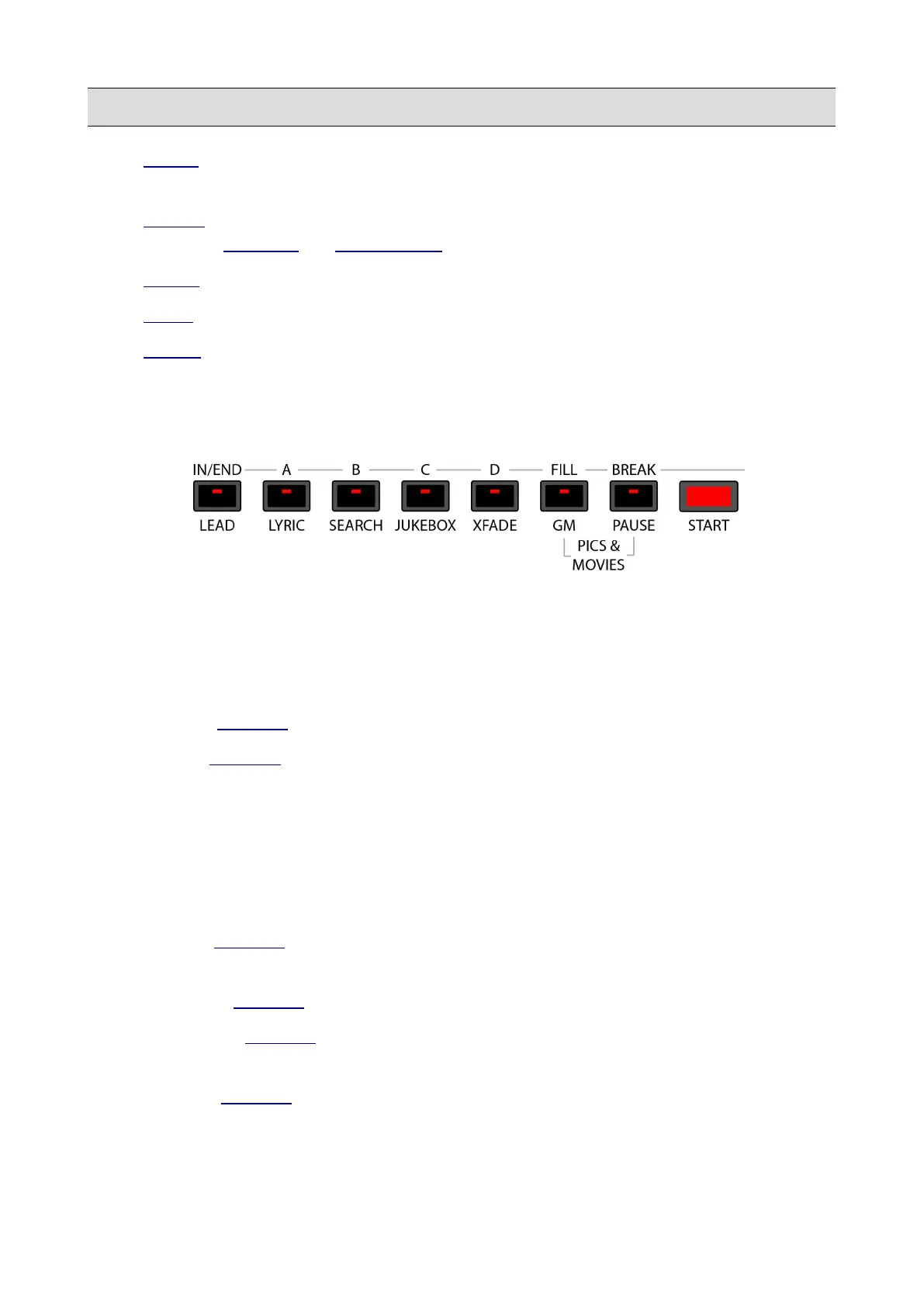
6 – Multifunction buttons
These buttons change their functions depending on if the instrument is currently in PLAYER mode
or in DRUM mode.
• START/STOP: use to play or stop a file on the PLAYER, a STEM project (when in STEM
mode) or a Rhythm (in DRUM mode).
• PAUSE: (PLAYER only) use to halt or resume the reproduction of a file playing.
• LEAD: (PLAYER only) use to mute the melody track of the MIDI file (generally it is track
4 but it may be changed, if the MIDI file does not comply with conventional MIDI protocol)
or, when an audio file is playing, it attenuates the vocal line of the file. In other words, the
main voice is considerably attenuated allowing singing over the original songs. This
function operates in real time and does not affect the file playing. The result of this
processing may vary depending on the mixing of the song (amount of reverb, pan, etc.) and
the effects used. See SETTINGS to change the melody track number.
• LYRIC: (PLAYER only) displays or hides the lyrics on the display, if there are any. Also
displays or hides a picture, txt or pdf document, if previously loaded.
• SEARCH: (PLAYER only) use to search files by name or by index.
• JUKEBOX: (PLAYER only) displays the JUKEBOX page. Use to fast access up to seven
sets of songs.
• XFADE: (PLAYER only) enables or disables the cross fade between two audio or MIDI
files.
14 - KETRON - LOUNGE



 To Next Page