PLAYER
Display PDF files
Using the PDF format, you can show on screen some information otherwise impossible to display
with only the LYRICS, such as music sheet notation, complex lyrics with indications about the song
structure, guitar tabs, etc. You can open and display on screen a PDF file in the same way you play a
song (see PLAY A SONG) by opening it in the FILE BROWSER. Use the LYRIC button to show or
hide the PDF file on screen.
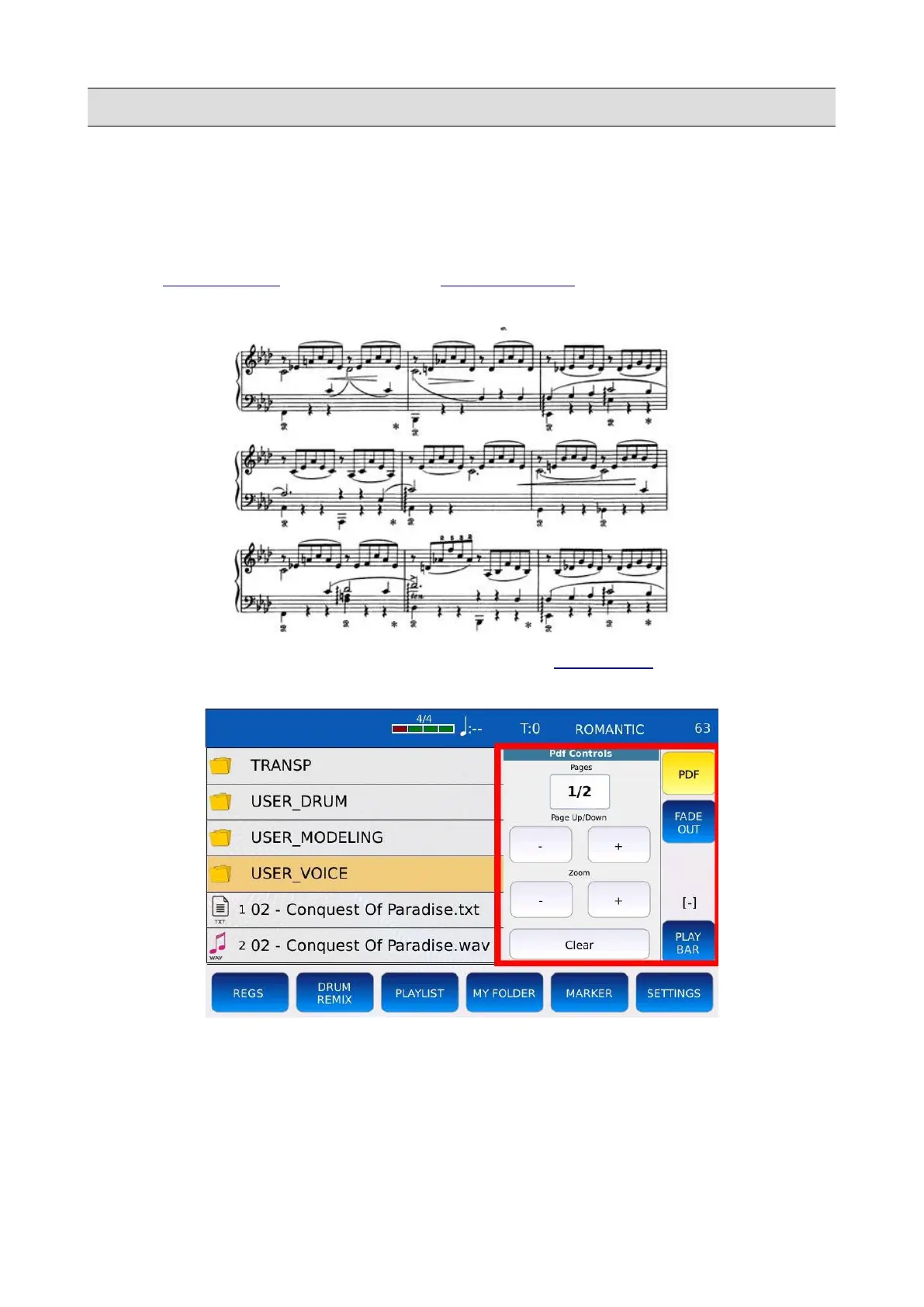
When you open a PDF file, the PDF button will appear on the RIGHT BAR. Tap on the PDF button
to display on screen the PDF controls.
• 1/8: displays the current page and the total number of pages in the PDF file.
• ZOOM - +: increase or decrease the zoom level.
• CLEAR: close the PDF file.
• PAGE UP/DOWN - +: goes to the previous or to the next page.
KETRON - LOUNGE 47



 To Next Page