PLAYER
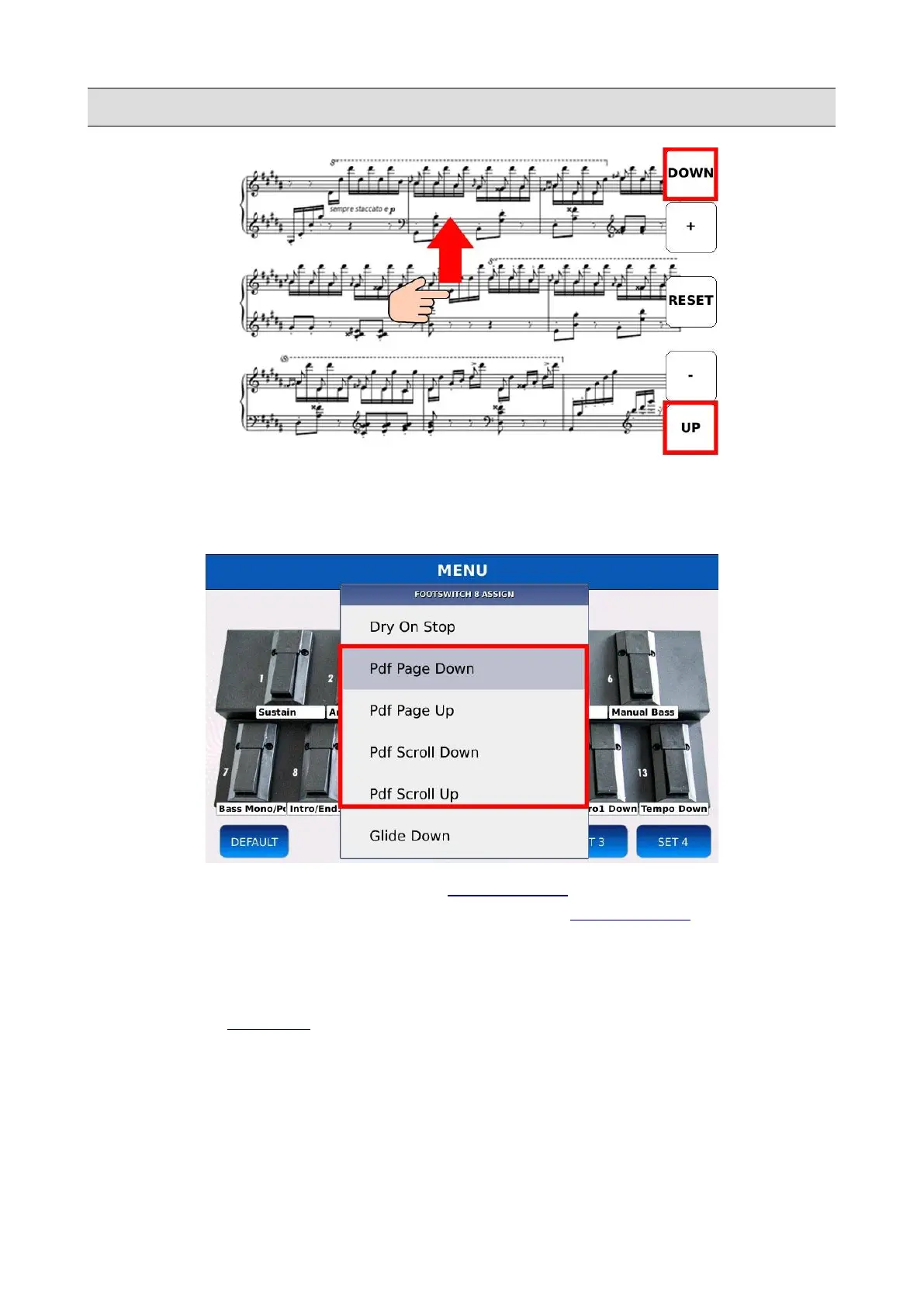
You can scroll through the pages of the PDF file with a finger swipe on the touch screen display or
by using the Value Dial. Tap on the lower right corner to go to the next page or to the top right
corner to go to the previous page.
You can control the page scrolling also with the FOOTSWITCH, by selecting the Pdf Page Down,
Pdf Page Up, Pdf Scroll Down and Pdf Scroll Up options on the FOOTSWITCH function list. Pdf
Page Down and Pdf Page Up options will turn one page at the time, while the Pdf Scroll Down and
Pdf Scroll Up will scroll continuously, until the switch is released.
NB: in order to display the PDF file in the external monitor, remember to enable the Movie/PDF To
RGB option in the SETTIN GS page.
48 - KETRON - LOUNGE



 To Next Page