MENU
Video
You can connect an external monitor to the instrument via the DVI port at the front of the
instrument to show the LYRICS of a song in a bigger screen or to play a video file.
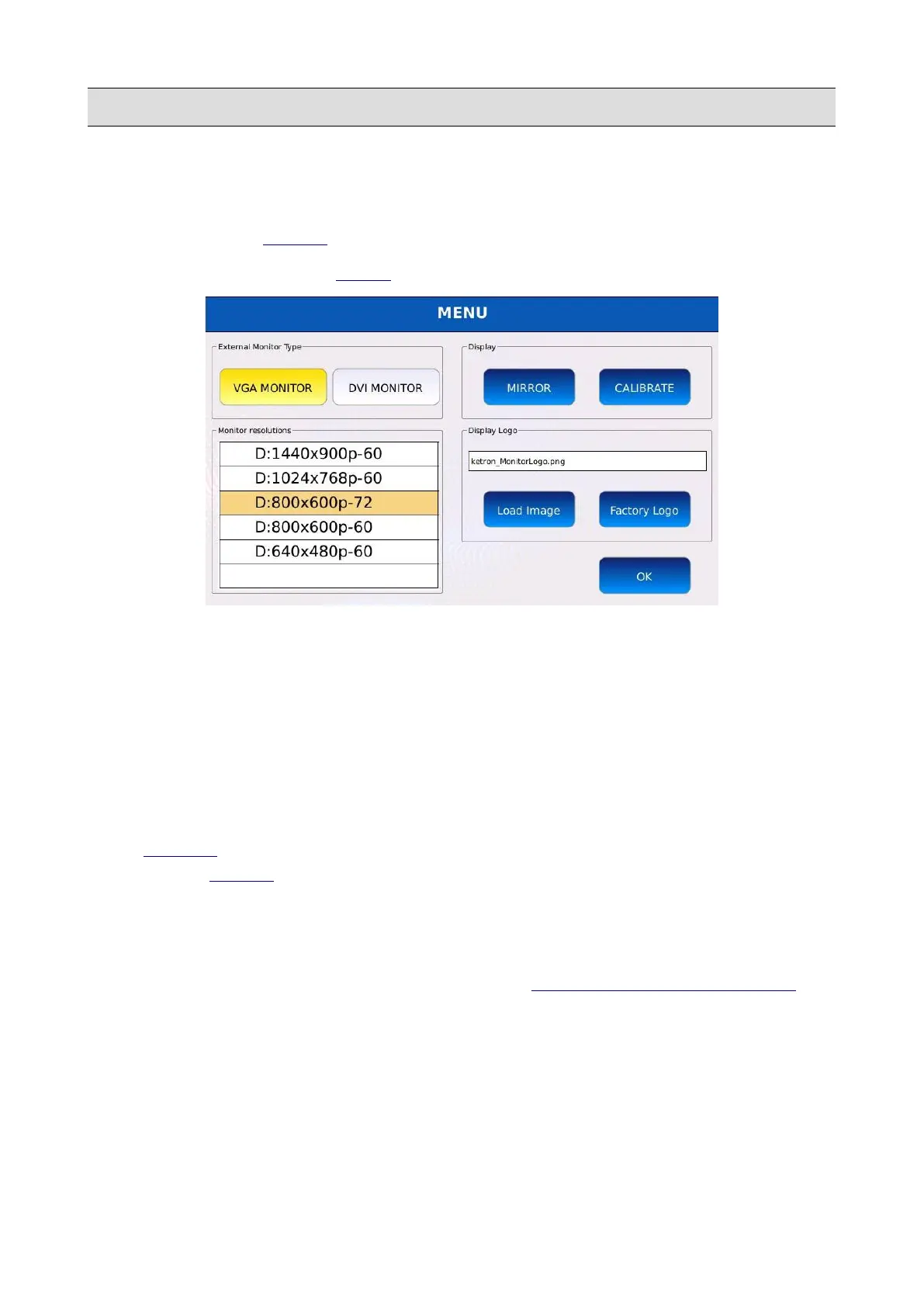
Tap on the VIDEO button on the MENU page to display the VIDEO page.
• VGA MONITOR/DVI MONITOR: selects the type of monitor to connect to the instrument.
A dialogue box will appear at the centre of the display. Tap on YES to apply the changes and
restart the instrument (any changes that have not been saved will be lost if you switch off the
instrument).
• MONITOR RESOLUTION: adjust the external monitor resolution. Use the Value Dial to
select the desired resolution and press ENTER to submit the changes. A dialogue box will
appear at the centre of the display. Tap on YES to apply the changes and restart the
instrument.
• MIRROR : duplicates the display on the external monitor. Switch it off in order to display
only the LYRICS and the video files output.
• CALIBRATE: calibrates the touch screen display. You should calibrate the touchscreen
display whenever you update the instrument or if the touch input is not accurate. A black
screen with several pointers will be displayed on screen. Tap carefully on each one of them
and restart the instrument to apply the changes. See TOUCHSCREEN CALIBRATION for a
more accurate description of the calibration procedure.
• LOAD IMAGE: loads a custom background image and sets it as the external monitor
background.
• FACTORY LOGO: resets the external monitor background. The factory logo will be set as
background.
132 - KETRON - LOUNGE



 To Next Page