MENU
Controls
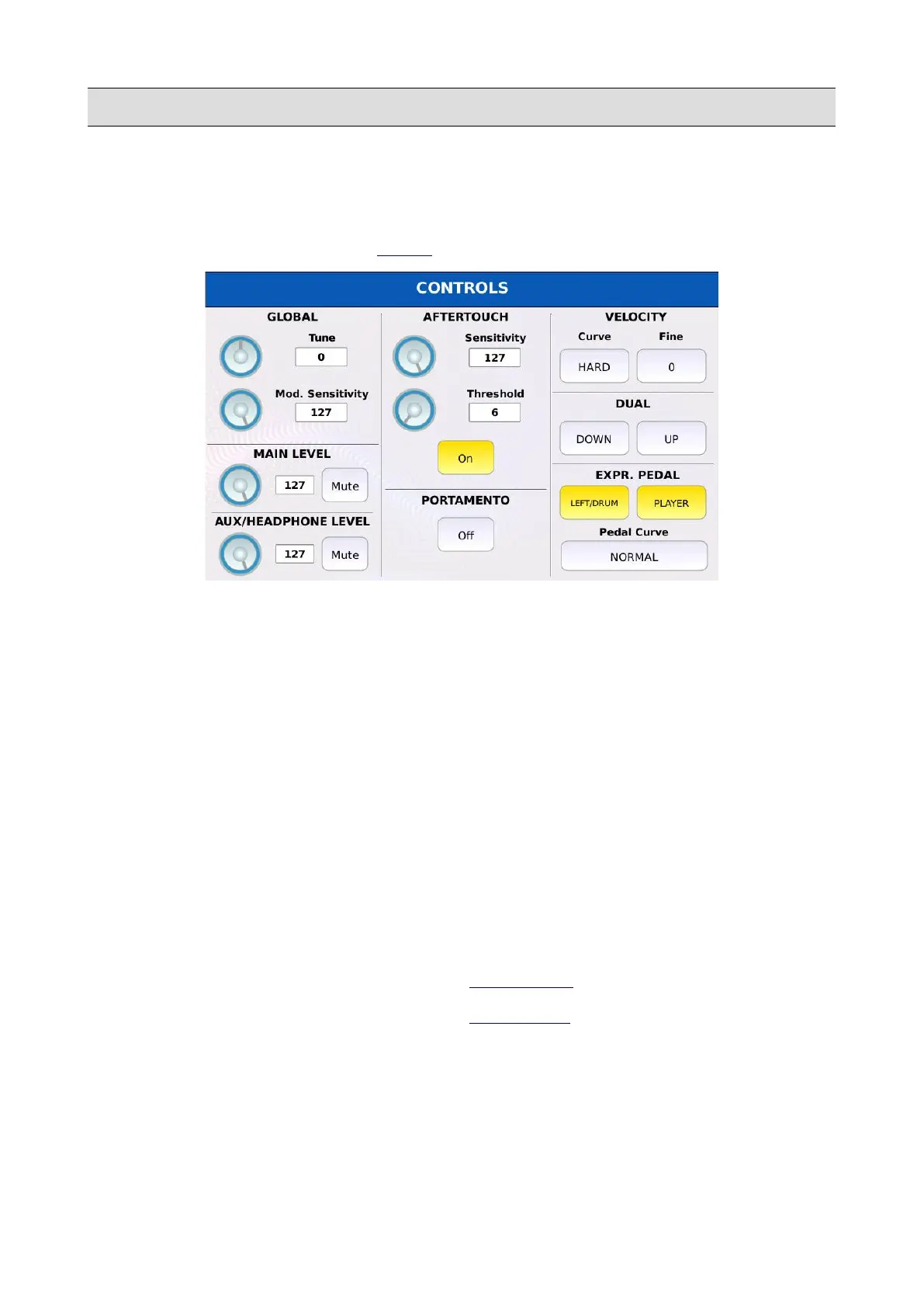
Within this page, you can manage all the settings which affect the keyboard behaviour.
Tap on the CONTROLS button on the MENU page to display the CONTROLS page.
• GLOBAL TUNE: allows you to fine-tune the unit in cents. One cent is one hundredth of a
semitone (100 cents comprise a semitone). The range goes from -100 cents to 100 cents. By
default this parameter is set to 0.
• GLOBAL MOD. SENSITIVITY: scales down incoming MIDI modulation wheel messages
(MIDI CC 1 and MIDI CC 33) by multiplying the received value by a weight coefficient. By
default this parameter is set to 127 (full scale).
• MAIN LEVEL: controls the volume of the main output. The main output can be muted.
• AUX/HEADPHONES LEVEL: controls the volume of the aux/headphone output. The
aux/headphone output can be muted.
• AFTERTOUCH SENSITIVITY: scales down incoming MIDI channel pressure (aftertouch)
messages by multiplying the received value by a weight coefficient. By default this
parameter is set to 127 (full scale).
• AFTERTOUCH THRESHOLD: set the value above which the aftertouch could trigger the
MORPHING, the ROTOR or the LFO (see VOICE EDIT for more information).
NB: aftertouch controls must be enabled in VOICE EDIT.
• AFTER TOUCH ON/OFF: globally enables or disables the aftertouch messages. If disabled
all channel pressure (aftertouch) MIDI message coming from an external MIDI keyboard
will be ignored.
• PORTAMENTO ON/OFF: globally enables or disables the portamento.
KETRON - LOUNGE 135



 To Next Page