MENU
Guitar
• ON/OFF: enables or disable the guitar input. If the microphone input is enabled, the latter
will be disabled.
• VOL: controls the input volume. Tap on the virtual knob and use the Value Dial to adjust the
value.
• REV: controls the reverb send amount. Tap on the virtual knob and use the Value Dial to
adjust the value. The reverb type and global volume are set in the DSP page.
• CHO: controls the chorus send amount. Tap on the virtual knob and use the Value Dial to
adjust the value. The chorus type and global volume are set in the DSP page.
• PRESET: tap on the box to select a guitar preset. Use the Value Dial to scroll through the
available ones and tap on the name to choose a preset.
• INSERT EXF1: tap on the box to select an insert chain to use on the guitar input. Use the
Value Dial to scroll through the available chains and tap on the name to choose a chain (see
DSP to know more about INSERT EFFECTS).
• FX BYPASS: momentarily turns off the insert effect.
• EDIT: modifies the insert chain currently selected. Displays the INSERT EDIT page.
• GUITAR TUNER : displays the tuner page.
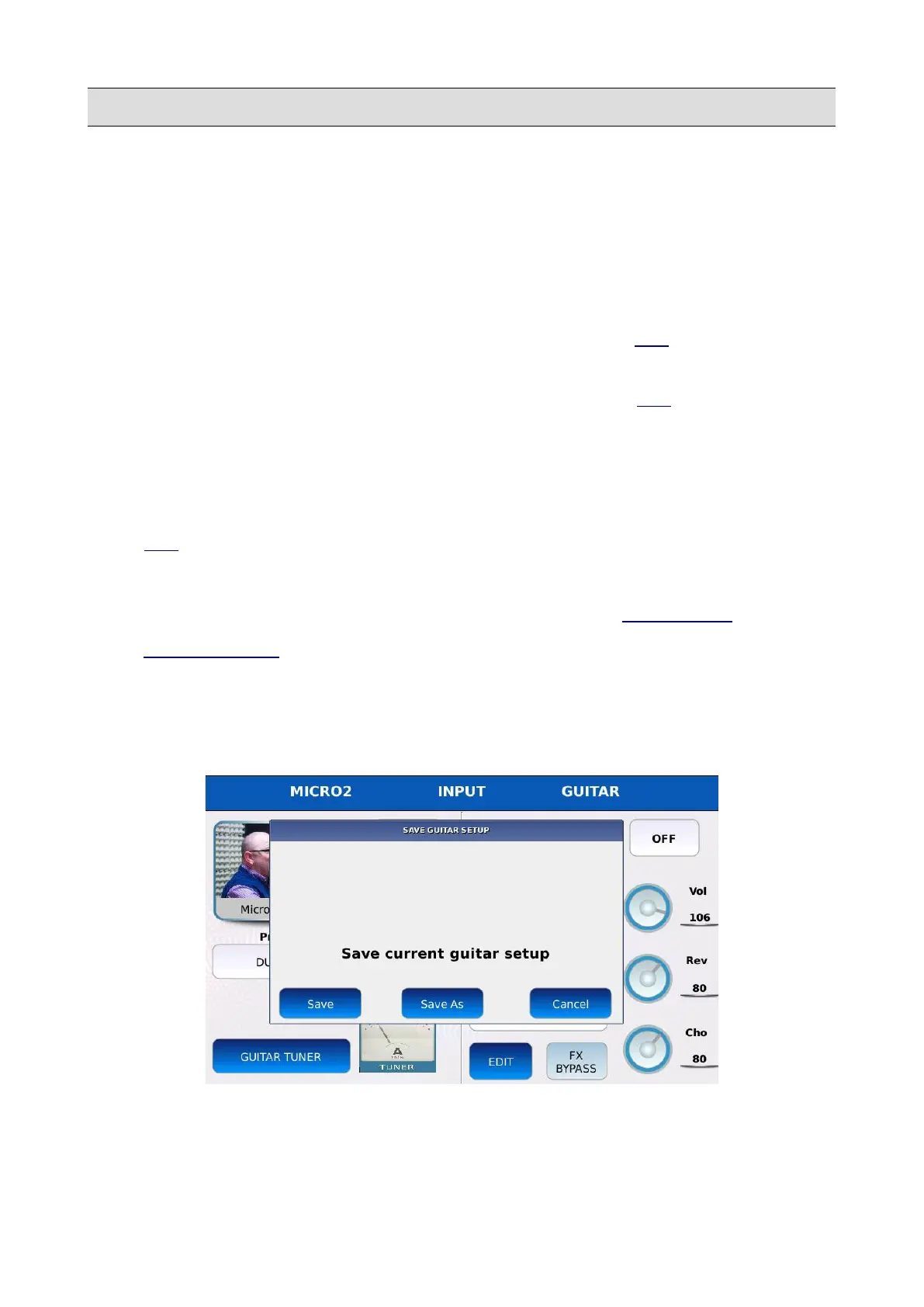
Save a Guitar Preset
All the parameters related to the guitar such as volume, reverb and chorus amounts and insert chain
can be saved into a so called “Guitar Preset”.
• Press SAVE to store these value into a Preset. A dialogue window will be displayed on
screen.
154 - KETRON - LOUNGE



 To Next Page