MENU
System update
Allow the installation of .MJUP files (OS updates and PCM sounds). You can download the latest
OS from internet (visit www.ketron.it).
• Copy the .MJUP file to an USB pen drive.
• Insert the USB pen drive in one of the available USB ports.
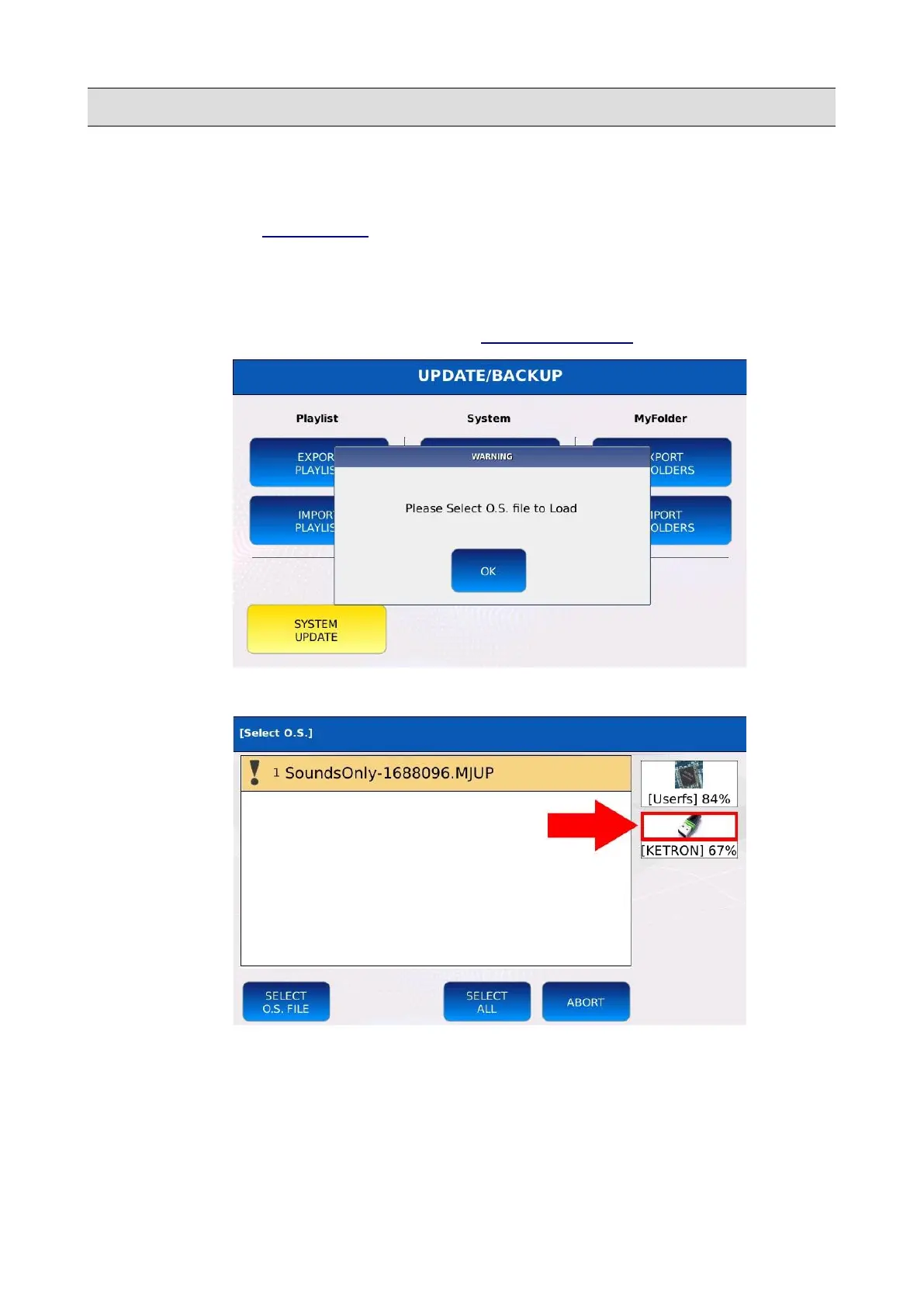
• Tap on the SYSTEM UPDATE button of the UPDATE/BACKUP page.
• Tap on the OK button to confirm.
• Select the media device in which the .MJUP file was saved.
• Use the Value Dial to select the .MJUP file
KETRON - LOUNGE 141



 To Next Page