PLAYER
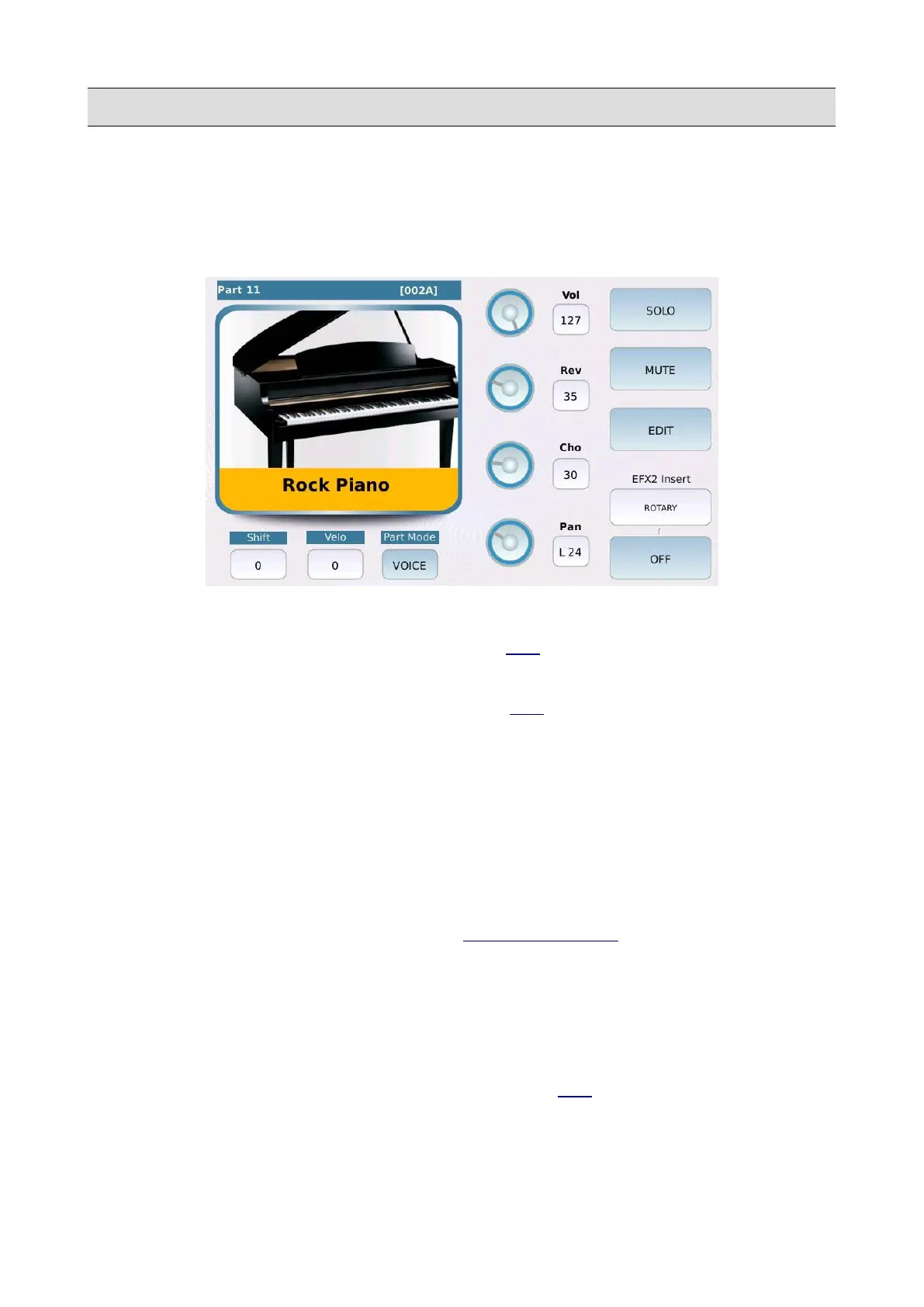
GM Voice Edit
If both the MUTE and the SOLO buttons are off, tap on one of the 16 tracks to edit the instrument
playing on the track selected. You can change the sound (MIDI Program Change), the volume, the
reverb sends and more.
• VOLUME: adjusts the volume of the track. Values range from 0 to 127.
• REVERB: controls the reverb send amount (see DSP to change the REVERB type). Values
range from 0 to 127.
• CHORUS: controls the chorus send amount (see DSP to change the CHORUS type). Values
range from 0 to 127.
• PAN: controls the position on the stereo panorama of the track. Values range from -64 (all to
the Left) to 64 (all to the Right) with 0 being the centre position (>|<).
• SOLO: isolates the selected track.
• MUTE: mutes the selected track.
• SHIFT: (only on voice tracks) controls the tone transposition. Values range from -24 to +24.
• MIXER: (only on drums tracks) opens the GM DRUM MIXER page.
• VELO: controls the dynamics sensitivity (positive values make the track sounds louder,
negative values make the track sound softer). Values range from -127 to +127.
• PART MODE: assigns a category type between Voice track (normal instrument track), Drum
(drum track), Drum2 (groove track) and Voicetron (voice harmonisation track).
• EFX INSERT: selects the insert preset of the track (see DSP to know more on insert effects).
• ON/OFF: enable/disable the insert effect on the track.
24 - KETRON - LOUNGE



 To Next Page