PLAYER
GM
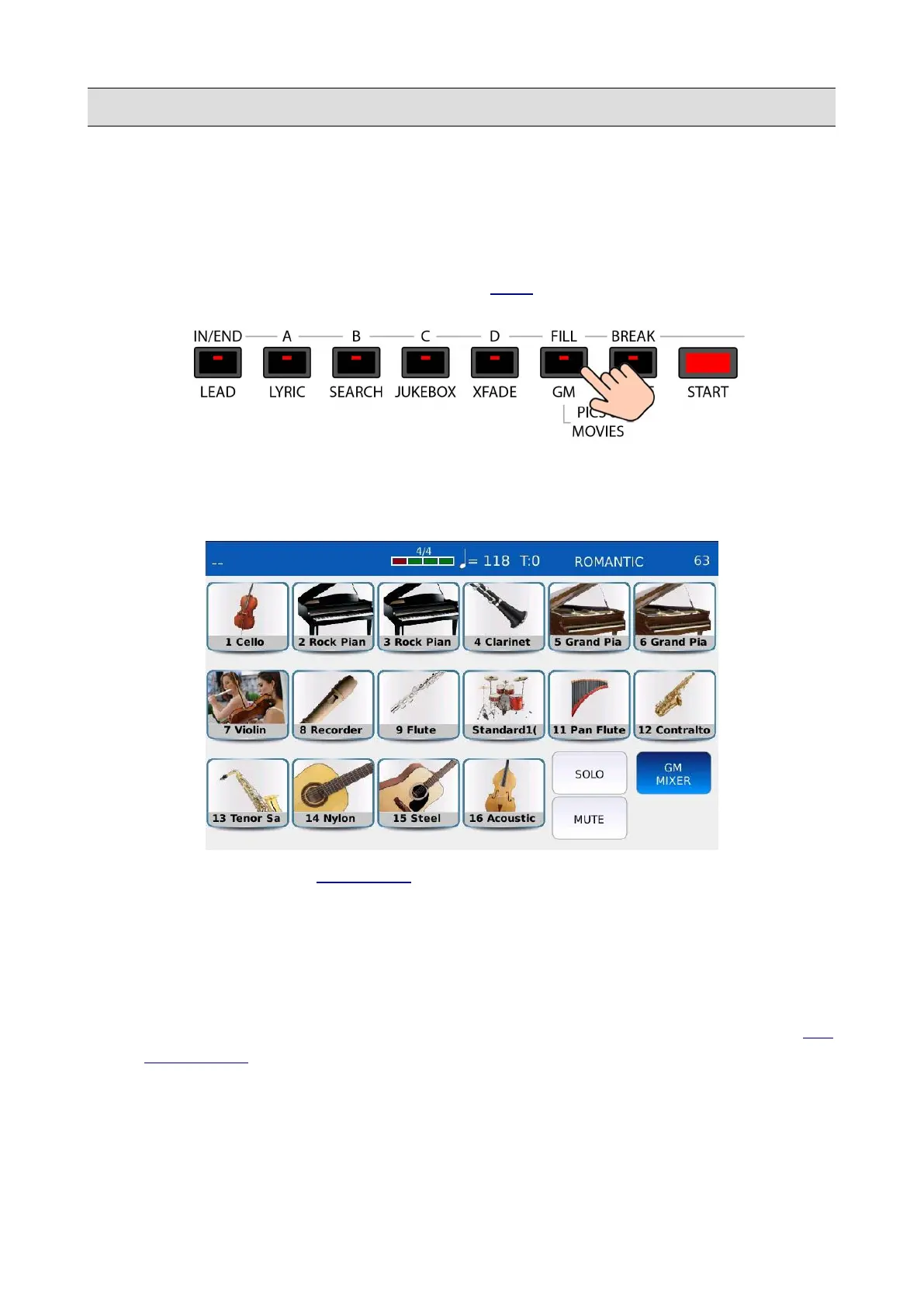
In GM mode you can see all the 16 MIDI tracks of the GM sound module and the instrument loaded
in each track. You can change the sound, the level, the panning, the effects and the reverb send of
each track. The GM sound module can be used by the PLAYER to play MIDI files or by an external
MIDI device connected to the MIDI IN GM port (see MIDI).
Press the GM button to enter in GM mode. The GM button led will turn on. All the 16 GM tracks
will be displayed on a grid and empty tracks will be displayed in white. A red bar below each track
will monitor MIDI activity on the corresponding channel.
• GM MIXER: open the GM MIXER page.
• SOLO: isolates the desired track and mutes all the others. Tap on the SOLO button and then
tap on the desired pad to solo the track (soloed parts will be identified by an “S” symbol).
• MUTE: mutes the desired track. Tap on the MUTE button and then tap on the desired part to
mute the part (muted parts will be identified by an “M” symbol).
• If both the MUTE and the SOLO buttons are off, tap on one of the 16 tracks to open the GM
VOICE EDIT page.
KETRON - LOUNGE 23



 To Next Page