PLAYER
Search by index
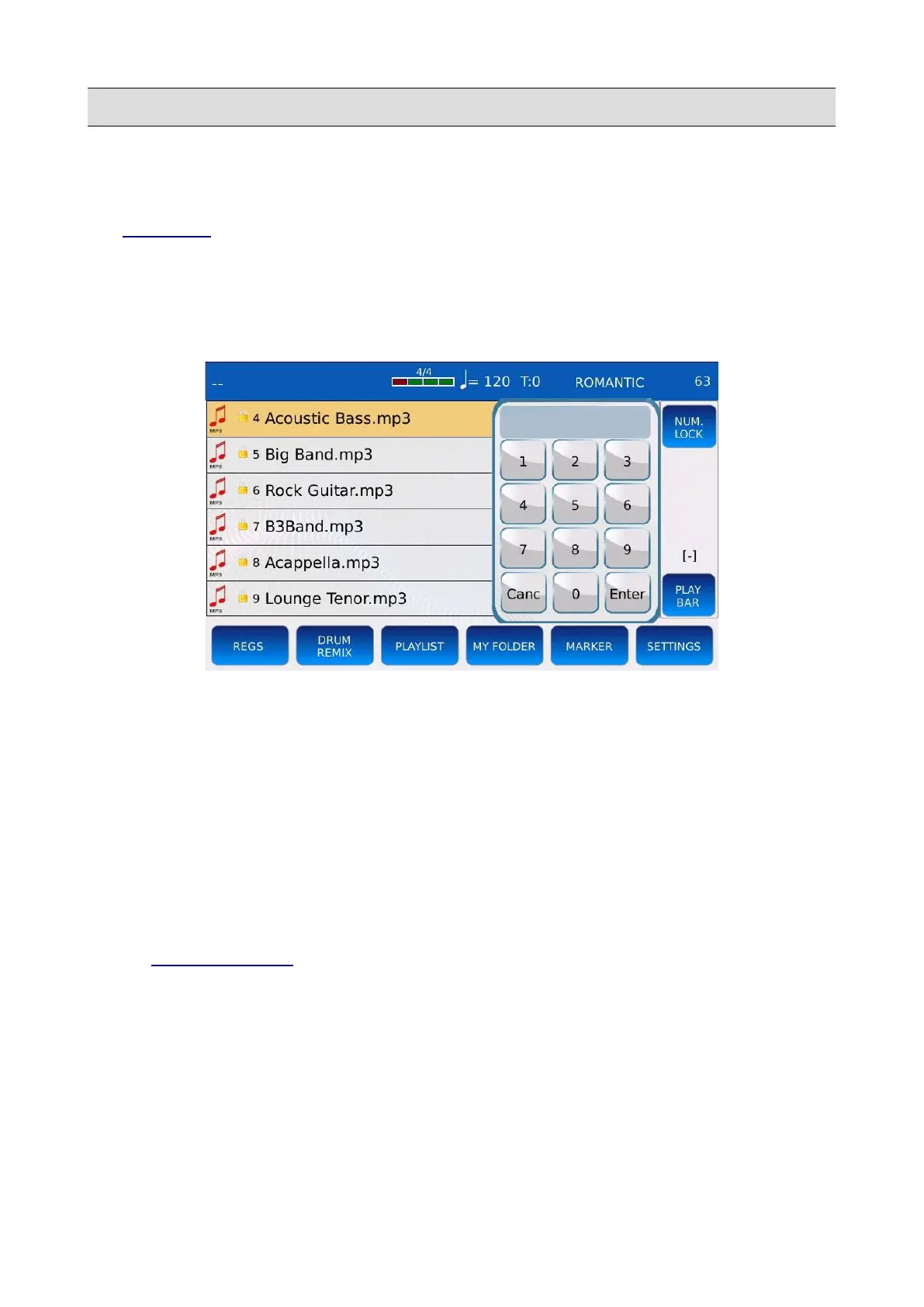
At each file in a folder is assigned an index. The indexes are displayed on the left, next to the name
(see SETTINGS to display or hide the file indexes). Sometimes is better to search for a song by
position rather than by name, for example when a set of songs are already saved in a specified order
defined by the user. Likewise to the quick search, the search by index is limited only at the current
folder.
• Tap on the virtual numeric keypad on the right of the SEARCH page.
• Compose on the keypad the index of the file or song to find. For example, to find the
fourteenth song, select first 1 and then 4.
• Press ENTER on the keypad to jump to the file or song at the selected index. The keypad
will disappear.
• Press CANC on the keypad to clear the selection.
• Press EXIT or SEARCH to quit the search.
NUM. LOCK: check to maintain the keypad on screen, preventing it from disappearing.
NB: the search by index does not scan subfolders.
NB: see NUMBER ASSIGN to know how to assign an index to a file.
KETRON - LOUNGE 55



 To Next Page