MENU
Update/Backup
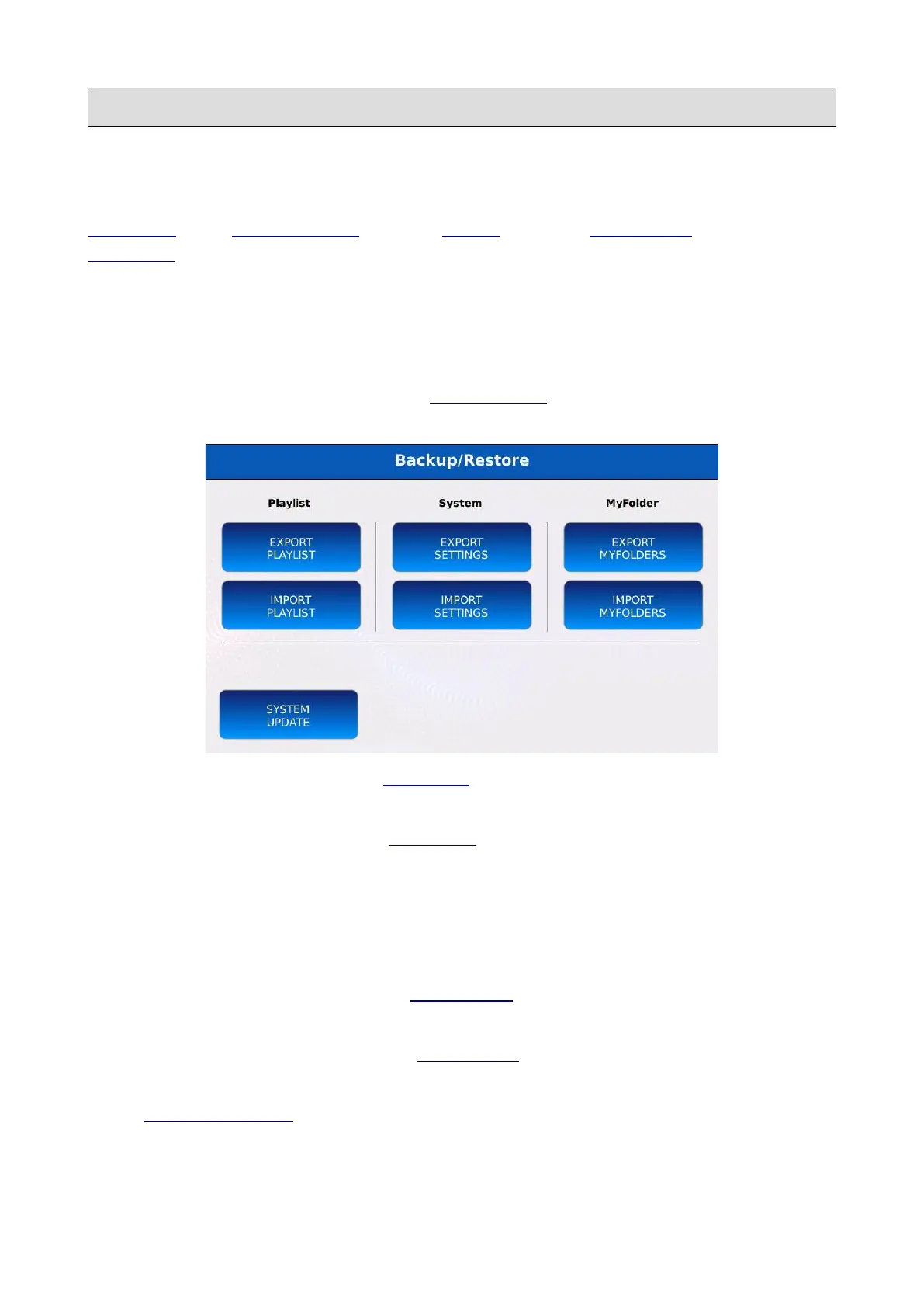
Within this page, you can export or import the settings of the instrument (all the options set in the
SETTINGS, in the PREFERENCES and in the VIDEO pages), the MYFOLDER lists and the
PLAYLIST data. All data is stored as an archive with a different extension for each data type:
• .sysbk for all settings data.
• .plsbk for all playlist data.
• .myfbk for all my folder data.
Tap on the UPDATE/BACKUP button on the PREFERENCE page to display the
UPDATE/BACKUP page.
• EXPORT PLAYLIST: saves all PLAYLIST data (playlists names and contents) into a .plsbk
file.
• IMPORT PLAYLIST: recalls all PLAYLIST data (playlists names and contents) from
a .plsbk file. All previous data will be replaced.
• EXPORT SETTINGS: saves all settings into a .sysbk file.
• IMPORT SETTINGS: recalls all settings and options from a .sysbk file. All previous
settings and options will be replaced.
• EXPORT MYFOLDERS: saves all MYFOLDER data (names and contents) into a .myfbk
file.
• IMPORT MYFOLDERS: recalls all MYFOLDER data (names and contents) from a .myfbk
file file. All previous data will be replaced.
• SYSTEM UPDATE : updates the software or restores the instruments PCM sounds.
KETRON - LOUNGE 139



 To Next Page