PLAYER
Remove the Rhythm synchronization from a MIDI file
• Select a remixed MIDI file with the Value Dial in the FILE BROWSER.
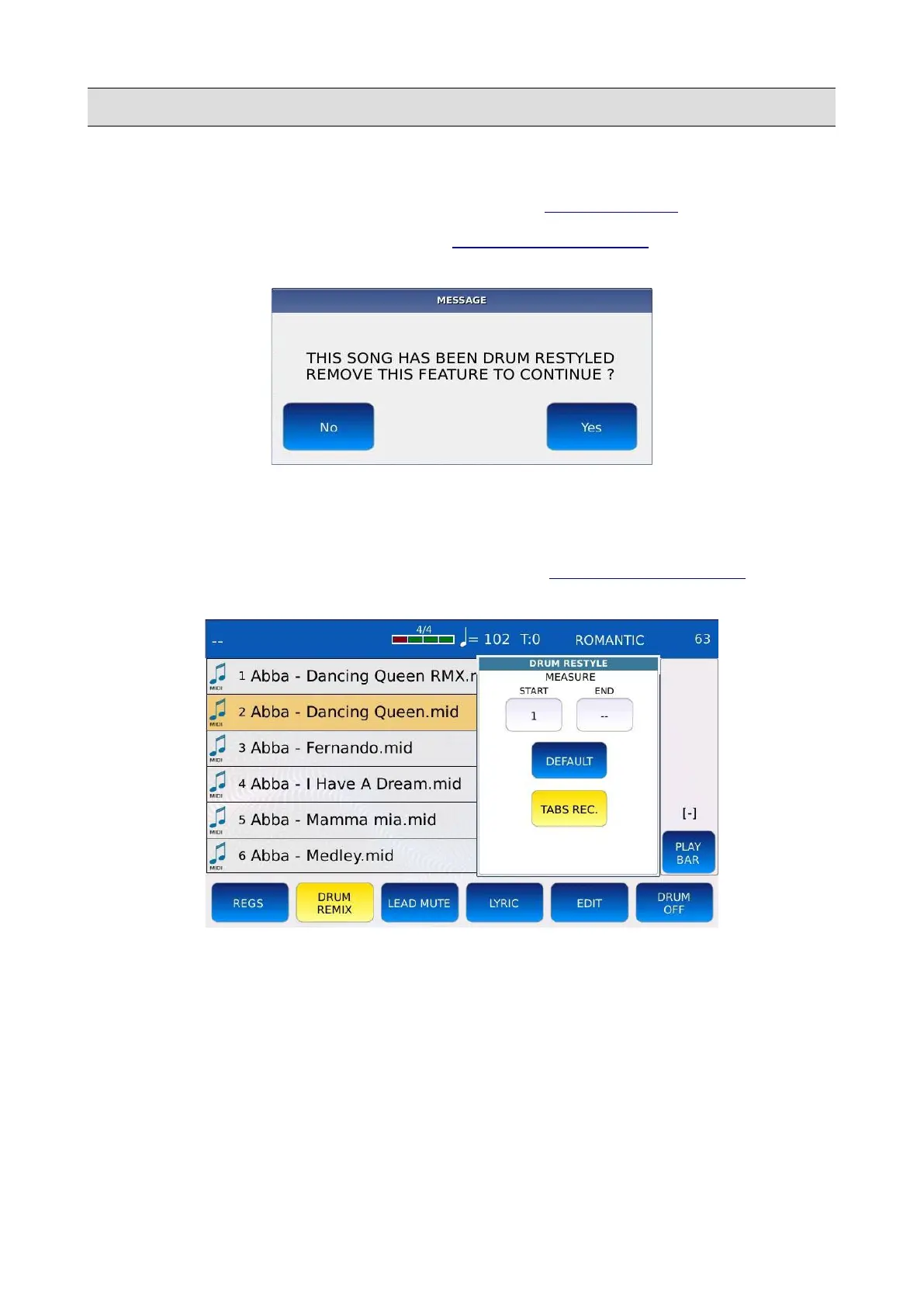
• Tap on the DRUM REMIX button of the PLAYER BOTTOM BAR. The following message
will be displayed on screen:
• Tap on YES to remove the synchronization or tap on NO to cancel operation.
Drum Remix Settings
When in DRUM REMIX mode, press the EDIT button of the PLAYER BOTTOM BAR to display
on screen the available remix settings and options.
• MEASURE START/END: use of the Value Dial to define the starting and ending points of
the Rhythm. For example, if START locator is set to 16 and END locator is set to 64, the
Rhythm will play only from bar 16 to bar 64. Outside of this interval, the original drum
track of the MIDI file will play as usual.
• DEFAULT: resets the START/END measure locators.
• TABS REC: enables the recording of the variations sequence. In other words, allows you to
record the exact moment when the A, B, C, D, FILL, BREAK and IN/END buttons are
pressed.
40 - KETRON - LOUNGE



 To Next Page