DRUM
◦ INTRO/ENDING NOTE: sets the cymbal instrument to be played for the intro and
ending parts.
◦ INTRO/ENDING VELOCITY: sets the velocity of the note played for the intro and
ending parts.
◦ FILL: enables or disables the autocrash for the fill part.
◦ FILL NOTE: sets the cymbal instrument to be played for the fill part.
◦ FILL VELOCITY: sets the velocity of the note played for the fill part.
Drumset Mixer
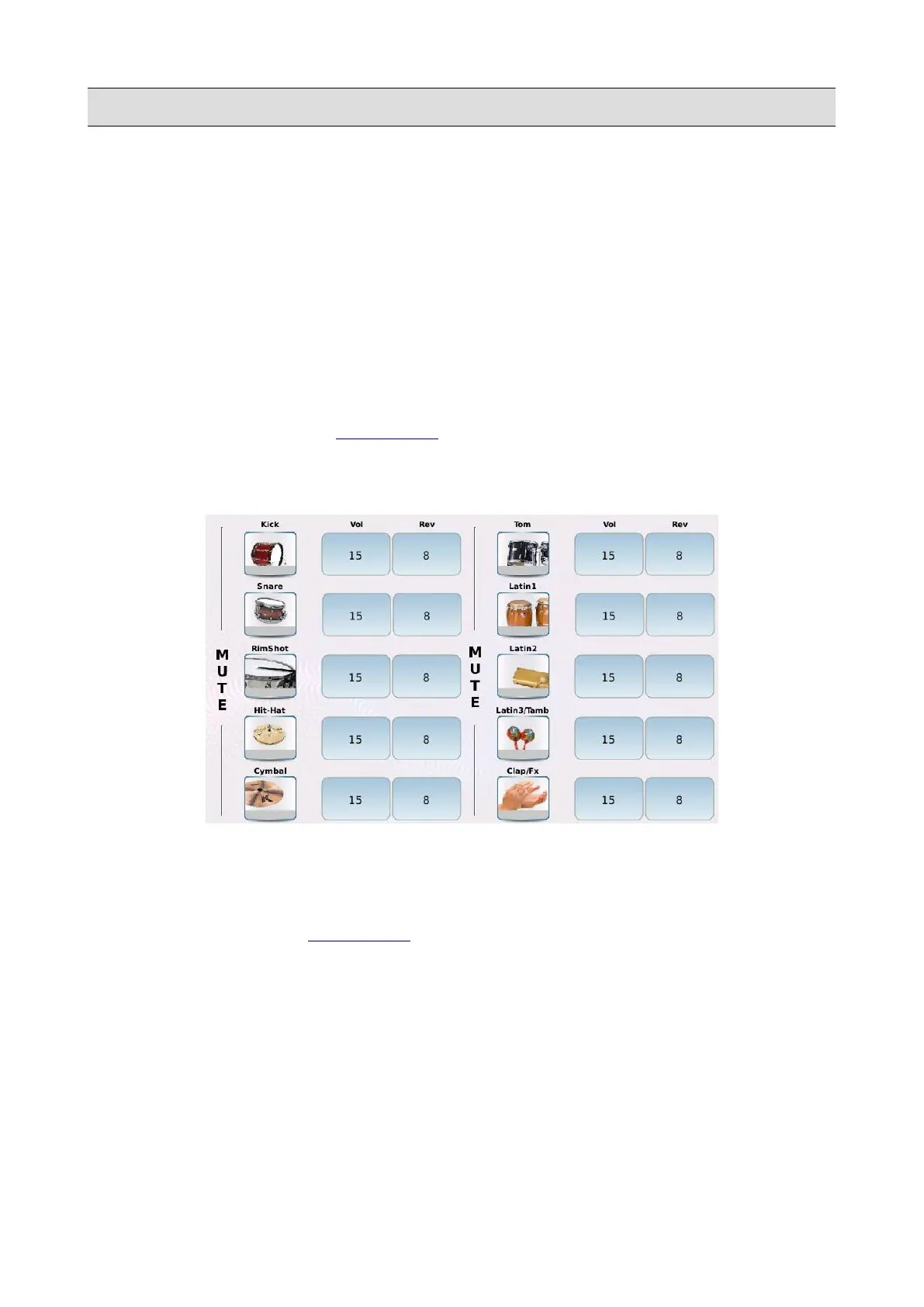
Tap on the MIXER button of the DRUM EDIT page to open the DRUMSET MIXER page.
In the DRUMSET MIXER page, are displayed all the pieces of the drum set, along with the volume
and reverb amount levels.
You can tailor the drum kit as you like, for example by increasing the reverb on the snare (if too
dry), or by removing from the mix unwanted instruments, such as the congas. To mute and unmute
a piece, tap on the corresponding icon button.
Press EXIT to go back to the DRUM EDIT page.
KETRON - LOUNGE 97



 To Next Page