PLAYER
Pics & Movies
This feature provides an alternative way to access images and video files saved on the instrument or
in other media devices, such as USB disk, etc. In addition to it, it allows you to set a custom
background to the LYRICS.
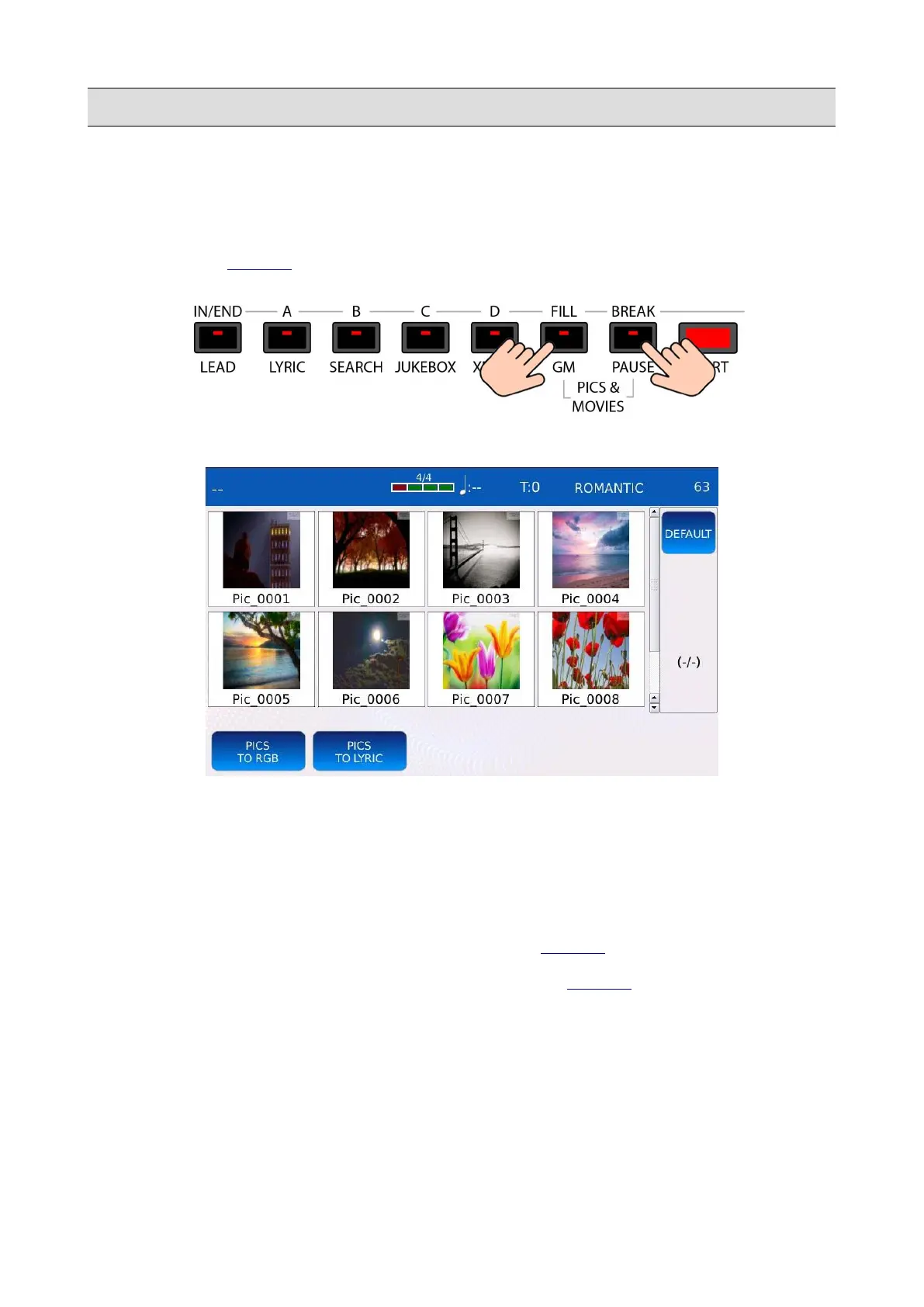
Press at the same time the FILL and BREAK buttons to access the PICS & MOVIES page.
All the images and video files contained in the current directory will be displayed in a grid. Use the
Value Dial to scroll through the images. Tap on one of the thumbnails (a thumbnail is a miniature
icon which displays the contents of the image) to open the image and display it full screen. Once
opened, use the touchscreen display to drag the image around.
At the bottom of the page, you will find the following buttons:
• TO RGB: loads the image as background of only the LYRICS of the external monitor.
• TO LYRICS: loads the image as background of only the LYRICS of the touchscreen display.
• DEFAULT: loads the default background images.
By activating both the TO RGB and TO LYRICS functions, the image selected will be displayed as
background of the LYRICS on both the touchscreen display and the external monitor.
KETRON - LOUNGE 49



 To Next Page