MENU
• Because the MICRO2 input port is also suitable for high impedance instruments, such as
guitar or bass, instead of being processed by the VOICETRON, the audio signal is processed
by the same effects that are used for the VOICE (see INSERT EFFECTS).
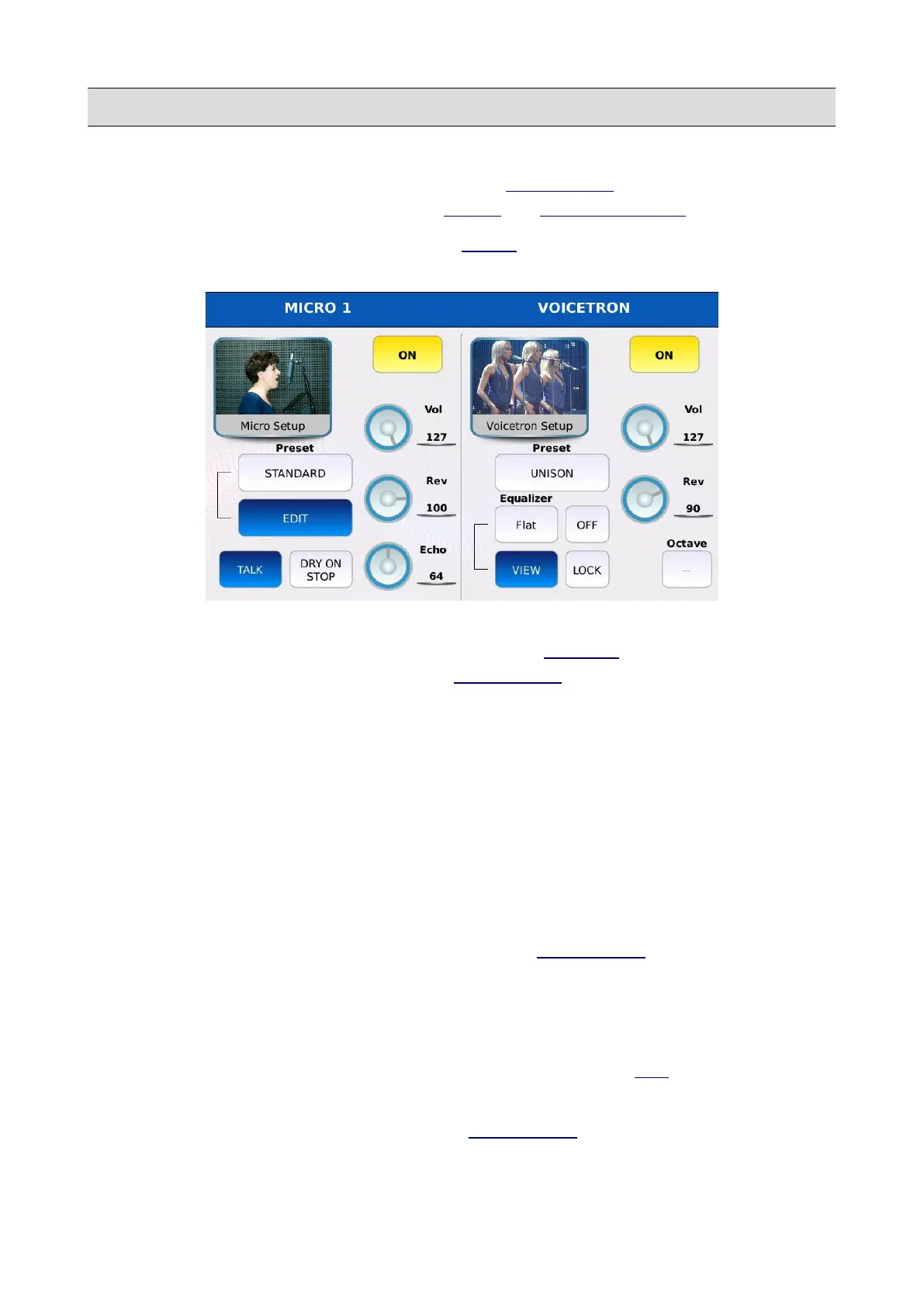
Tap on the MICRO1/VOICETRON button on the MENU page (or o keep pressed the MICRO
button on the FRONT PANEL) to display the MICRO1/VOICETRON page.
Within this page, you can adjust the settings of the first analogical audio input of the instrument.
The page is subdivided into two sections: the first is labelled MICRO 1 and displays the
microphone settings while the second is labelled VOICETRON and displays the voicetron settings.
Micro 1
• ON/OFF: enables or disables the microphone input (same of pressing the MICRO button of
the FRONT PANEL).
• PRESET: tap on the box to select a microphone preset between STANDARD, MELLOW,
SMALL, LARGE, GATED, LIVE, SOLO ECHO, SPECIAL EFX1, SPECIAL EFX2,
DOUBLE VOICE, STAGE, STUDIO, FLAT, HI-FI, ROBOT. Each preset features different
volume, reverb and echo amounts, effects and equalizer parameters. Use the Value Dial to
scroll through the available ones and tap on the name to load a preset.
• EDIT: modifies the microphone preset. Displays the MICRO EDIT page.
• VOL: controls the output volume. Tap on the virtual knob and use the Value Dial to adjust
the value.
• REV: controls the reverb send amount. Tap on the virtual knob and use the Value Dial to
adjust the value. The reverb type and global volume are set in the DSP page.
• ECHO: controls the echo send amount. Tap on the virtual knob and use the Value Dial to
adjust the value. The echo type is set in the MICRO EDIT page.
146 - KETRON - LOUNGE



 To Next Page