MENU
• TALK: disable or reduces the reverb amount. Useful when you want to make the speech
more intelligible. The reverb length in TALK mode is set in the MICRO EDIT page.
• DRY ON STOP: triggers the TALK functionality when a song ends.
• EDIT: modifies the currently selected microphone preset. Displays the MICRO EDIT page.
Micro Edit
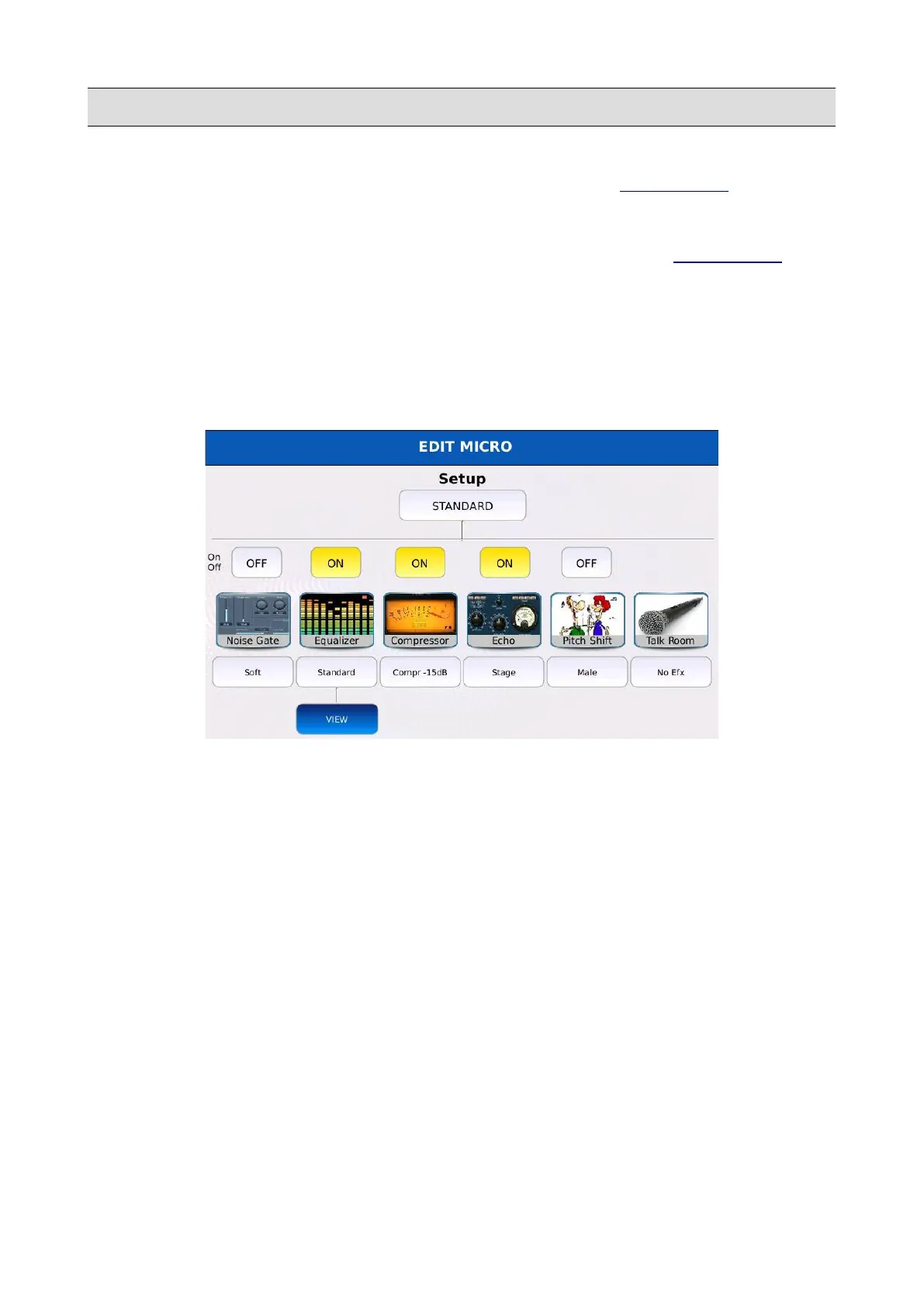
Tap on the EDIT button on the MICRO1/VOICETRON page to display the microphone effect
chain. Within this page, you can turn on/off and configure the single stages of the chain. Tap on the
box below the effect icon to display the presets of the corresponding stage. Use the Value Dial to
scroll through the available ones and tap on the name to load a preset.
• NOISE GATE: tap on the box to select a compressor preset between Soft, Medium1,
Medium2 and Hard. Each preset features a different threshold.
• EQUALIZER: tap on the box to select an equalizer preset between Standard, Flat, Hi-Fi,
Studio, User Eq.1, User Eq.2, User Eq.3 and User Eq.4. The first four are factory presets and
cannot be modified; the last four are user presets that can be freely edited by the user.
• COMPRESSOR: tap on the box to select a compressor preset between Compr -15dB,
Compr -18dB, Compr -21 dB, Compr -24dB, Limiter -6dB and Limiter -18 dB. Each preset
features a different threshold and ratio values (limiters have a ratio value of infinity).
• ECHO: tap on the box to select an echo preset between Mono, Stereo, Triplet, Multitap,
Reflection, Stage, PingPong and EchoTap. Each preset features a different delay value.
• PITCH SHIFT: tap on the box to select a pitch shift preset between Male, Female, Robot,
Duck, Bear, Mouse, Dark, Cartoon, Double Choir.
• TALK: tap on the box to select a talk preset between No Efx, Short1 and Short2. Each preset
features a different reverb length.
KETRON - LOUNGE 147



 To Next Page