MENU
• Tap on the GUITAR button to proceed, or tap on the CANCEL button to cancel the
operation.
• Select the destination preset (in which position it will be saved).
• Tap on SAVE or tap on SAVE AS to overwrite the destination preset or tap on CANCEL to
cancel the operation.
Guitar Tuner
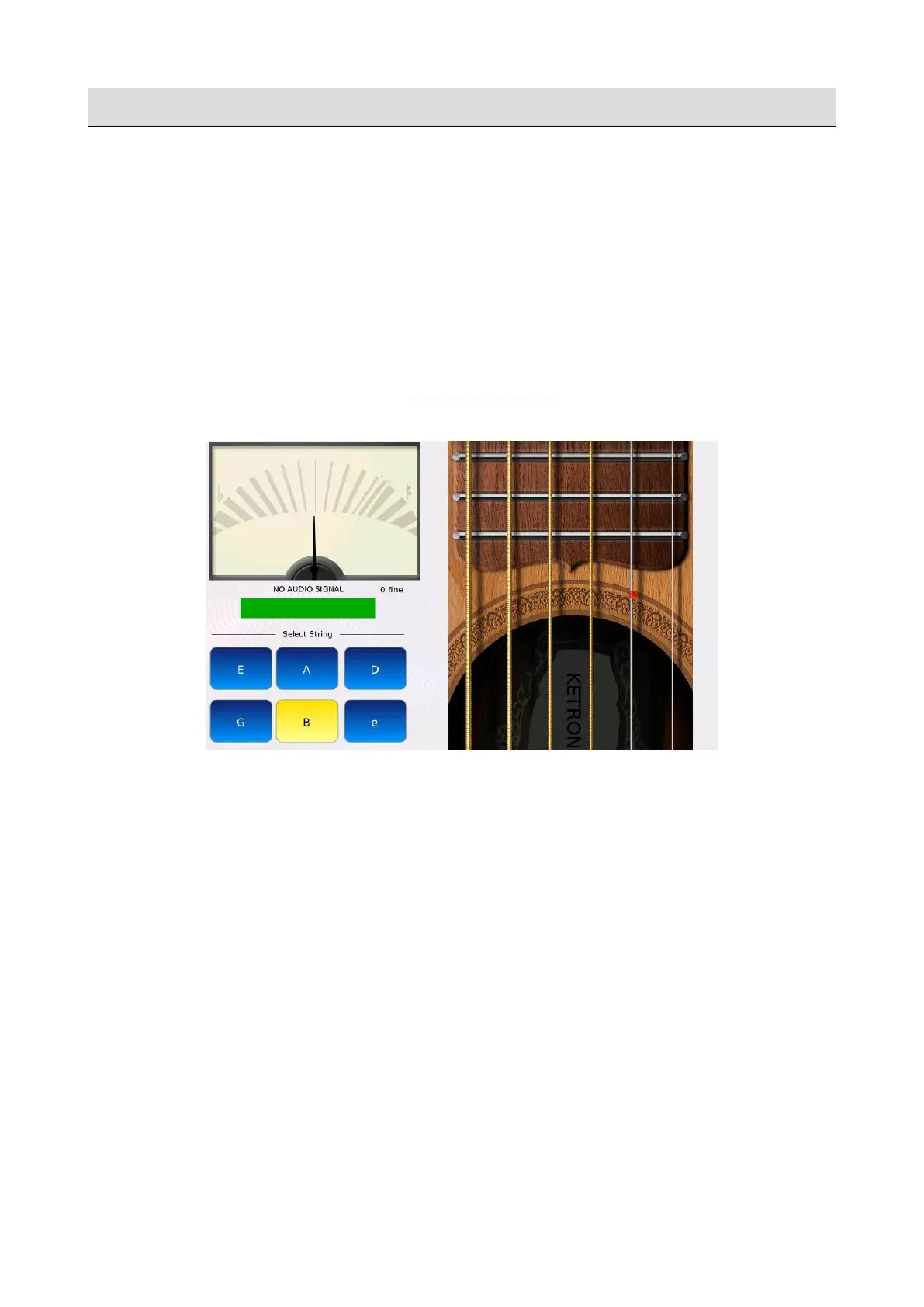
The guitar tuner allows you to tune your guitar without using any external devices.
Tap on the GUITAR TUNER button of the MICRO2/GUITAR page to display the GUITAR
TUNER page.
Tap on the virtual strings on the right of the display to hear the reference notes (E A D G B e).
To use the tuner follow the following steps:
• Connect the guitar to the MIC2/GUITAR input.
• Turn on the guitar input.
• Tap on one of the six buttons (E A D G B e) to select the reference note.
• Play a single note on your guitar (the same of the reference note).
• Tune the guitar until the central bar is green and the pitch meter is centred. The meter will
move farther toward the left as the pitch gets flatter, or farther toward the right as the pitch
gets sharper. Blue or red colour of the central bar will suggest how to correct your
instrument tuning.
• Press EXIT to return to the MICRO2/GUITAR page.
KETRON - LOUNGE 155



 To Next Page