MENU
How to edit an insert chain
Tap on the VIEW buttons right to the “Ins. EFX1” or the “Ins. EFX2” label on the DSP page to
display the INSERT EDIT page.
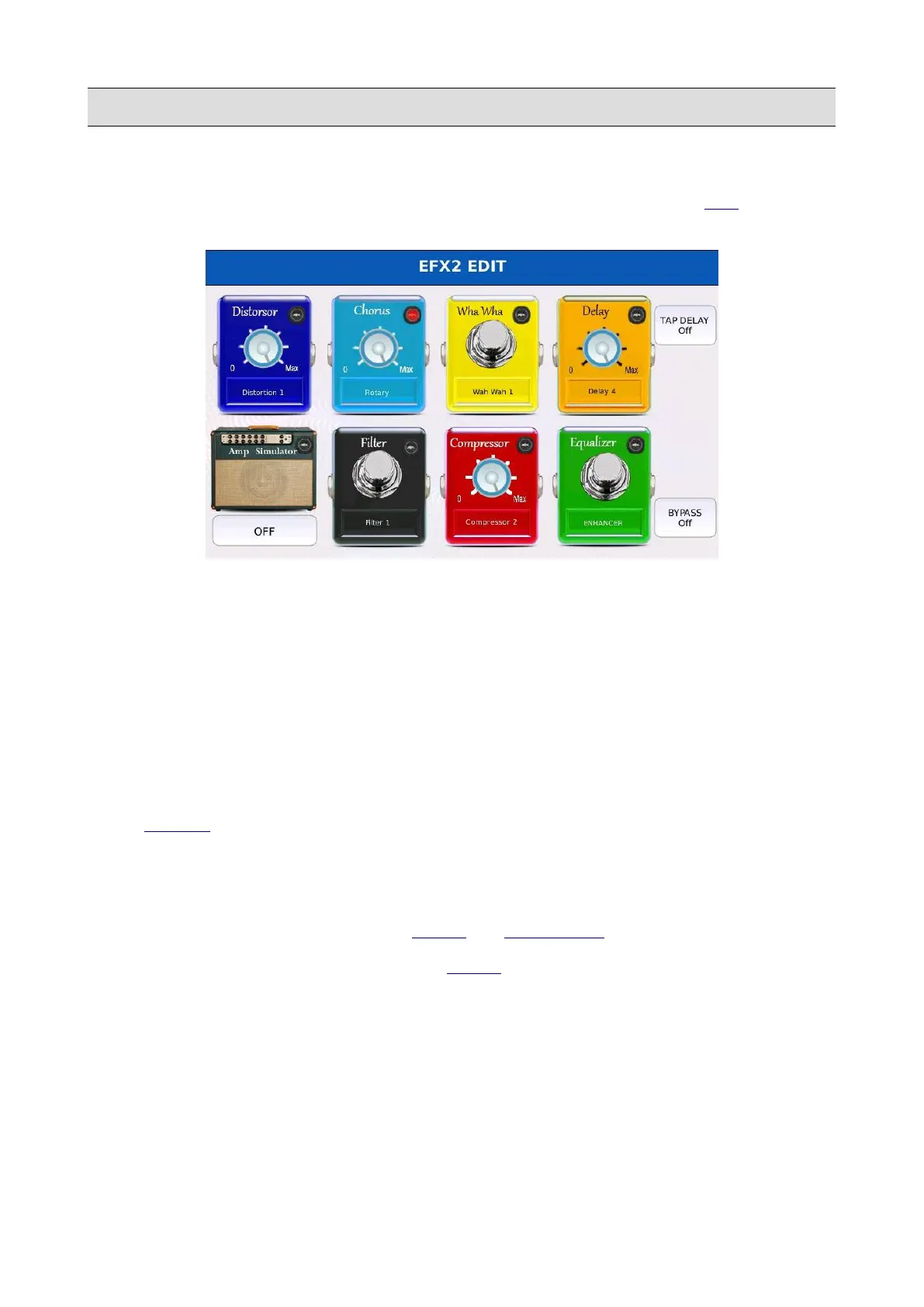
Each stage of the chain is displayed as a stomp pedal with a different colour and works
independently from the others.
• Tap on a pedal to enable the corresponding effect. A virtual red led at the top right corner
will turn on.
• Tap on the box at the bottom of the pedal and use the Value Dial to choose a preset from the
available ones.
• Tap on the BYPASS button to momentarily turn off the effect.
• Turn on the TAP DELAY functionality to synchronize the delay with the tempo of the
DRUMS or the tempo of a MIDI file.
• Use the Value Dial to adjust the level of an effect (if preset).
• Press SAVE to save the edited chain as a user chain.
NB: to enable the INSERT EFFECT on the VOICE, see VOICE EDIT.
NB: by turning on the INSERT EFFECT for the VOICE, the signal path will become mono.
124 - KETRON - LOUNGE



 To Next Page