VOICE
• USER: toggles between Factory Presets and User Presets. To create a User Preset, press
SAVE while being in VOICE EDIT mode (see SAVE AS USER VOICE).
• BASS ON/OFF: enables or disables the BASS. This will automatically SPLIT the keyboard
in half and a BASS sound is automatically selected to be played on the lower half. Keep
pressed to enter in BASS EDIT mode.
• SECOND VOICE: enables or disables the 2nd Voice Layer.
• SECOND VOICE VOLUME: adjusts the 2
nd
Voice volume.
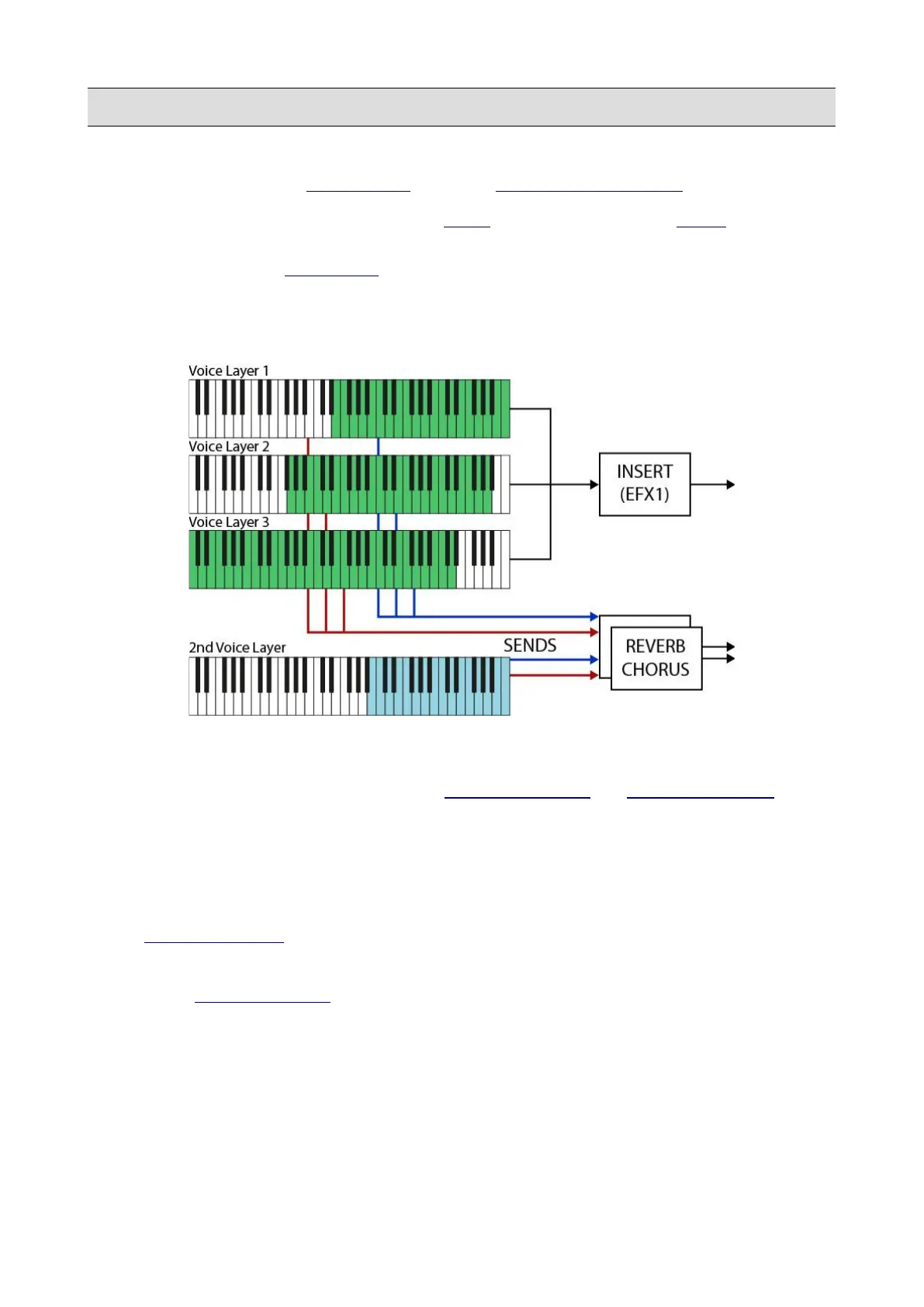
A Preset contains 3+1 layers, each one of them can play a different sound. Each layer is mapped to
a different zone of the keyboard, has its own velocity range, ADR amplitude envelope, and filter.
Each layer has independent sends to a common REVERB EFFECT and CHORUS EFFECT and
two LFOs: one is used for frequency modulation (VIBRATO RATE, DEPTH and DELAY) and
another for both amplitude (TVA) and filter frequency (TVF) modulation.
There is a major difference between the first three layers and the fourth layer:
• The first 3 layers (“Voice” layers) are identical. They can be processed by a common
INSERT EFFECT (EFX1) and can be used as MORPHING layers.
• The fourth layer (“2nd Voice” layer) has a reduced set of controls and cannot be processed
by the INSERT EFFECT. It can be used as a variation of the main sound: for example, it
could be a string ensemble sound for a piano Preset.
74 - KETRON - LOUNGE



 To Next Page