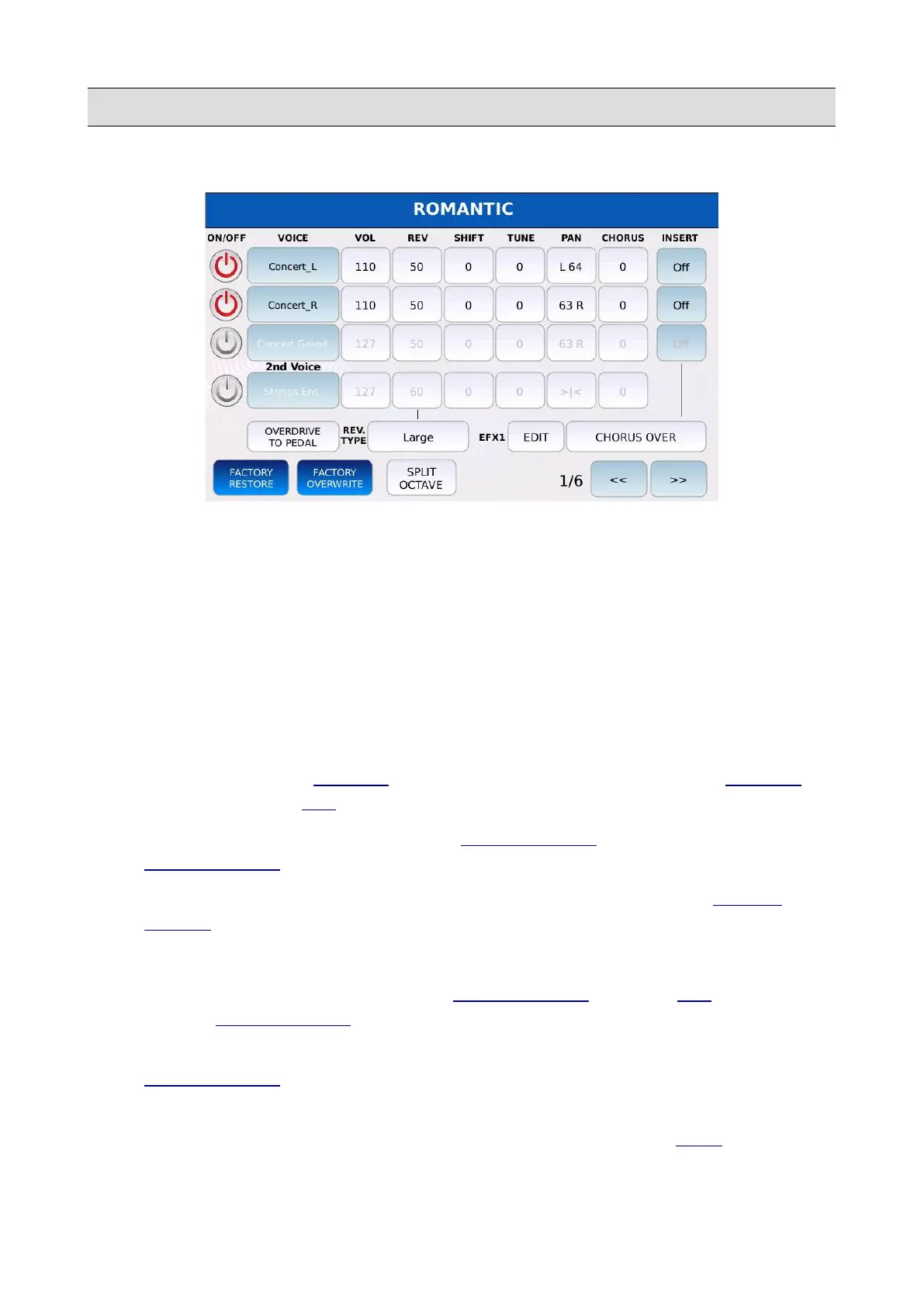
VOICE
Page 1
• VOL: adjusts the layer volume. Values range from 0 to 127.
• REV: adjusts the reverb send amount. Values range from 0 to 127. The sound is processed
by the reverb selected in the REVERB TYPE box.
• SHIFT: adjusts the layer transposition. Values range from -24 to 24 semitones.
• TUNE: adjusts the layer fine tuning in cents. One cent is one hundredth of a semitone (100
cents comprise a semitone and 1200 cents comprise an octave).
• PAN: controls the position on the stereo panorama for the layer. Values range from -64 (all
to the Left) to 64 (all to the Right) with 0 being the centre position (>|<).
• CHORUS: adjusts the CHORUS send amount. The sound is processed by the CHORUS
effect selected in the DSP page. Values range from 0 to 127.
• INSERT ON/OFF: enables or disables the INSERT EFFECT for the layer. If disabled the
INSERT EFFECT is bypassed (only “Voice” layers).
• OVERDRIVE TO PEDAL: allows you to control the overdrive value of the INSERT
EFFECT with the expression pedal.
• REVERB TYPE: allows you to choose the reverb type for the preset.
• EFX1 PRESET: allows you to choose an INSERT EFFECT preset (see DSP to know how to
create an INSERT EFFECT).
• EFX1 EDIT: allows you to make some fine tuning and modify some parameters of the
INSERT EFFECT preset and to store them into the VOICE preset. The changes are stored
into the VOICE preset, without the need of creating a new user INSERT preset.
• SPLIT OCTAVE: enables or disables the automatic transposition when BASS is enabled.
76 - KETRON - LOUNGE



 To Next Page