TOS3200
201
System Settings
Appx
*1 You can hear the buzzer volume by pressing the BUZ CHK (SHIFT+F5) key when BUZ VOL
(PASS) or BUZ VOL (FAIL) is selected.
*2 Even if you set LINE BRK (AUTO) to OFF, the TOS3200 may not supply power to the EUT
depending on the step combination.
Setup Items of SYSTEM2/5
On SYSTEM1/5, press the <NEXT> (F5) key to display SYSTEM2/5.
p. 162
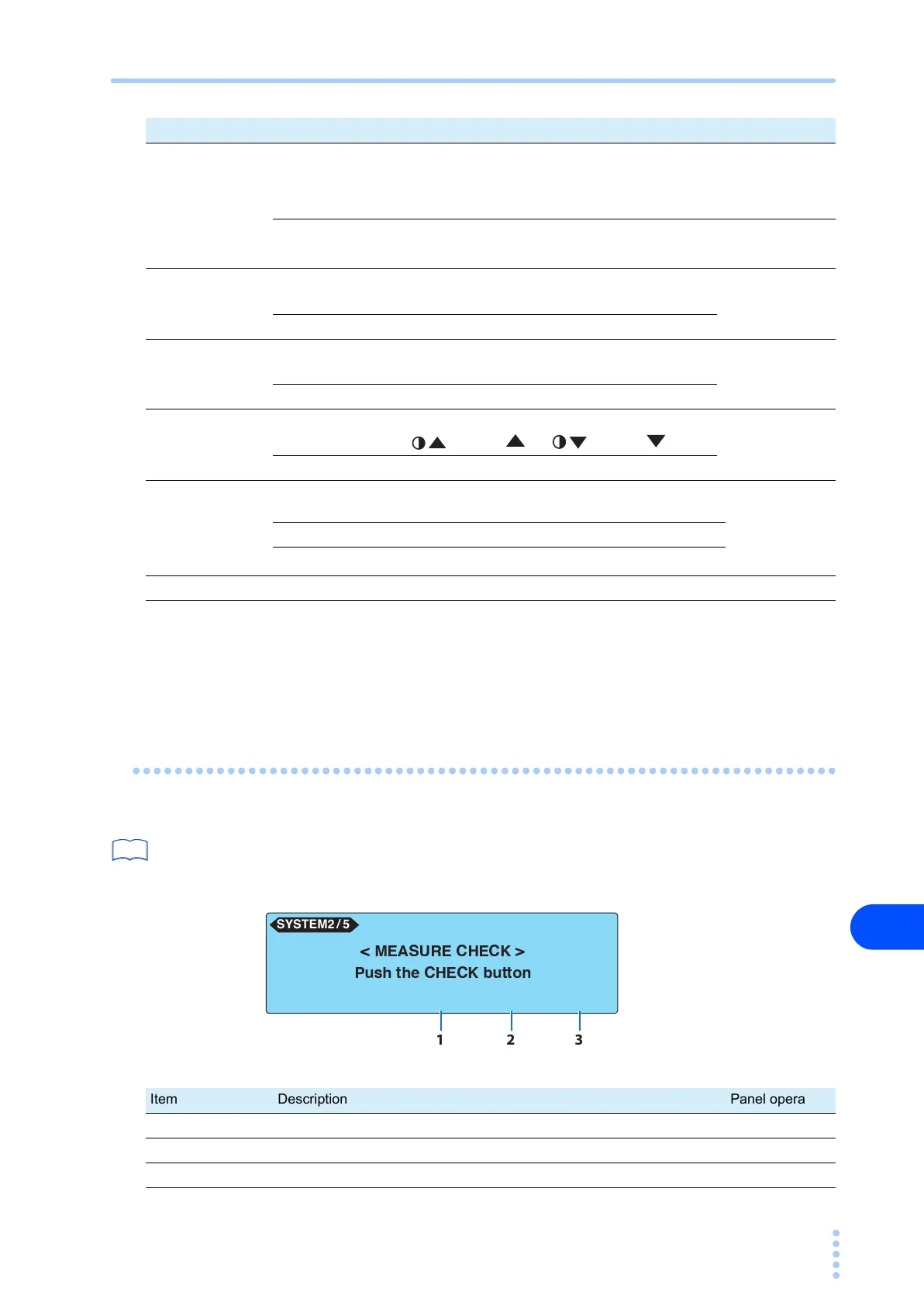
You can execute a measurement check on SYSTEM2/5. The measurement check verifies the
operation of the current measurement circuit of the TOS3200. For a description of the mea-
surement check execution, see “Measurement Check”.
Item Description Panel operation
4 SELV
Sets the safety extra low voltage (SELV).
If the voltage between measurement terminals A and B exceeds the
SELV, the DANGER lamp will illuminate.
Available in the Meter Mode.
F4 key
Voltage Selectable range: 10 V to 99 V
Rotary knob
OFF Disable the SELV check function.
5
BUZ VOL
(PASS)
*1
Sets the buzzer volume for PASS judgments.
SHIFT+F1 key
(Rotary knob)
Level Selectable range: 0 to 10
6
BUZ VOL
(FAIL)
*1
Sets the buzzer volume for U-FAIL and L-FAIL judgments and CON-
TACT FAIL
SHIFT+F2 key
(Rotary knob)
Level Selectable range: 0 to 10
7 CONTRAST
Sets the screen brightness.
You can also use the (SHIFT+ ) or (SHIFT+ ) key.
SHIFT+F3 key
(Rotary knob)
Level Selectable range: 0 to 10
8
LINE BRK
(AUTO)
Sets whether or not to supply power to the EUT during program test
interval time.
SHIFT+F4 key
(rotary knob)
ON Does not supply power to the EUT during the interval time
OFF
Supplies power to the EUT during the interval time
*2
9 <NEXT> Displays SYSTEM2/5. F5 key
See
CHECK <PREV> <NEXT>
< MEASURE CHECK >
Push the CHECK button
SYSTEM2 / 5
1 2 3
Item Description Panel operation
1 CHECK Executes the measurement check. F3 key
2 <PREV> Displays SYSTEM1/5 F4 key
3 <NEXT> Displays SYSTEM3/5. F5 key



 To Next Page