78
TOS3200
Creating Sequence Programs
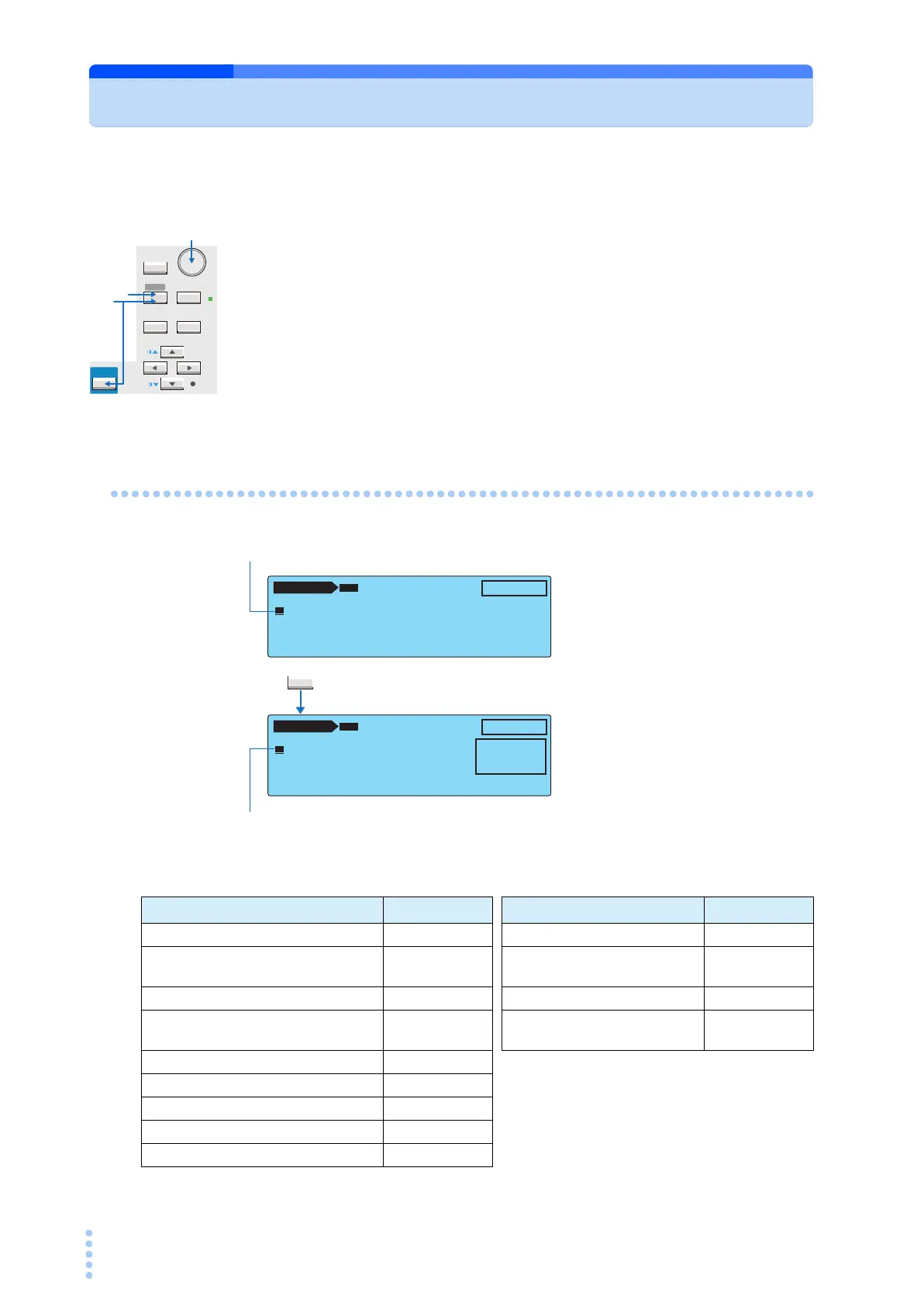
To create a sequence program, enter the edit screen from the program test screen.
1
Press the AUTO key.
The program test screen 1/2 (AUTO1/2) appears.
2
Use the rotary knob to select a new program or the program you want to
edit.
3
Press the EDIT (SHIFT+AUTO) key.
“EDIT” appears on the screen, and the edit screen is displayed.
Inserting a Step in a New Program
Default values of the step that is inserted
SHIFT
SYSTEM
RECALL ENTER
STORE
MANUAL
I / FEDIT
AUTO
RMT
PREV NEXT
1
3
2
F1
AUTO 1/2
NTWK:A MODE:RMS ABORT:OFF
–– END
PRG
00:
--
UNTITLED
--
EDIT
INS
AUTO 1/2
NTWK:A MODE:RMS ABORT:OFF
00 TC•E
NCPE ––PNRM•NORM––– 1s
–– END
PRG
00:
--
UNTITLED
--
EDIT
INS LOWER WAIT TIMER
LOWER : OFF
UPPER : 15.0mA
WAIT : OFF
TIMER : 1s
UPPER
Press the F1 key.
The end of the step sequence is selected.
A step with a default value is inserted above END.
Item Default value
items common to the step
Default value
Operation mode TC Measurement network (NTWK) A
Connection destination of the mea-
surement terminal (PROBE)
E
NCPE
Current measurement mode
(MODE)
RMS
Polarity of the EUT power line (POL) NORM Measurement range (RANGE) AUTO
Single fault mode (COND) NORM
Operation for FAIL judgment
(ABORT)
OFF
Interval time 1 s
Upper reference (UPPER) 15 mA
Lower reference (LOWER) OFF (30 μA)
Test time (TIMER) ON (1 s)
Test wait time (WAIT) OFF (1 s)



 To Next Page