TOS3200
39
Panel Memory
3
Panel Control Basics
Storing to the Test Conditions
1
Press the MANUAL key to display the screen of the operation mode you
want to store (TC or PCC measurement), and set the test conditions.
2
Press the STORE (SHIFT+RECALL) key.
“STO” followed by “memory number: memory name” are displayed to the right of the
screen title.
3
Use the rotary knob to set the memory number (00 to 99) of the test con-
ditions you want to store.
To cancel the storage operation, press the or key.
4
Press the key to move the cursor to the memory name.
5
Use the rotary knob to enter the name.
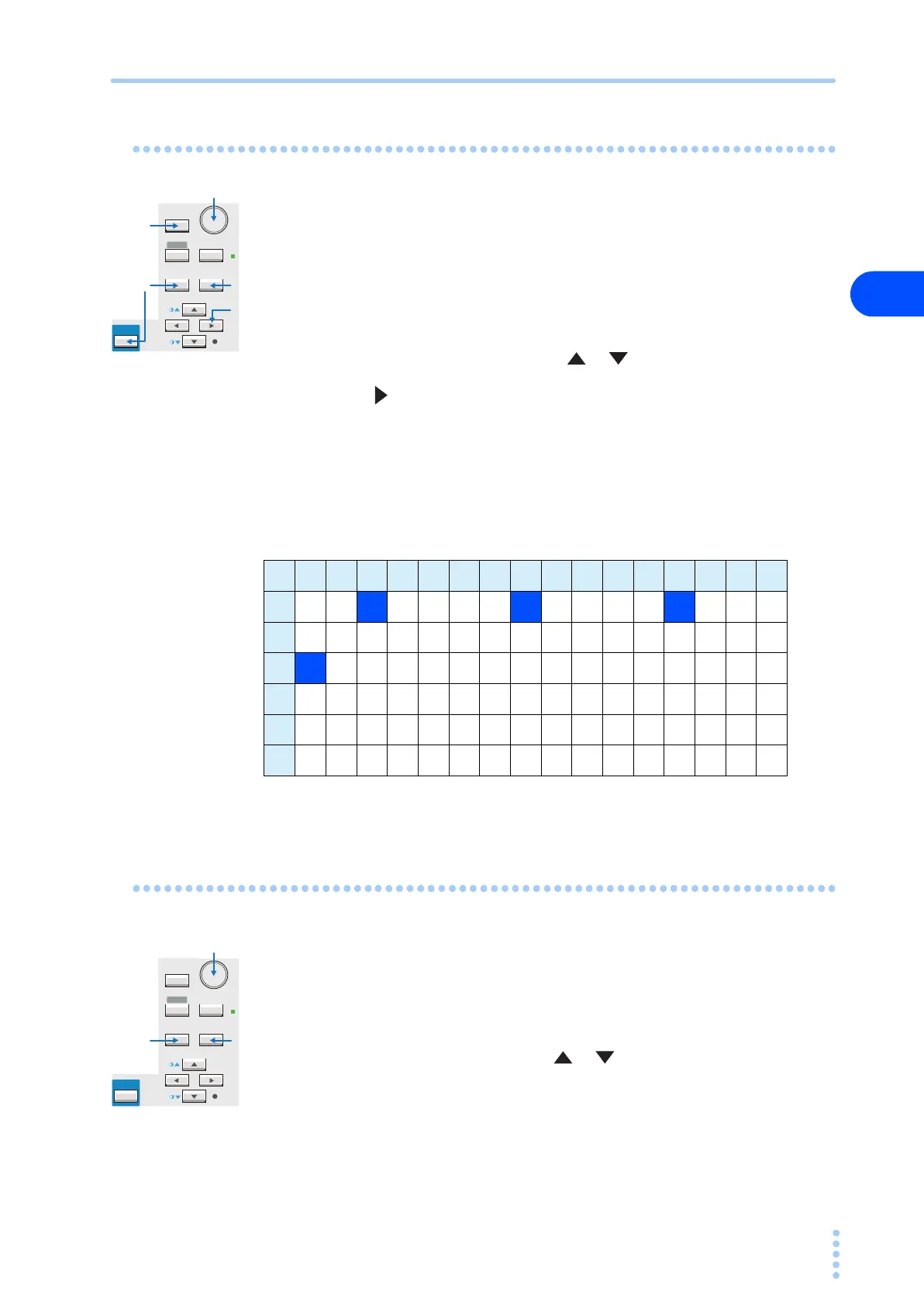
Up to 12 of the characters shown in Table 3-1 can be entered.
6
Press the ENTER key to store the test conditions to the memory number.
When the storage is complete, the characters “STO” will change to “MEM.”
Table 3-1 Characters that can be entered
Double quotation mark (22H), single quotation mark (27H), comma (2CH), and @ (40H) cannot be entered.
Recalling from the Test Conditions
1
Press the RECALL key.
“RCL” followed by “memory number: memory name” are displayed to the right of the
screen title.
2
Use the rotary knob to set the memory number (00 to 99) of the test con-
ditions you want to recall.
To cancel the recall operation, press the or key.
3
Press the ENTER key to recall the test conditions of the specified mem-
ory number.
When the recall is complete, the characters “RCL” will change to “MEM.”
If you change the test conditions that you recalled, the memory number will disappear. The
memory number will not be displayed again even if you set the test conditions back to the
original conditions.
SHIFT
SYSTEM
RECALL ENTER
STORE
MANUAL
I / FEDIT
AUTO
RMT
PREV NEXT
1
2
3, 5
4
6
0 1 2 3 4 5 6 7 8 9 A B C D E F
20 ! "#$%&'()*+,-./
30 0123456789 : ; <=>?
40 @A B CD E F GH I J K L MNO
50 PQRSTUVWXYZ [ \ ] ^ _
60 `abcdefghi jklmno
70 pqrstuvwxyz{ | }~
SHIFT
SYSTEM
RECALL ENTER
STORE
MANUAL
I / FEDIT
AUTO
RMT
PREV NEXT
1
2
3



 To Next Page