TOS3200
67
4
TC and PCC Tests
Storing the Test Results
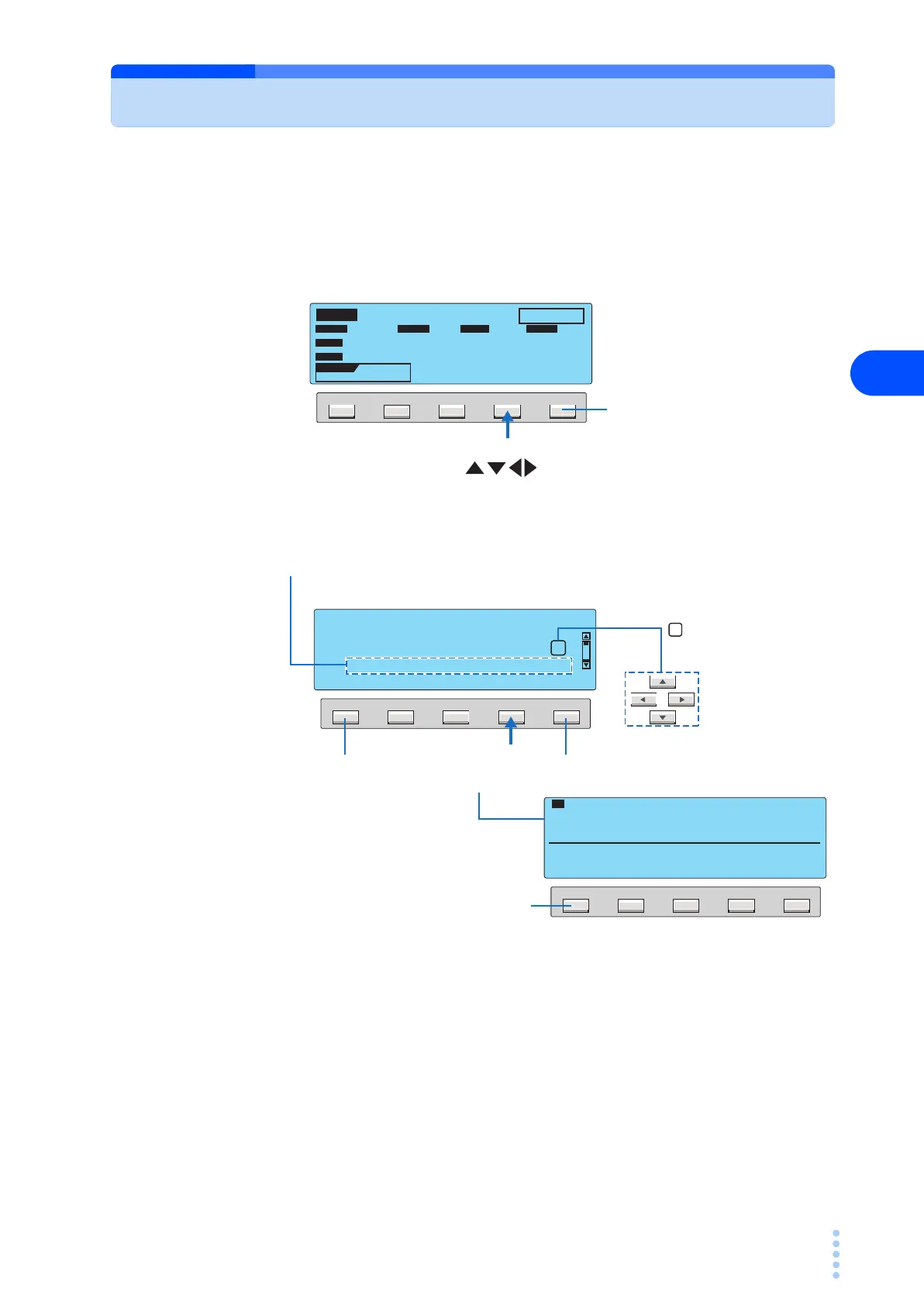
You can store up to 50 test results. The storage function is assigned to a function key while
the judgment result (PASS or FAIL) is displayed.
1
Press the Yes (F4) key on the judgment result screen to display the MAN-
UAL TEST DATA screen.
2
Press the arrow keys ( ) to select the desired memory number.
3
Press the SAVE (F4) key.
The stored information is displayed.
Press the DATA (F1) key to check the stored data.
4
Press the EXIT (F5) key.
The data store screen closes, and the TOS3200 changes to the READY status.
F5F4F3F2F1
TC
PASS
E
NC
P
E
OFF ON
PROBE LOWER
NORM
POL
NORM
LINE 0.0W
0.0V 0.00A
NORM
COND
UPPER
ON
TIMER
0 µA
10
s
SAVE? Yes No
Does not save the test results.
Skips to step 5.
F5F4F3F2F1
F5F4F3F2F1
DATA SAVE EXIT
[MANUAL TEST DATA]
No
1 2 3 4 5 6 7 8 9 10
51:TC-TEST-NO.1
2006 / 10 / 17 13 : 45
LIST
10 51:TC-TEST-NO.1 2006/10/17 13:45
FUNCTION :TC ENC-PE
NETWORK :A MODE :RMS
CONDITION :NORMAL POLARITY :NORMAL
SAVE EXIT
NORM
PASS
0
µA
10
s
Displays the test data of the
selected memory number.
You can check the existing data
before overwriting the existing data.
If you select a memory number in which a test result is already saved, the saved
information is displayed.
For tests executed using test conditions that were recalled from the panel memory,
the panel memory number and name are included in the saved information.
Panel memory number: memory name year/month/day hour:minute
Aborts the save operation.
Return to the memory
selection screen.
Move the box using
the arrow keys to select
the number.



 To Next Page