TOS3200
35
Panel Control
3
Panel Control Basics
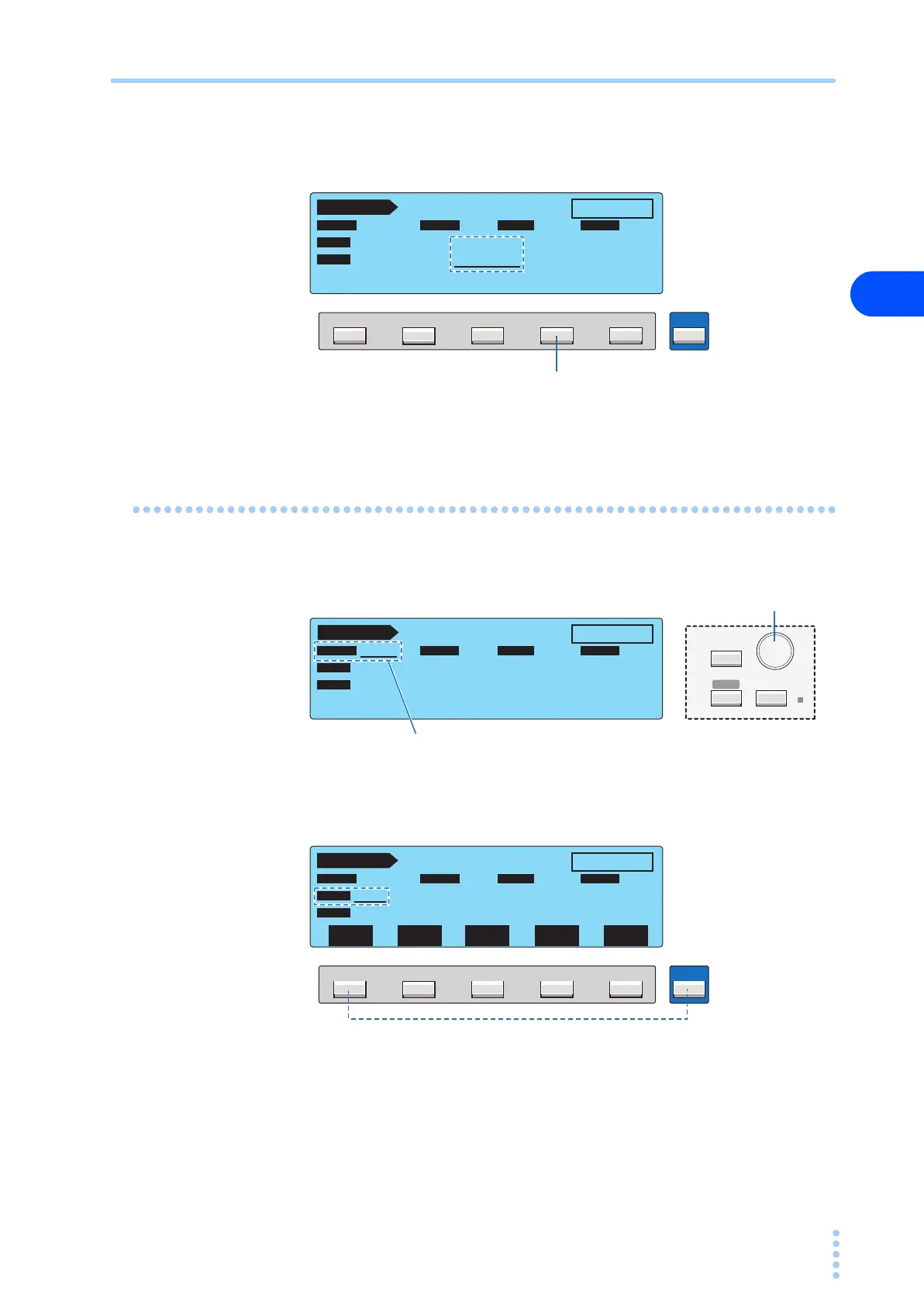
• Press the key corresponding to the function key name you want to select. If the item you
want to select is not displayed, press the corresponding key while holding down the
SHIFT key.
Entering Data
• You can set the value for the item with an underscore by turning the rotary knob.
• Depending on the item, you can enter the value by pressing a function key while holding
down the SHIFT key to switch the selection.
F5F4F3F2F1
SHIFT
TC 1 / 2
READY
ENCPE OFF ON
PROBE LOWER
UPPER
POL
NORM
NORM
COND
UPPER
OFF
TIMER
30.0 mA
10
s
PROBE LOWER UPPER TIME/WAIT
TIMER
Press F4 to select UPPER (upper
reference).
TC 1 / 2
READY
ENCPE OFF ON
PROBE LOWER
UPPER TIMER
POL
NORM
NORM
COND
UPPER
OFF
TIMER
30.0 mA
10
s
PROBE LOWER UPPER TIME/WAIT
Turn the rotary knob to select the probe from
ENCPE, ENCENC, ENCLIV, and ENCNEU.
SYSTEM
MANUAL
I / FEDIT
AUTO
RMT
Rotary knob
F5F4F3F2F1
SHIFT
TC 1 / 2
READY
ENCPE OFF ON
PROBE LOWER
UPPER TIMER
POL
NORM
NORM
COND
UPPER
OFF
TIMER
30.0
mA
10
s
POL
NOR/RVS
CONDI-
TION
LOWER
ON/OFF
UPPER
ON/OFF
TIMER
ON/OFF
Press F1 while holding down the SHIFT key to
select POL (NOR or RVS).



 To Next Page