64
TOS3200
Starting the Test
Switching to Expanded Display
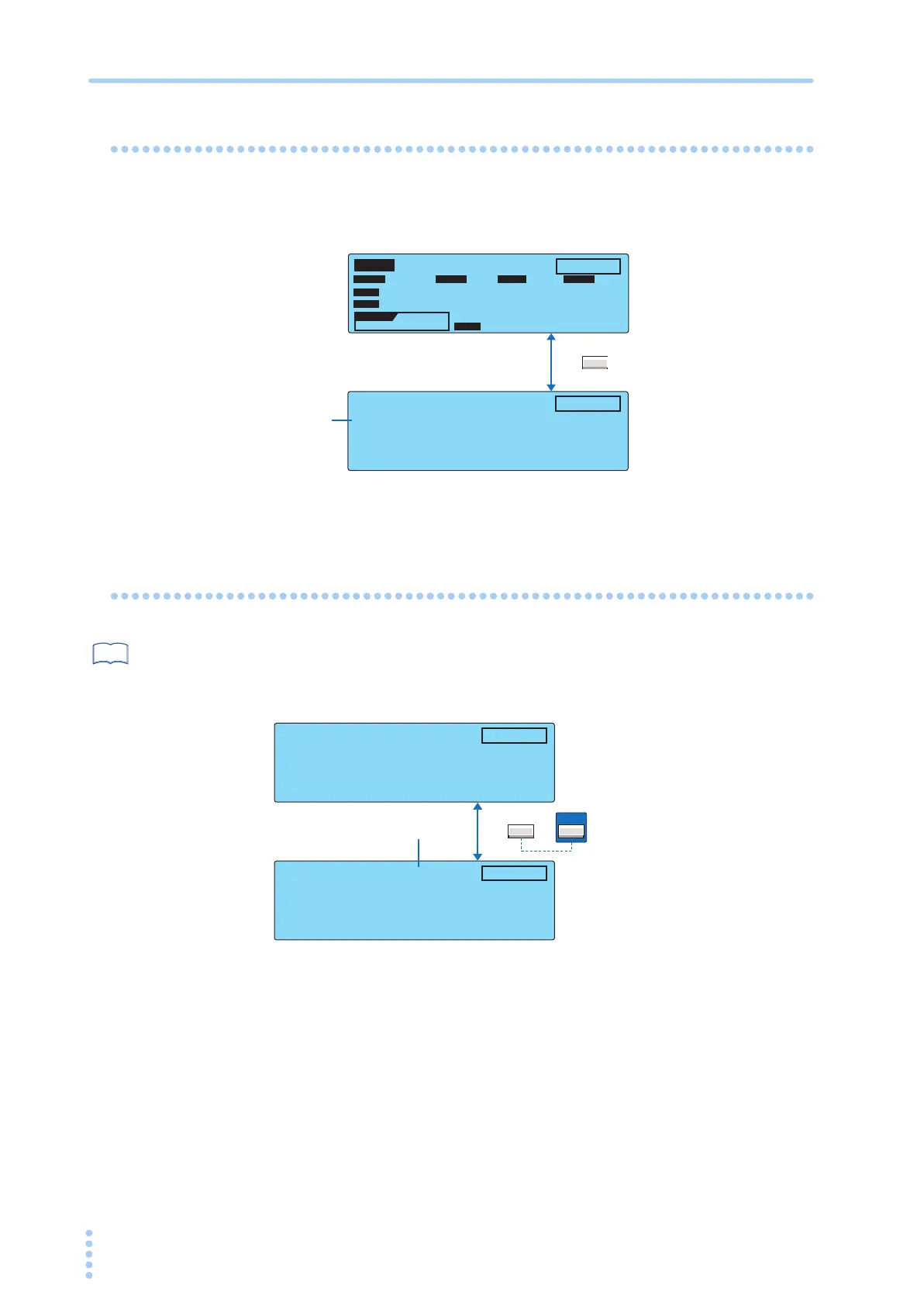
Press the DISP (F5) key while the test is in progress to switch the measured value display as
follows:
Displaying the Voltage between the Measurement Network
Reference Points
p. 176
Press the V DISP (SHIFT+F5) key in expanded numeric display mode to display the mea-
sured voltage between the measurement network reference points.
This function is only valid for touch current testing.
TC
TEST
E
NC
P
E
OFF ON
PROBE LOWER
NORM
NORM
POL
NORM
COND
ON
TIMER
10
s
10
s
DISP
TEST
NORM
RANGE 1
NTWK:B
DISP
0 µA
UPPER
rms
rms
0 µA
LINE 0.0W
0.0V 0.00A
B
NTWK
F5
Standard display
Expanded numeric display
Measurement
range
Press the
F5 key.
10
s
TEST
NORM
RANGE 1
NTWK:B
0.007v
DISP
0 µA
rms
10
s
TEST
NORM
RANGE 1
NTWK:B
DISP
0 µA
rms
F5
Press SHIFT+F5.
Voltage between the measurement
network reference points
SHIFT



 To Next Page