TOS3200
63
Starting the Test
4
TC and PCC Tests
If WAIT is set to OFF
The status changes to TEST, and the actual test starts.
The measured value is blinking
p. 55, p. 59
If the measured value exceeds the measurement range specified by AUTO or FIX, the mea-
sured value will blink. For the PCC measurement, see Table 4-6 on page 59. For the TC
measurement, see Table 4-4 on page 55.
↕ FAIL (CONTACT FAIL) is displayed
p. 53
An error has been detected in the earthing check. For details, see “Earthing check”.
CONV is displayed
If the current conversion display function is enabled and the power is not applied to the AC
inlet for the EUT, “CONV
” will be displayed. The conversion display function is invalid in this
condition.
p. 200
If you are supplying the EUT power from an external source (not from the TOS3200) in the
TC measurement between two enclosures, turn the current conversion display function off.
• SYSTEM1/5>CONV
TC
TEST
ENCPE OFF ON
PROBE LOWER
NORM
CONV
POL
NORM
LINE 0.0W
0.0V 0.00A
NORM
COND
UPPER
ON
TIMER
30 µA
10
s
rms
DISP
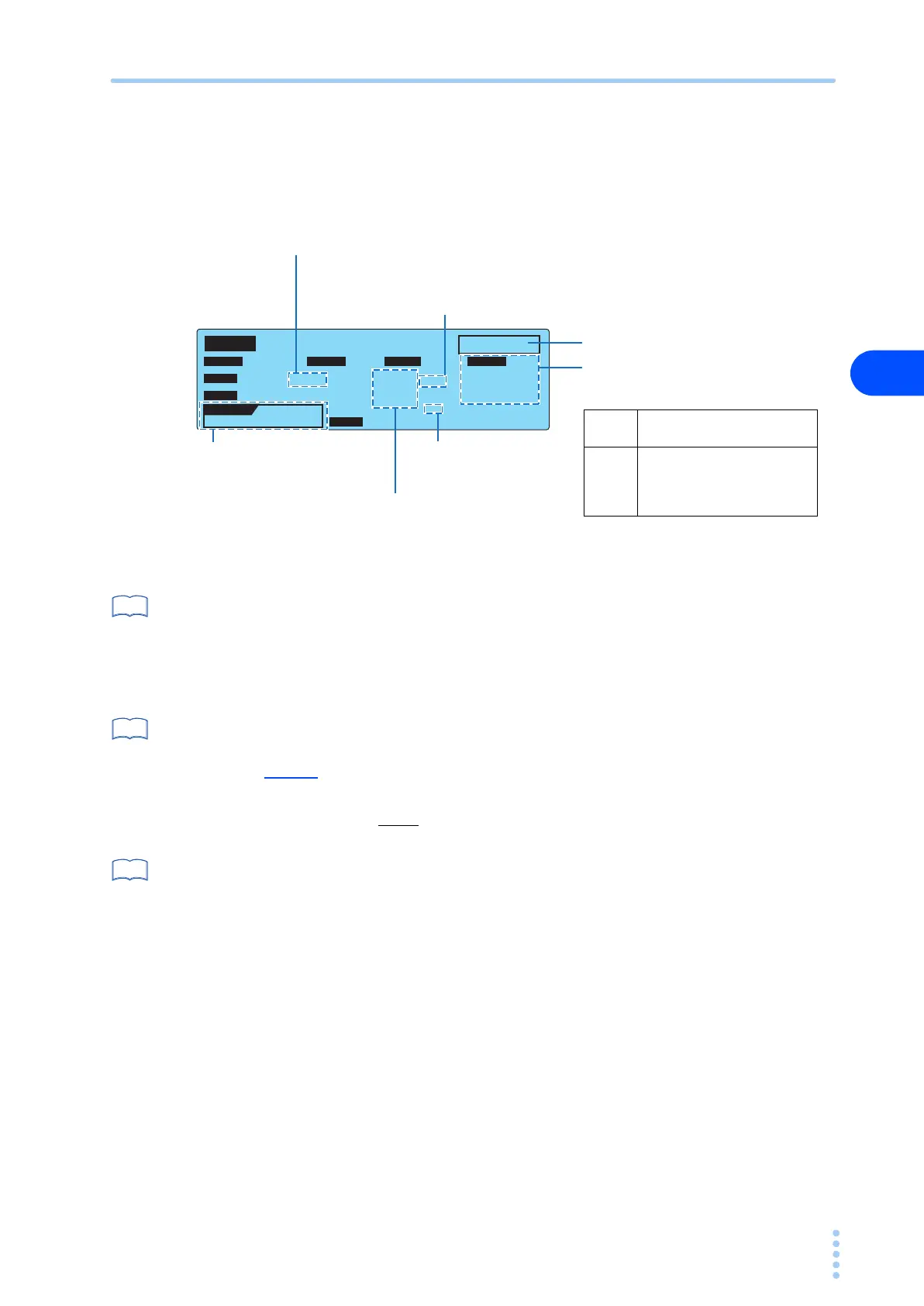
Displays the voltage,
current, and power of the
power line applied to the
AC inlet for the EUT.
The time indication after starting
the test varies depending on
whether the timer is on or off.
Indicates whether the measured current is shown using
the normal display (NORM) or maximum value display
(MAX).
• SYSTEM1/5 > MEAS MODE
Indicates that the measured current is indicated
after a conversion.
• SYSTEM1/5 > CONV
Measured current
Current measurement
mode
(RMS/DC/PEAK)
Indicates the test-in-progress status.
B
NTWK
TIMER
ON
Displays the remaining time of
the timer.
TIMER
OFF
Displays the elapsed time of
the test.
If 999 s is exceeded, “999” will
blink.
See
See
See



 To Next Page