TOS3200
33
Screen Configuration
3
Panel Control Basics
Status
Indicates the present status of the TOS3200.
*1 Executed in the ENCLIV or ENCNEU test of the TC measurement.
p. 204
*2 You will not be able to use the TOS3200 if the protection function is activated. Eliminate the
cause of the protection status by referring to “Protection Function”.
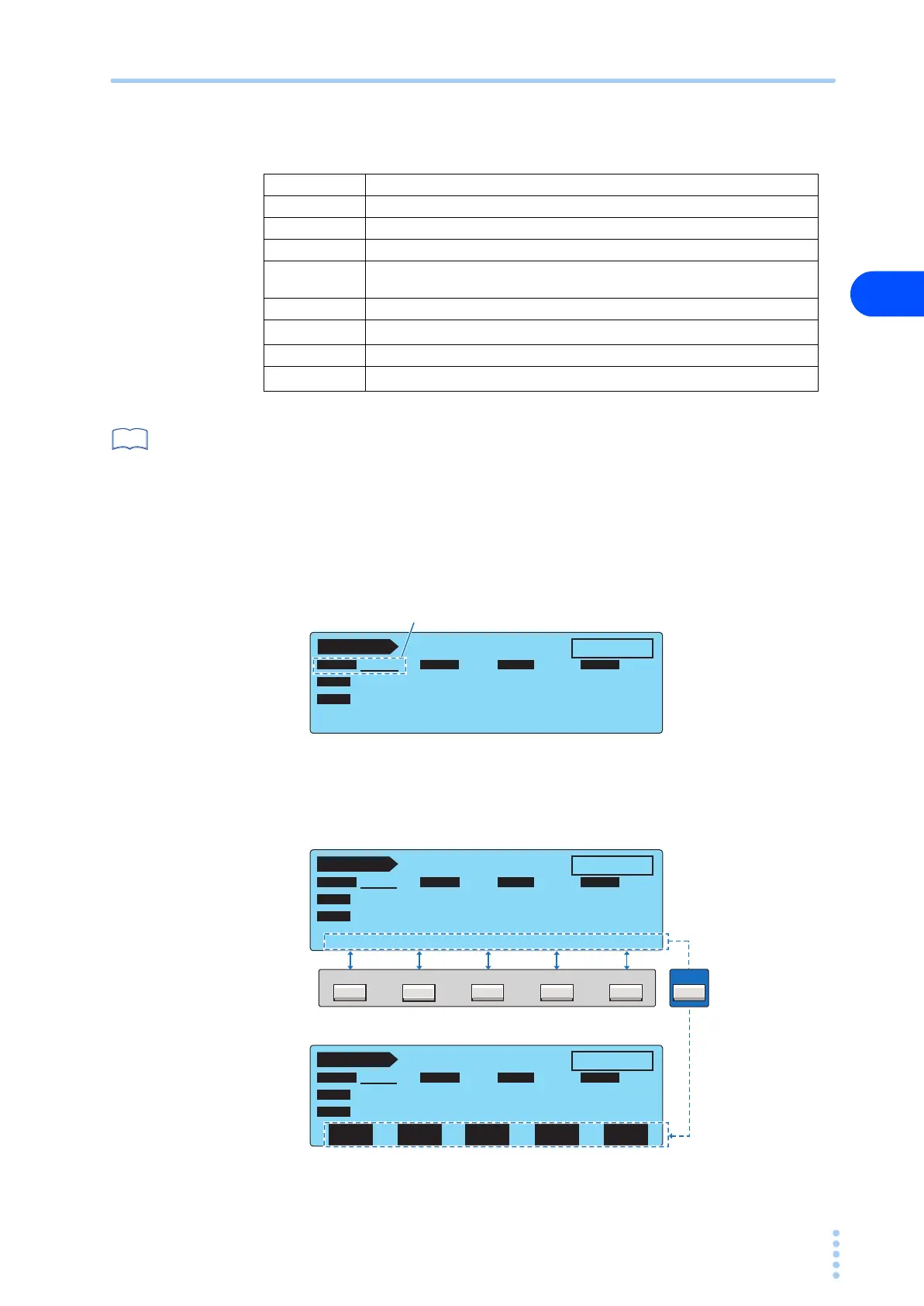
Data input area
This area is used to enter items such as test conditions, sequence programs, and system set-
tings.
The selected item is indicated with a underscore.
Function key name
The available functions are displayed above function keys F1 to F5.
READY Indicates that the TOS3200 is ready to start the test.
WAIT Indicates that the TOS3200 is waiting for the test.
TEST Indicates that the test is in progress.
PASS Indicates that the measured current was within the reference range.
↑FAIL
Indicates that a current greater than or equal to the upper reference was mea-
sured.
↓FAIL Indicates that a current less than or equal to the lower reference was measured.
↕FAIL
Indicates that the enclosure is grounded in the earthing check.
*1
EDIT Indicates that the sequence program is being edited.
PROTECTION
Indicates that the protection function is activated.
*2
See
TC 1 / 2
READY
ENCPE OFF ON
PROBE LOWER
UPPER TIMER
POL
NORM
NORM
COND
UPPER
OFF
TIMER
30.0 mA
10
s
PROBE LOWER UPPER TIME/WAIT
Selected item (underlined)
F5F4F3F2F1
SHIFT
TC 1 / 2
READY
E
NC
P
E
OFF ON
PROBE LOWER
UPPER
POL
NORM
NORM
COND
UPPER
OFF
TIMER
30.0
mA
10
s
PROBE LOWER UPPER TIME/WAIT
TC 1 / 2
READY
E
NC
P
E
OFF ON
PROBE LOWER
UPPER
TIMER
TIMER
POL
NORM
NORM
COND
UPPER
OFF
TIMER
30.0
mA
10
s
CONDI-
TION
LOWER
ON/OFF
POL
NOR/RVS
UPPER
ON/OFF
TIMER
ON/OFF
This display is shown
while the SHIFT key
is held down.



 To Next Page