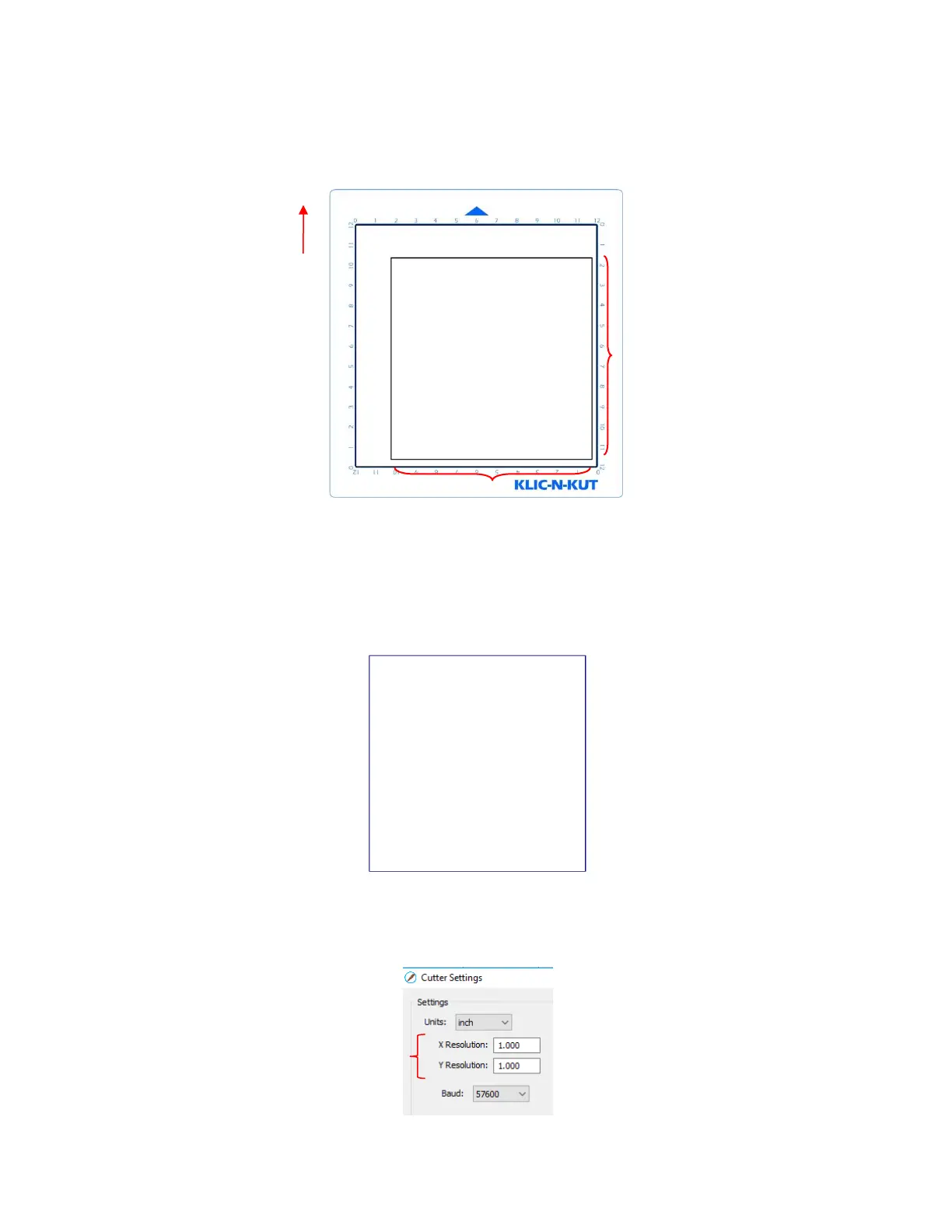
Draw the square on your paper using the test pen or some other thin line pen. Then carefully measure the
Width (the left-to-right length that drew) and the Height (the top-to-bottom length that drew:
Because the Zings are so very accurate, only take note if the sides are slightly larger than 10” or slightly
smaller than 10” because it will probably be so close that you cannot even measure how much larger or
smaller than 10 inches it might be. Instead, let’s say the Height is just the tiniest bit over 10”. Mark that side
as being 10.01”. Let’s say the Width is just a tiny bit less than 10.” Mark that side as 9.99”. Now, if you feel
you can measure accurately, with a ruler, then do so. But just estimating should work fine, too. Write those
measurements onto your sheet:
Go to Cutter>Cutter Settings. In the top left corner of that window you will see the calibration settings:
Use a calculator to calculate the X Resolution and Y Resolution based on the measurements you obtained
versus the size in SCAL. Note that it doesn’t matter if you used Portrait or Landscape mode, the X
Resolution is based on left-to-right (width) and the Y Resolution is based on top-to-bottom (height):



 To Next Page