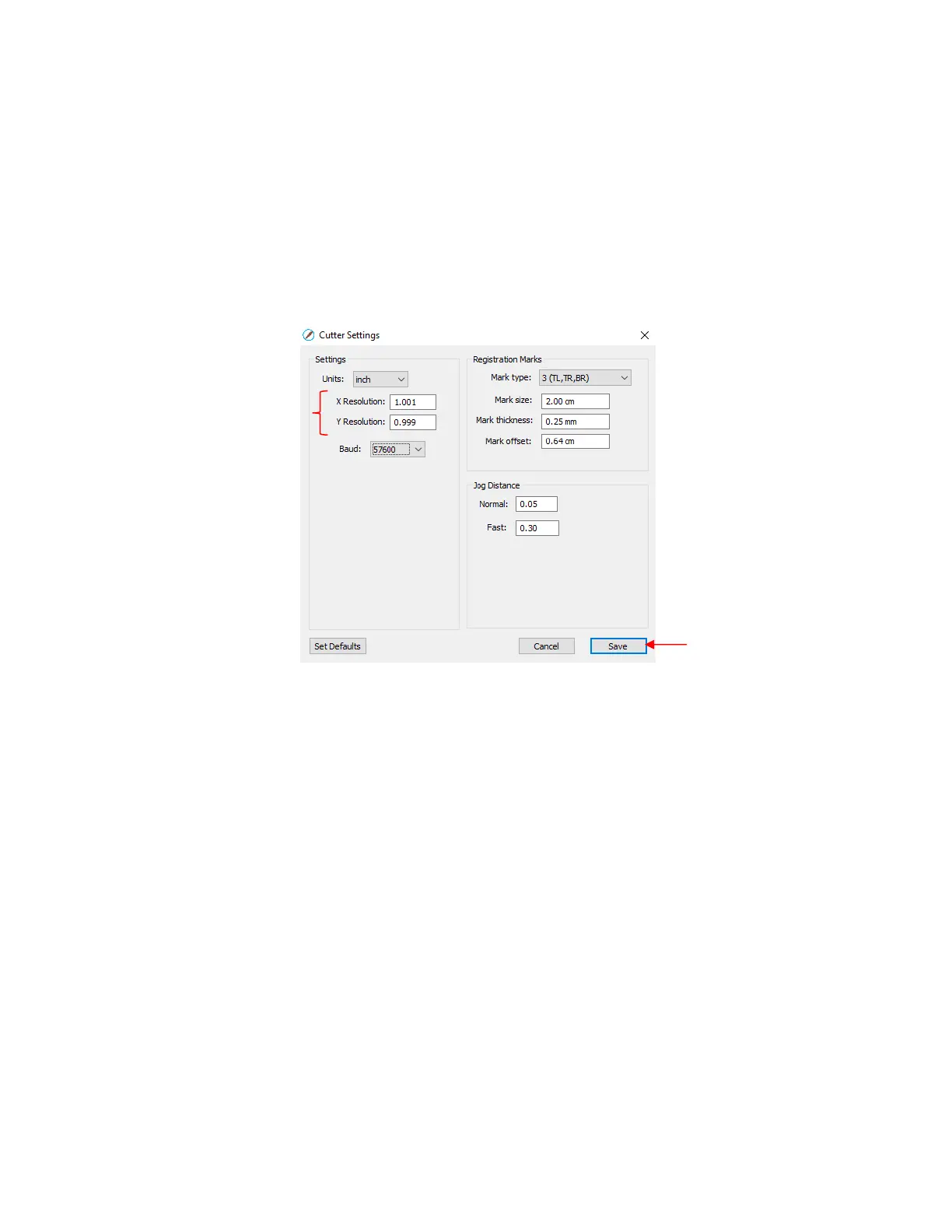
New X Resolution = Current X Resolution multiplied by the desired value divided by the actual value
= 1.0 * 10 / 9.99
= 1.001
New Y Resolution = Current Y Resolution multiplied by the desired value divided by the actual value
= 1.0 *10.00 / 10.01
= 0.999
Enter those new values into the Cutter Settings window and click on Save:
If, after testing again, you find that the sizing is still slightly off, then just repeat again. Note that in the
calculations the second time, instead of using 1.00 for the Current X Resolution and/or Y Resolution, you
will use whatever values you entered into the Cutter Settings window prior to drawing the square the
second time.



 To Next Page