LDI Intellectual Property.
Not for secondary distribution or replication, in part or entirety.
DIGISONDE-4D
SYSTEM MANUAL
VERSION 1.2.11
3-56 SECTION 3 - OPERATING INSTRUCTIONS
the entire schedule), click “Change P#” and enter “ 5,10 “. This would replace every instance of pro-
gram 5 with program 10.
• The Clone button allows you to duplicate the current schedule some number of times to create longer
schedules. For example, if you were editing a 15 minute schedule, and desired to maintain the current
program cadence but increase the schedule duration to 60 one would click Clone and then enter “3”. In
this example 3 is the number of times you wish to clone the existing schedule which results in a new
schedule 60 minutes in duration.
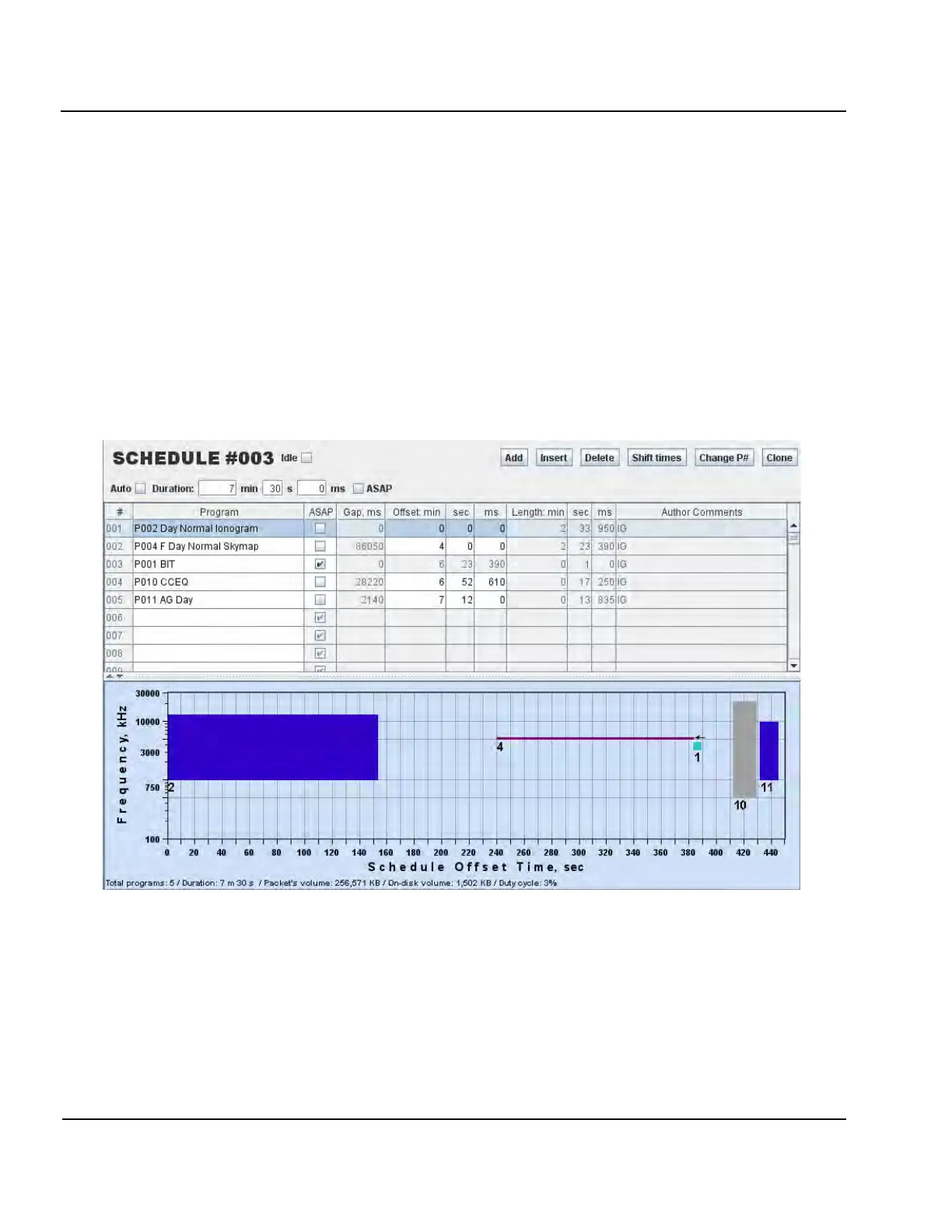
3:99. Figure 3-44 shows a commonly used daytime Digisonde
®
schedule that includes two skymap meas-
urements for E and F region and increases cadence of 8 measurements per hour.
3:100. “Idle” checkbox is used to create an empty schedule. The empty schedule can be useful for adding pe-
riods of radio silence to the measurement plan (often they have a place in campaigns). If an unplanned radio
silence of the Digisonde
®
is needed, it is best accomplished by switched it into Manual Operations state.
Figure 3-44: Typical Example of 7.5 Minute Ionogram Schedule
NOTE
For routine scientific observations of the ionosphere it is recommended to
keep Digisonde
®
at 5 or 7.5 min cadence to ensure sufficient coverage of oc-
casional periods of elevated ionospheric activities such as geomagnetic
storms. It is also important to have the radar range set at 1500 km (10 ms in-
ter-pulse period) for ionogram and drift programs to capture dynamics of as-
cending ionosphere during the storm activities.



 To Next Page