LDI Intellectual Property.
Not for secondary distribution or replication, in part or entirety.
DIGISONDE-4D
SYSTEM MANUAL
VERSION 1.2.11
6-20 SECTION 6 - MAINTENANCE
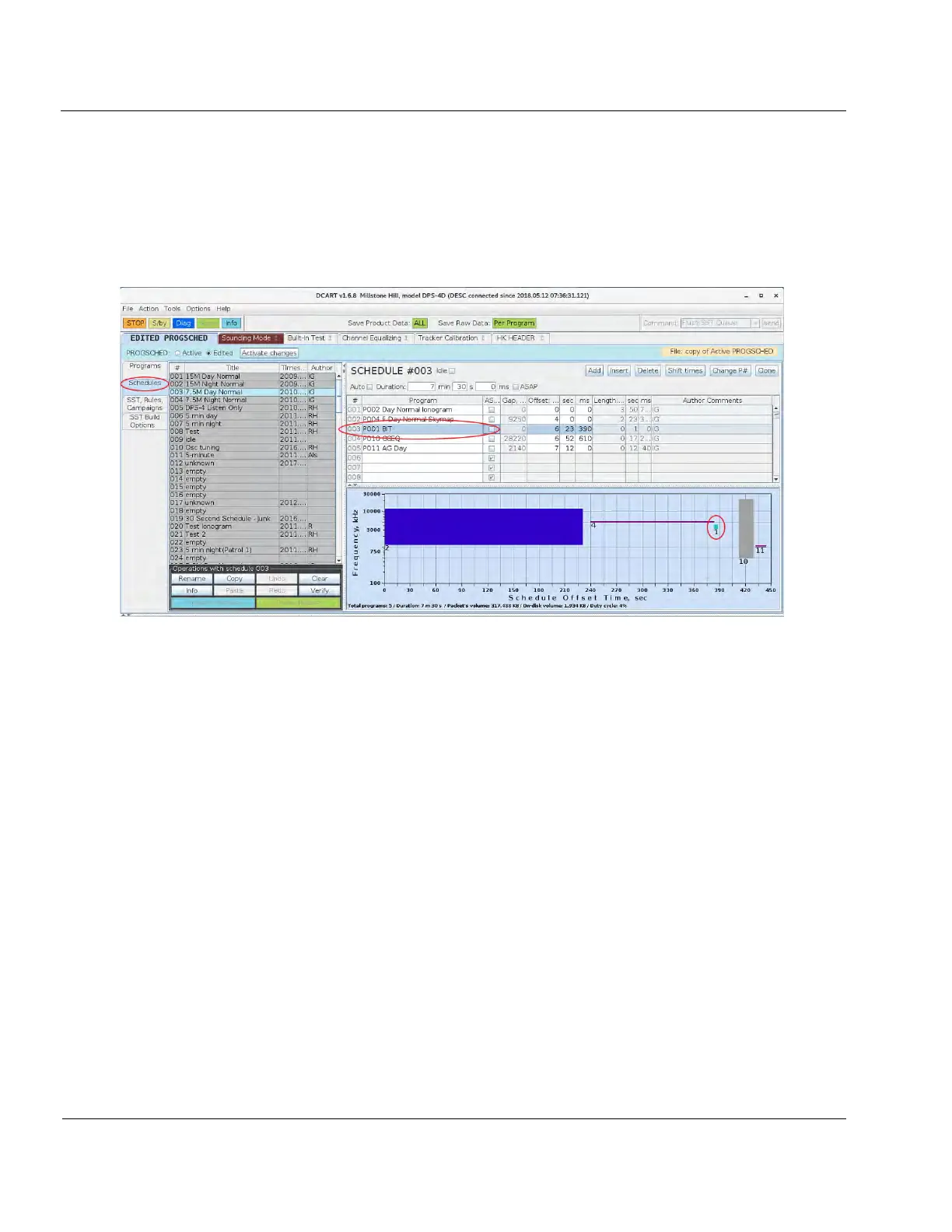
6:65. BIT is a program that has to be scheduled (see Figure 6-17). It should be included in the routine sound-
ing schedule. It can also be manually run in “Diagnostic” mode from the DCART’s Program screen. BIT data
can be viewed in two forms: a Built-In Test display and a BIT Report. The Built-In test display is accessed from
a tab in the DCART menus. It displays the sensor’s mnemonic, name, measurement data, go/no go status, and
the limits used for the go/no go decision (see Figure 6-18).
Figure 6-17: BIT program has to be scheduled
6:66. At the upper right of the Built-in Test display is a “Report” button. If the button is pressed a BIT report
is displayed (see Figure 6-19). The BIT report is designed to help isolate the Line Replaceable Module (LRM)
in the case of a failure. The BIT report provides the following information:
• Shows a system failure if one occurs
• Lists suspected components
• Provides troubleshooting recommendations
• Lists failed sensors, including “case” where failure occurred
• Lists hardware by state; GO, NOGO, UNKNOWN
• Lists sensor definitions
6:67. The BIT report can also be accessed remotely from the system’s web page through the main menu.



 To Next Page