LDI Intellectual Property.
Not for secondary distribution or replication, in part or entirety.
DIGISONDE-4D
SYSTEM MANUAL
VERSION 1.2.11
6-26 SECTION 6 - MAINTENANCE
Table 6-5: BIT Faults of the Dual Power Amplifier Chassis
Thermal protection shutoff, threshold adjustable in
StationSpecific.udd
6:75. Removal procedure for Dual RF Power Amplifier (PA) Chassis
1. Remove DPS enclosure front cover by turning the 4 fastener knobs counter-clockwise.
2. Remove four panel mount screws at left and right sides of PA chassis front panel.
3. Slide PA chassis out of enclosure until slides lock.
4. Disconnect all cables from rear of PA chassis.
5. Press in slide lock buttons and remove PA chassis from enclosure.
6. To replace PA chassis repeat steps 1 - 5 in reverse order.
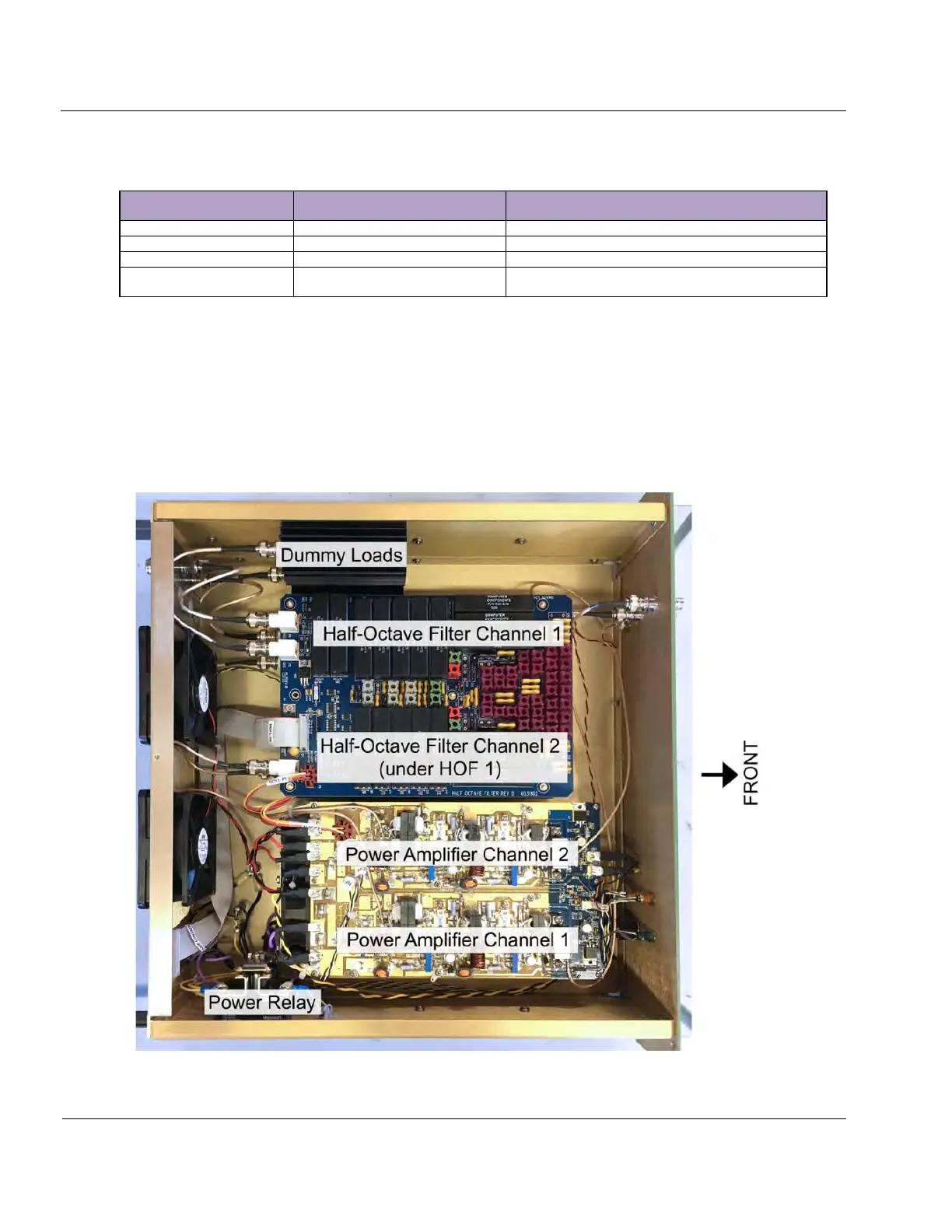
Figure 6-24: PA Chassis



 To Next Page