Viva Series, GPS Settings 52
Description of options
Key Description
OK To apply the selected setting, or to access the selected function.
Once leaving a screen, the system returns to the screen from where
this screen was accessed..
Fn Quit To exit the screen.
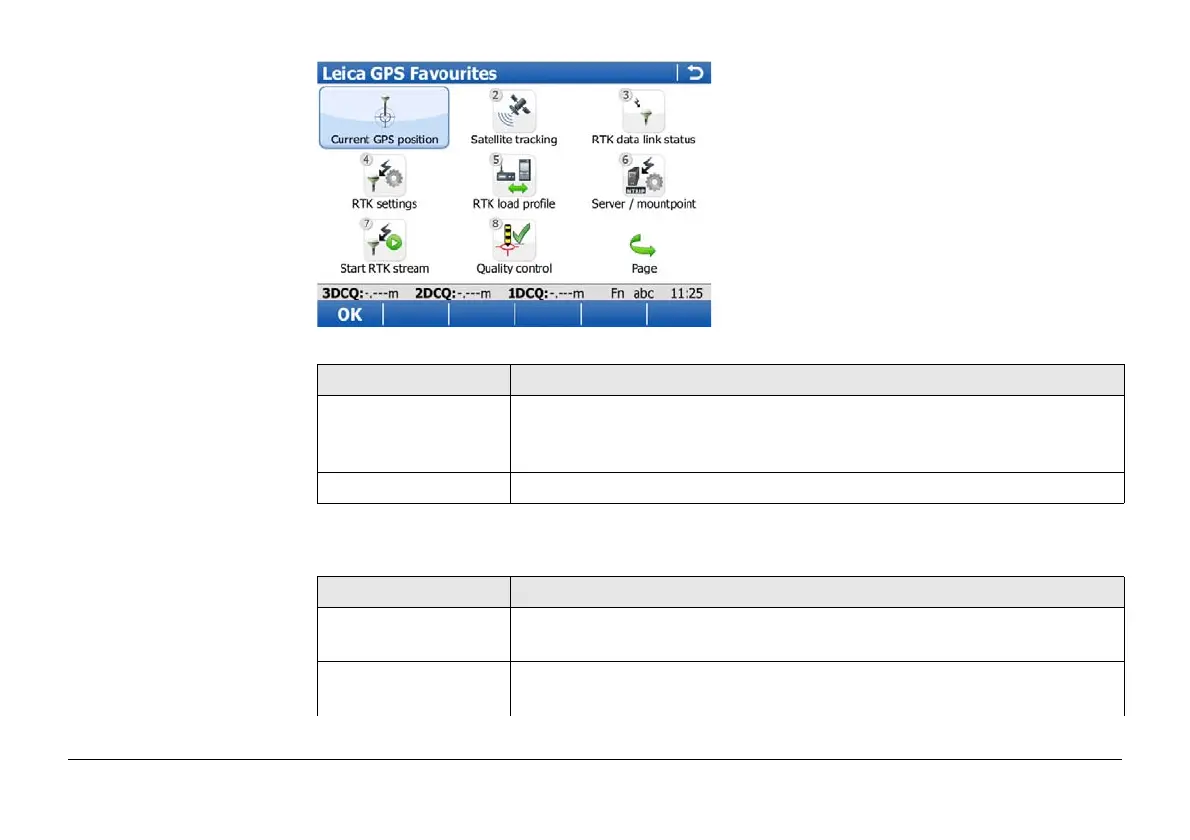
Icon Description
Current GPS posi-
tion
To open the status screen Current GPS Position. Refer to "21.5
Current GPS position".
Satellite tracking To open the status screen Satellite Tracking. Refer to "21.3 Satellite
tracking".


 To Next Page