Viva Series, User - System settings 596
Description of fields
Next step
Page changes to the Audio page.
Screen & Audio Settings,
Audio page
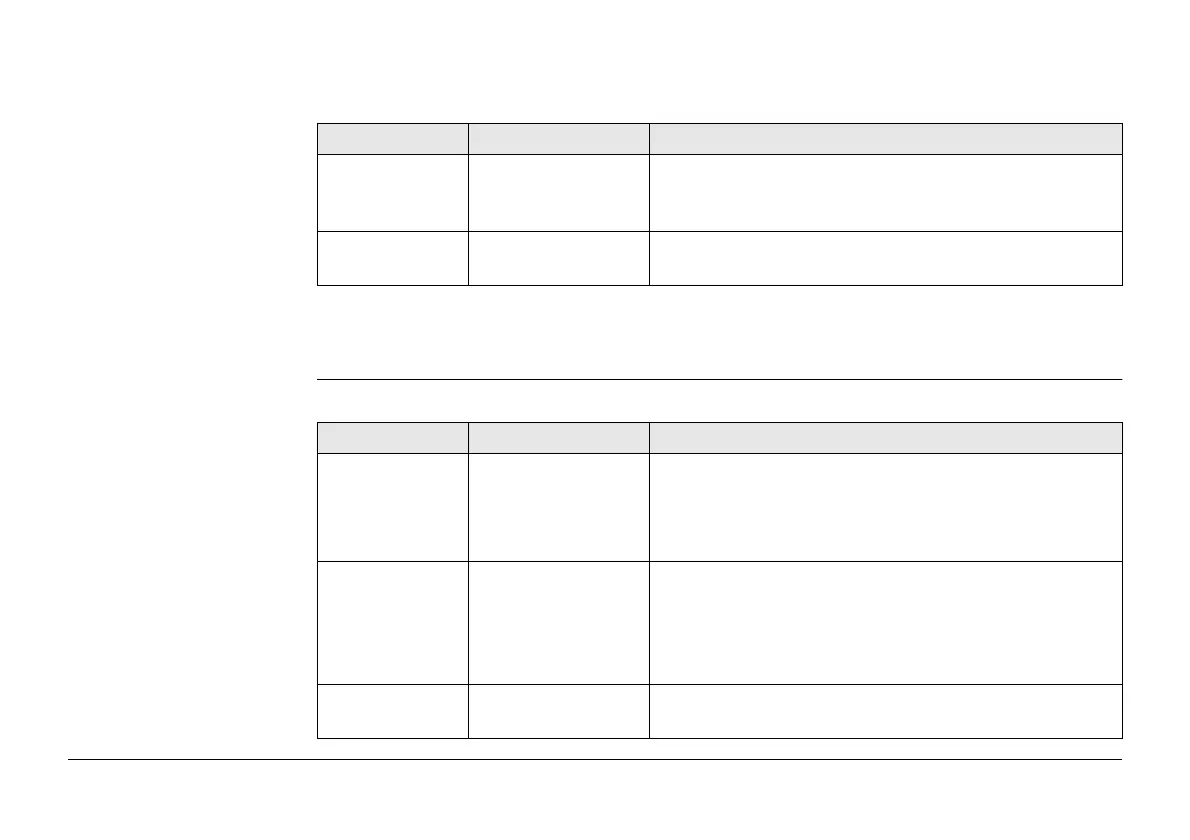
Description of fields
Field Option Description
Minimize
instrument icon
tool bar
Check box If checked, the icon tool bar on the top of the screen
is minimised to one small icon on the top left. Tap
this icon to make the full icon tool bar visible again.
Use the touch
screen
Check box If checked, the touch screen is turned on.
Field Option Description
Message
sounds
Sounds only A sound alert will be given when an information
message appears.
Sounds & voice A sound and voice alert will be given when an infor-
mation message appears.
Use Hz sector
beeps with total
stations
Check box If checked, the horizontal sector beep is turned on.
The instrument beeps when within 5 gon/4°30’ of
the defined sector, has a long and consistent beep
within 0.5 gon/27’ and no beep within
0.005 gon/16’’.
Hz sector angle Editable field Editable field for the sector angle for which a beep
will sound.



 To Next Page