Viva Series, User - Tools & other utilities 615
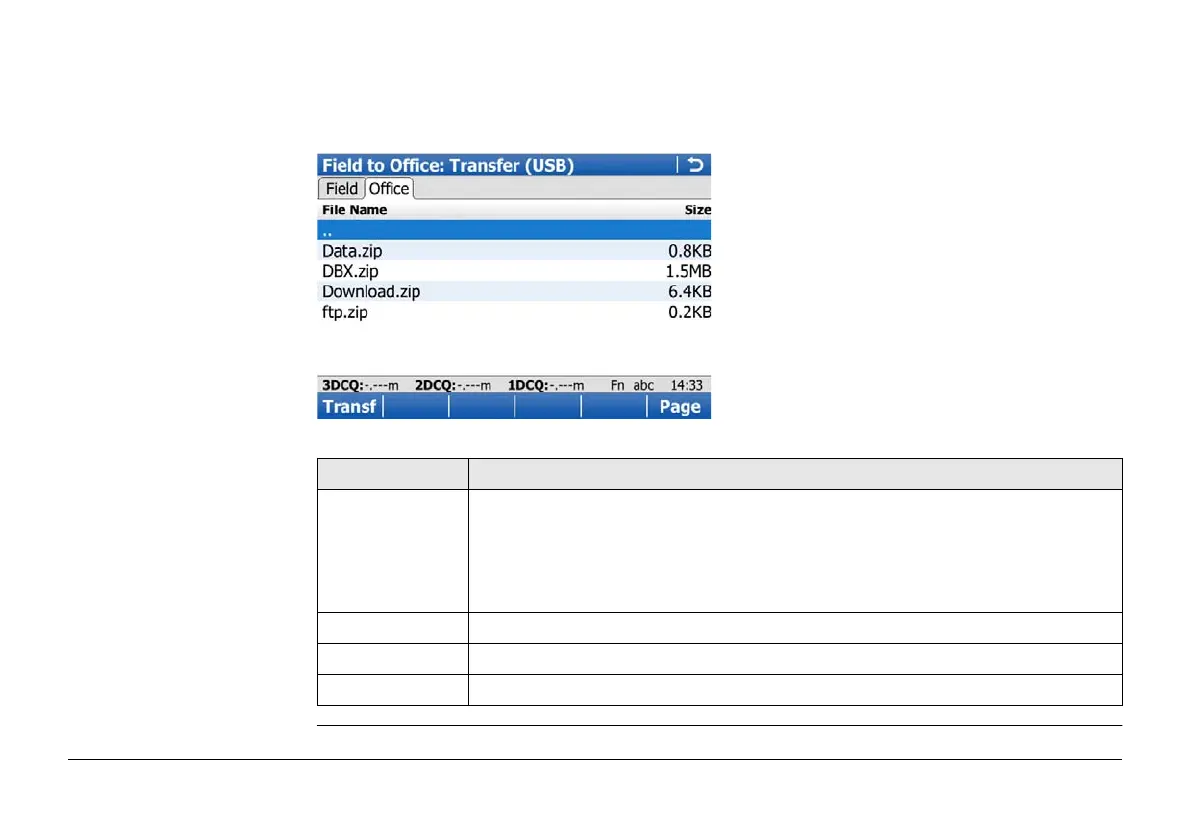
Field to Office: Transfer,
Office page
The files located on the FTP server are displayed.
Whenever switching to this page, if the connection to the server was disconnected, then a
refresh action is done or it reconnects to the server.
The most important keys are explained.
Key Description
Transf To download the highlighted file or folder list on the FTP server to the
local download folder.
If recognised by the system, downloaded files are moved automatically to
the corresponding directories. If not, they are stored in the download
folder. Zipped files are unzipped before storing in the download folder.
Page To change to another page on this screen.
Fn Refrsh To refresh the FTP directory.
Fn Quit To return to Main Menu and disconnect automatically from the FTP server.


 To Next Page